2
Score
Miroslav Djuric
62.2k
Asked
How do I fix my broken audio-out jack?
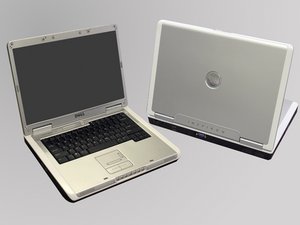
I have a problem that's been pestering me for quite a while. About three years ago I began to intermittently lose sound from the intergrated speakers on my Dell Inspiron 6000. This loss became more and more frequent, and as of now I cannot play the sound from the onboard speakers unless I place something into my headphone or microphone jacks. To be more descriptive, I take a 1/8" headphone jack plug and stick it in about halfway, then angle it downward and hold it there. I usually use my wallet to prop against the plug -- it's thick enough to hold it in place, but not too thick to break the plug or jack. This, and only this, usually gets the sound to work from the external speakers.
The headphone jack used to work just fine otherwise, but has over time stopped transmitting sound more and more to the headphones.
About two years ago, I tore apart the whole enchilada. There were no broken wires anywhere, and the headphone/mic jacks were soldered to the motherboard. I looked around and nothing appeared to be burned out.
Does anyone have any suggestions on how to go about fixing this problem? The laptop runs like a champ, even though it's approaching 4 years.
Any suggestions will be appreciated. Thank you in advance.
3
Score
bac
5.3k
Answered
Accepted Answer
maybe a silly question, but have you checked if the contacts in the headphone jack are slightly bent? or corroded or dirty?
if I understand you correctly, the built-in speakers don't work but headphones do, and partially inserting a headphone plug turns back on the built-in speakers? if so, I would suspect that the contact point inside the jack - the contact that's normally closed but opened when headphones are inserted - may be causing you trouble, i.e. stuck open without the headphone inserted. I'm assuming here there's no fancy electronic switching between outputs; usually these headphone jacks are just mechanical switches.
if you open up your laptop, can you check the connectivity of all the jack's connections with a VOM?
another thing to try - perhaps try some electronic contact cleaner (the aerosol type) in case there's some corrosion on that contact causing the circuit to stay open without some pressure from your plug.
Built-in speakers work only if I insert a headphone plug and angle it correctly. Headphones work also only if placed fully inside, then rotated or wiggled up until they work (and then I have to be very still and not move them, or they will lose connectivity). I tried the contact cleaner route this weekend-- no dice. I'll do some more rigorous troubleshooting in the future when I have some more time :) Thanks!
3
Score
Brian Anderson
655
Answered
I have seen similar problems on other laptops and multiple iPhones. Usually a sharp blast of air (from mouth or can) will cause the contacts to reseat properly. If not, I have also had success with somewhat violently inserting/remov
If neither of those solutions work, opening the computer and fixing/replacin
1
Score
Tetsuo
151
Answered
Dell laptops use a really flaky thru hole method to attach the headphone & microphone jacks. They are attached with the bare minimum of solder and thus develop dry joints with minimal use. I repaired my brothers Dell by fully dismantling and desoldering the headphone jack, which was broken beyond repair. As it's a custom part I couldn't find a replacement so I desoldered the stereo mic jack and swapped it over. This is a NON-TRIVIAL repair and took me almost 2 hrs to complete.
Another option is to simply replace the headphone jack with a $2 USB audio device: