
1
Score
Nathan Wauk
19
Asked
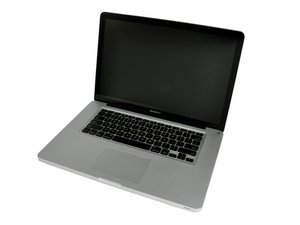
Can I upgrade the display to 1920x1200?
I've read about people replacing their MacBook Pro LCDs with non-Apple LCDs of higher resolution, and have not been able to find an guide on this particular model. How can I find out which key specs are relevant for compatibility? Obviously the size would be 15.4", but how about LED vs CCFL? or connectors? plastic frame? etc…?
2
Score
Per Jensen
25
Answered
I have done it.
Work in progress pictures of the MOD
I took an WUXGA panel from an IBM T61p computer, modified the EDID EPROM on it a bit, and the computer would talk to it.
I wanted to mount the panel on my A1226-machine, so the LCD cable and all would not be a fit, so i got an Display cable from an A1150 (1Gen Macbook Pro) and a Display bezel from an A1150 too.
With these parts you can mount the panel in the case.
But there is still som backlight to figure out, so i got myself an LCD panel from the A1226-model with LED backlight (broken panel, 15$) and ripped off the LED's and put them in the T61p-panel instead of the CCFL tube.
You need to solder the LED strip's 7 connection to the LED inverter in the A1226 and i would not advice anyone to undertake this unless they are an expert at soldering.
// Per.
Edited by: Per Jensen ( )
1
Score
Steven
185
Answered
Nathan,
Here is the link to your question on LED vs CCFL.
http://www.engadget.com/2007/06/06/MacBo...
I would forget about moding your clamshell.. Wast of time and money.
0
Score
Nathan Wauk
19
Answered
Wow, now that's a mod and a half. If I knew what you were talking about, it would sound like fun. I don't even want to ask what you might charge for a custom install like that. Anyway I think you answered my question, which, at my technical skill level, I will have to live with the basic resolution. Thanks for posting and sharing the pics!
0
Score
Answered
0
Score
kluse1
1
Answered

