
1
Score
markus weiher
21.4k
Asked
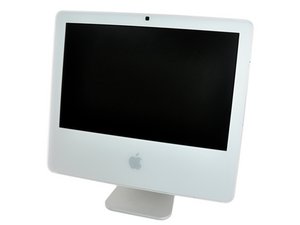
White Intel iMac won't Start if the LCD is Connected?
hi everybody,
a friend of mine gave me an intel iMac with a strange issue - the iMac wont start if the lcd is connected - there is only a slight movement on the fans and thats it - if i disconnect the lcd - the iMac powers up without any problems.
i changed the lcd and the cables - still the same problem
what do you think about that ?
PSU ?
2
Score
markus weiher
21.4k
Answered
Accepted Answer
hi vince,
no - it wasn't the inverter - it was the lcd - i changed the lcd and everything was fine.
accepting my answer to mark it as resolved
1
Score
rj713
33.9k
Answered
Try resetting the SMC. Ralph
http://support.apple.com/kb/HT3964
You might also reset the pram. Ralph
1
Score
Vince
71
Answered
My personal opinion is that there is something wrong with the LCD's inverter. I know if there is a short in any power supply the computer will shut down. The iMac runs on 5 and 3.3v but also has 12v fed through the Logic Board to the inverters. So if you have a shorted inverter it wont start up. You have a problem with the inverter or the video. And a connector for each one so you can unplug the power to the inverter on the logic board but leave the video connector in and if it starts up you have a bad inverter.
Good news, the inverters are on the side of the LCD panels, did you put the old inverter on the new panel or did the new panel come with a different inverter? Just curious for my own sake.
0
Score
Vince
71
Answered
You changed two things and the computer works, but you can't say with certainty which one was causing the problem. There are a lot of people out there who don't have extra displays with inverters to fix their problem. I'm sure it doesn't matter to you since your computer it running, but I don't understand why you don't think it could be the inverter since they go bad much more often than panels do. If they fail the computer will still start with no light, but if it shorts it won't.
no, never changed the inverter - never said so.
if the inverter is shorted - you could probably hear/see/smell/
0
Score
Pj469
1
Answered
I just trouble shot whether you can use a G5 lcd in an intel imac. This is what happened..I took the lcd LM171W02 (TL) (B2) off my C2Duo Build 10K459, and put the lcd LM171W02 (TT) (A1) from my isight G5 build 9L319 onto the intel unit AND.. after a short burst of the fans - it would not power on. I pulled the lcd cable from the socket - and the C2D powers up. I return the cable into the socket and the C2D fails to power up. I put the G5 lcd LM171W02 (A4) (M1) from my other isight G5 into the C2D and once again it fails to power up after the short burst of fans. There is a detailed working around this problem here. http://www.ifixit.com/Answers/View/28610... It is one likely reason for the imac not booting.
Hi Vince, That's what I didn't say but the evidence points to that - and that's why my intel imac would not power-up unless I disconnected the G5 displays...and what I suggested was a likely cause for the same behaviour Markus described - a short burst of the fans, then nothing. Exactly what I saw and all parts I interchanged for the 'trouble shoot' were working parts as I was simply trying them from complete G5 and C2D imacs.


