Introduction
Follow this guide to remove and replace the Wi-Fi board on a Xbox Series S.
What you need
-
Tool used on this step:Tweezers$4.99
-
Use tweezers to peel off the two white screw covers located on the bottom corners of the back panel.
-
-
Tool used on this step:Magnetic Project Mat$16.96
-
Use a T8 Torx driver to remove the two 10 mm-long screws securing the back panel to the bottom panel.
-
-
-
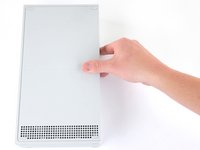
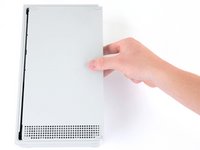
Slide the bottom panel horizontally toward the back of the console until it comes to a stop.
-
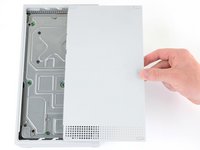
Lift straight up and remove the bottom panel from the plastic case.
-
-
-
-
Use a T10 Torx driver to remove the seven 51 mm-long screws securing the chassis to the plastic case.
-
-
-
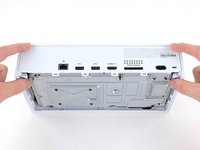
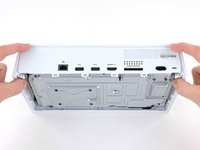
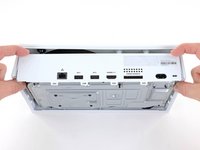
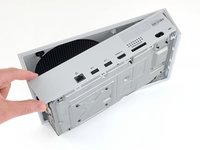
With the bottom of the Xbox facing you, pull the two bottom-rear corners of the plastic case away from each other.
-
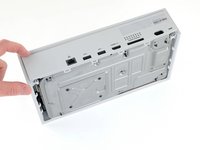
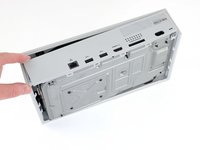
As you pull the corners apart, slide the back panel towards the bottom of the device. This releases the back panel from the plastic case.
-
-
-
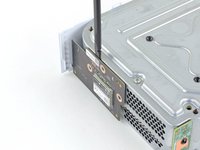
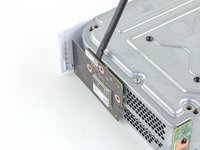
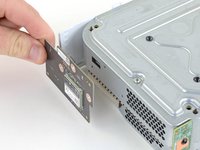
Use a T8 Torx driver to remove the three 9.5 mm-long screws securing the Wi-Fi board to the short edge of the chassis.
-








To reassemble your device, follow these instructions in reverse order.
Take your e-waste to an R2 or e-Stewards certified recycler.
Repair didn’t go as planned? Try some basic troubleshooting, or ask our Answers community for help.
Cancel: I did not complete this guide.
2 other people completed this guide.


3 Guide Comments
Se puede usar la misma pieza en un xbox series s black carbon? Saludos espero su respuesta
If all my controllers disconnects randomly I have to replace the wifi board or the bluetooth?
