Introduction
Follow this guide to replace the screen assembly (including the frame) on a Samsung Galaxy A15.
To reassemble the device, you'll need replacement adhesive for the back cover, vibration motor, and earpiece speaker. You'll also need a replacement battery - the old one shouldn't be reused due to potential creasing or other damage during the removal process.
What you need
-
-
Unplug all cables and completely power off the phone.
-
Press and hold the power and volume down buttons at the same time to bring up the shutdown menu.
-
-
-
Heat an iOpener and apply it to the right edge of the back cover for two minutes.
-
-
-
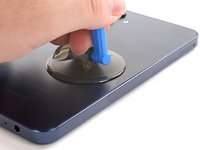
Apply a suction handle to the back cover, as close to the center of the right edge as possible.
-
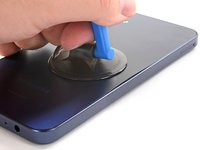
Pull up on the suction handle with strong, steady force to create a gap between the cover and the frame.
-
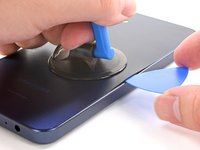
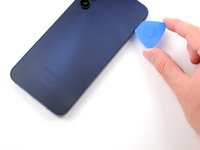
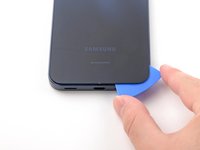
Insert an opening pick into the gap.
-
-
-
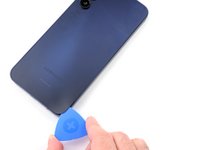
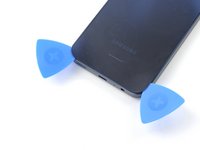
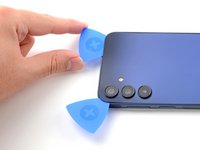
Slide the opening pick along the right edge between the back cover and the frame to slice through the adhesive.
-
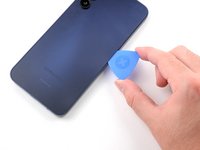
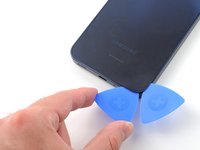
Leave the opening pick in the bottom right corner to keep the adhesive from resealing.
-
-
-
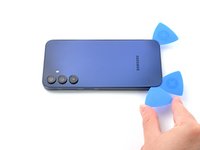
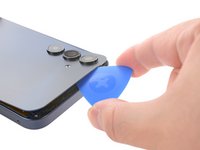
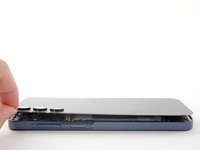
Insert an opening pick along the top edge of the phone and twist it gently to unfasten the camera clips.
-
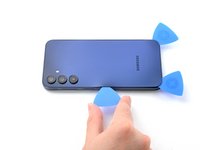
Slide the opening pick around the edge of the camera modules to unfasten the remaining camera clips.
-
-
-
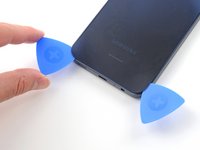
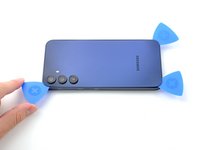
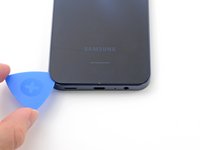
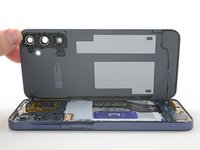
Once the adhesive around the edges is loose, insert an opening pick deeper into the bottom edge from the bottom left corner.
-
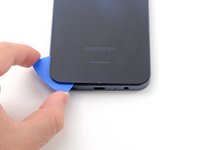
Slide the pick deeper into the phone across the bottom edge, slicing the remaining adhesive.
-
-
-
-
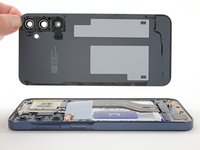
Lift and remove the back cover.
-
Remove any adhesive chunks with a pair of tweezers or your fingers. Apply heat and isopropyl alcohol (90% or greater) if you're having trouble removing the adhesive.
-
If you're using custom-cut adhesives, follow this guide.
-
If you're using double-sided tape, follow this guide.
-
-
Tool used on this step:iFixit Precision 4 mm Screwdriver Bit$2.99
-
Insert a SIM card eject tool, bit, or a straightened paperclip into the hole on the SIM tray, located towards the top of the phone on the left edge.
-
Press in firmly to eject the tray and remove it.
-
-
-
Remove the fifteen 4 mm-long screws connecting the frame to the chassis.
-
-
-
Use the flat end of a spudger to pry up and disconnect the fingerprint button press connector from the motherboard.
-
-
-
Flip the phone over so the screen is facing up.
-
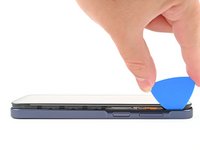
Insert an opening pick between the screen and the SIM card tray cutout to form a gap between the frame and the phone.
-
Slide the opening pick down the left edge of the device to unfasten the frame clips.
-
-
-
Use the flat end of a spudger to lift up and disconnect the battery press connector from the motherboard.
-
-
-
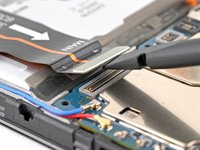
Insert the flat end of a spudger under the overhang of the top "OCTA" cable connector.
-
Pry up the top connector away from the bottom one until they're disconnected.
-
-
-
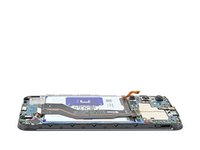
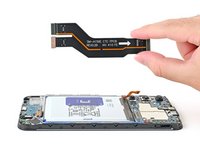
Pick up the interconnect cable and remove it from the phone.
-
-
-
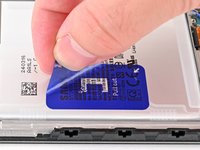
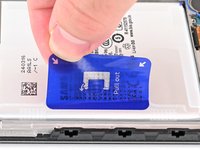
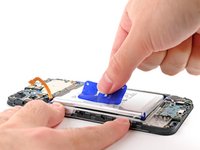
Peel up the blue battery pull tab until you can grab it with your fingers.
-
-
-
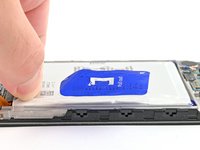
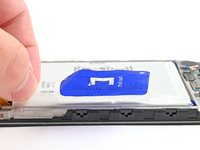
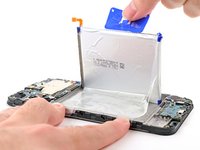
With one hand, fold the two upper and lower tabs out of the way of the battery and firmly hold down the frame.
-
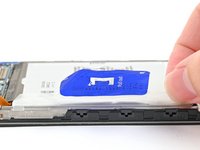
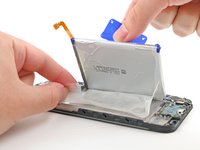
Pull up on the blue battery pull tab with strong, steady force until the battery is separated from its adhesive in the phone.
-
-
-
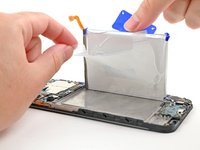
Completely peel off the remaining battery adhesive attached to the frame of the phone.
-
-
-
Insert the flat end of a spudger underneath the display ribbon connector and pry it off of the board.
-
-
-
Use a Phillips screwdriver to remove the 3 mm-long screw securing the daughterboard to the phone.
-
-
-
Use a Phillips screwdriver to remove the 3 mm-long screw securing the motherboard to the phone.
-
-
-
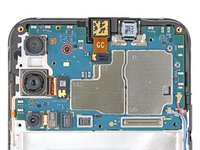
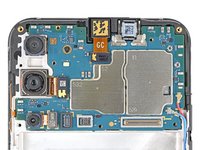
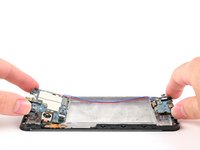
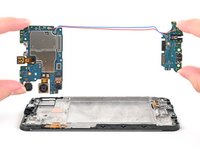
Grab the motherboard and daughterboard by their edges and pull them together straight up and out of the phone.
-
-
-
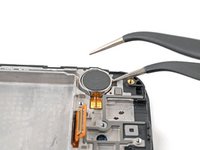
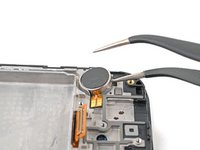
Insert one tip of angled tweezers into the gap beneath the vibration motor closest to the bottom of the phone.
-
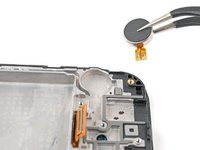
Grab the vibration motor with the tweezers and lift it up and out of the phone.
-
-
-
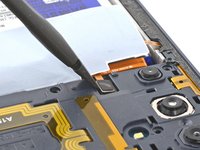
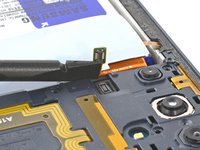
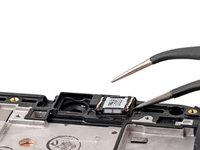
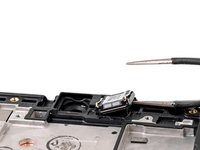
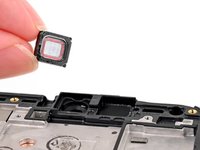
Insert the tip of angled tweezers into the gap next to the earpiece speaker. Get underneath the earpiece speaker and gently pry it up.
-
Lift the earpiece speaker out of the phone.
-
































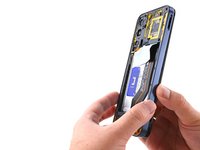
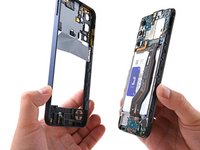


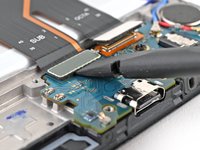
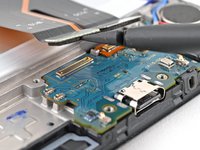


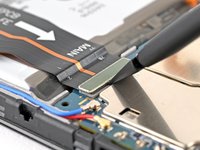












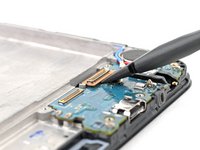
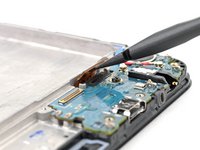


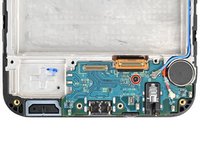
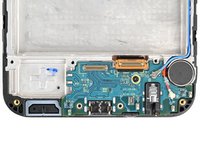









To reassemble your device, follow these instructions in reverse order.
Take your e-waste to an R2 or e-Stewards certified recycler.
Repair didn’t go as planned? Try some basic troubleshooting, or ask our Answers community for help.
Cancel: I did not complete this guide.
34 other people completed this guide.



4 Guide Comments
Can someone help me figure out where to purchase the OEM screen for Galaxy a15 5g please?
I seen one on Amazon for $85.
Sold by Pishzeo
I bought it on Temu
Cool 🍎 🇨🇮💪
