
Repairing the left click of a Logitech Performance MX mouse

Samuel Colin and
Last updated on Sep 3, 2026
Views: 27K
View statistics:
- Past 24 Hours:
- 9
- Past 7 Days:
- 60
- Past 30 Days:
- 347
- All Time:
- 26,660
Comments: 9
9 guide comments.
Go to guide commentsCompleted: 12 13
12 people have marked this guide "completed." Will you be next?
13 people have marked this guide "completed." Including you — great job!
Favorites: 3 4
3 people have favorited (and subscribed to) this guide. Will you be next?
4 people have favorited (and subscribed to) this guide — including you!
Featured Guide
This guide has been found to be exceptionally cool by the iFixit staff.
Community-Contributed Guide
An awesome member of our community made this guide. It was not created by iFixit staff.
Introduction
Go to step 1 ↓After a long time, the left mouse click can become unreliable sometimes. This results in unintentional double-clicks or drag-and-drops. This can be fixed by disassembling the mouse and bending a certain metal part.
Thanks to Kyler’s Studio for the tutorial I initially followed.
What you need
Tools
-
-
-
Spudger4.9


-
-
-
The pads (or soles) are made of two layers. Ideally, the two should remain bonded together, but this is difficult to achieve.
-
-
-
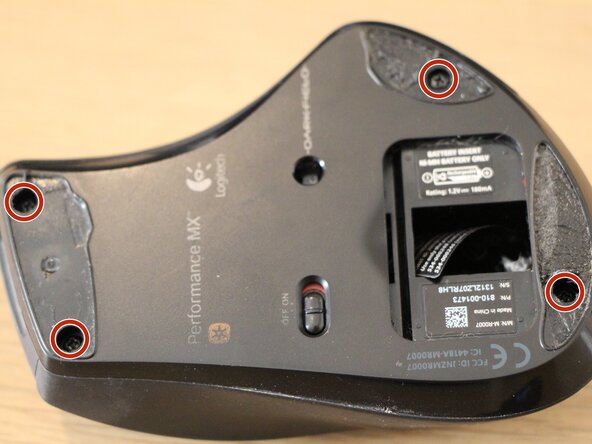
Use a Phillips screwdriver to remove the four screws (indicated by red circles) that hold the bottom of the mouse.
-
-
-
-
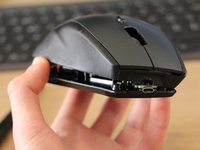
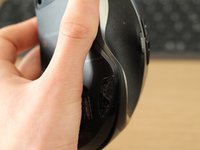
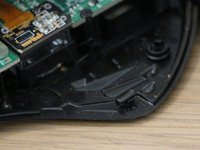
Remove the bottom by lifting the top of the mouse. Sliding sideways won't help, but gripping the base at the front in the gap between the button ends and the base, or using a guitar pick on the sides to unclip the top from the base, will work.
-
-
-
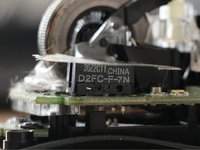
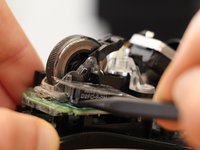
You can put some tape on the top of the micro-switch, which prevents losing the white piece.
-
-
-
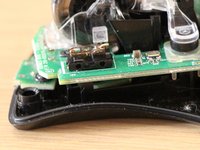
Use your spudger to push the vertical front part of the micro-switch outwards (forward and up relative to the mouse) to unlatch and release the top part of the switch casing.
-
-
-
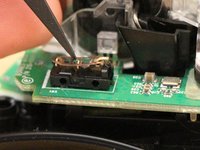
Flatten the metal part of the microswitch (it will probably be curved upward) until you get a clearer "click" sound.
-

 Ask FixBot







To reassemble your device, follow the instructions in reverse order.
Cancel: I did not complete this guide.
12 other people completed this guide.
Special thanks to these translators:
100%


These translators are helping us fix the world! Want to contribute?
Start translating ›

9 Guide Comments
merci , ca vient de sauver ma Revolution
Avec plaisir. J'en suis ravi :)
Thank you so much. My left click often unregisters incorrectly. If not for step 7 and 8, I wouldn't have opened the multiswitch top and clean the contact point. Seems to work perfectly normal now. It'd be a waste to throw away the whole item just because of a tiny defective component. Thanks again for helping me fixed it.
@Kenji @thuan: I'm glad I could help. Thanks for your comments!
