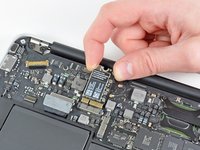
MacBook Air 11" Late 2010 AirPort/Bluetooth Card Replacement

What you need

  1. MacBook Air 11" Late 2010 AirPort/Bluetooth Card Replacement, Lower Case: step 1, image 1 of 1
    Tool used on this step:
    P5 Pentalobe Screwdriver Retina MacBook Pro and Air
    $5.99
    Buy
    • Before proceeding, close your computer and lay it on a soft surface top-side down.

    • Remove the following ten screws:

    • Two 8 mm 5-point Pentalobe screws

    • Eight 2.5 mm 5-point Pentalobe screws

    • The special screwdriver needed to remove the eight 5-point Pentalobe screws can be found here.

  2. MacBook Air 11" Late 2010 AirPort/Bluetooth Card Replacement: step 2, image 1 of 1
    • Wedge your fingers between the display and the lower case and pull upward to pop the lower case off the Air.

    • Remove the lower case and set it aside.

  3. MacBook Air 11" Late 2010 AirPort/Bluetooth Card Replacement, Battery: step 3, image 1 of 2 MacBook Air 11" Late 2010 AirPort/Bluetooth Card Replacement, Battery: step 3, image 2 of 2
    • In this step you will disconnect the battery to help avoid shorting out any components during service.

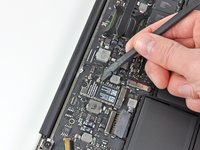
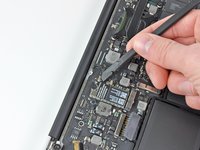
    • Use the flat end of a spudger to pry both short sides of the battery connector upward to disconnect it from its socket on the logic board.

    • Bend the battery cable slightly away from the logic board so the connector will not accidentally contact its socket.

  4. MacBook Air 11" Late 2010 AirPort/Bluetooth Card Replacement, AirPort/Bluetooth Card: step 4, image 1 of 2 MacBook Air 11" Late 2010 AirPort/Bluetooth Card Replacement, AirPort/Bluetooth Card: step 4, image 2 of 2
    • Use the flat end of a spudger to pry both antenna connectors up from their sockets on the AirPort/Bluetooth card.

  5. MacBook Air 11" Late 2010 AirPort/Bluetooth Card Replacement: step 5, image 1 of 1
    • Remove the single 2.9 mm T5 Torx screw securing the AirPort/Bluetooth card to the logic board.

  6. MacBook Air 11" Late 2010 AirPort/Bluetooth Card Replacement: step 6, image 1 of 2 MacBook Air 11" Late 2010 AirPort/Bluetooth Card Replacement: step 6, image 2 of 2
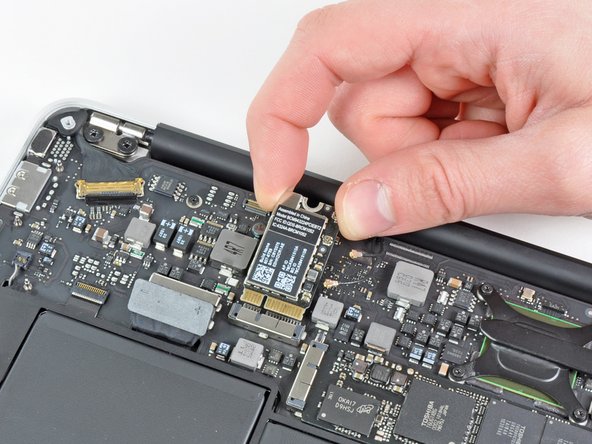
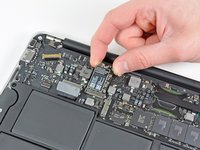
    • Slightly lift the free end of the AirPort/Bluetooth board and pull it out of its socket on the logic board.

    • Remove the AirPort/Bluetooth board from the Air.

Conclusion

To reassemble your device, follow these instructions in reverse order.

13 other people completed this guide.

1 Guide Comment

Hi Andrew, thanks for your guide on MacBook Air 11" Late 2010 Airport-Bluetooth Card. I am desperately trying to purchase new cables with female connectors to connect to the Card's male jacks. I ignore the size which is important: I tried MHF 4 too small, MHF 1 too big, so before buying wrong cables again I wonder if you can tell me what size is the Card's jack connection. I thank you for your help in advance.

Max

Massimo Bazzano - Reply

Add Comment

View Statistics:

Past 24 Hours: 1

Past 7 Days: 10

Past 30 Days: 41

All Time: 23,828