Free Shipping on Domestic Orders $75+

LG CU515 SKU 64743 Device Mother Board Replacement

What you need

  1. LG CU515 SKU 64743 Device Mother Board Replacement, Back Cover: step 1, image 1 of 3 LG CU515 SKU 64743 Device Mother Board Replacement, Back Cover: step 1, image 2 of 3 LG CU515 SKU 64743 Device Mother Board Replacement, Back Cover: step 1, image 3 of 3
    • Locate the raised tab at the top of the back cover.

    • Holding the phone in one hand and using your thumb on your other hand, push down on the tab until the cover detaches from the phone.

    • Slide the cover down until it is completely removed from the phone.

    Ask FixBot

    Add Comment

  2. LG CU515 SKU 64743 Device Mother Board Replacement, Battery: step 2, image 1 of 3 LG CU515 SKU 64743 Device Mother Board Replacement, Battery: step 2, image 2 of 3 LG CU515 SKU 64743 Device Mother Board Replacement, Battery: step 2, image 3 of 3
    • Holding the phone in one hand and using your index finger on your other hand, remove the battery from the phone by prying it out at indention located at the bottom of the phone.

    Ask FixBot

    Add Comment

  3. LG CU515 SKU 64743 Device Mother Board Replacement, Mother Board: step 3, image 1 of 3 LG CU515 SKU 64743 Device Mother Board Replacement, Mother Board: step 3, image 2 of 3 LG CU515 SKU 64743 Device Mother Board Replacement, Mother Board: step 3, image 3 of 3
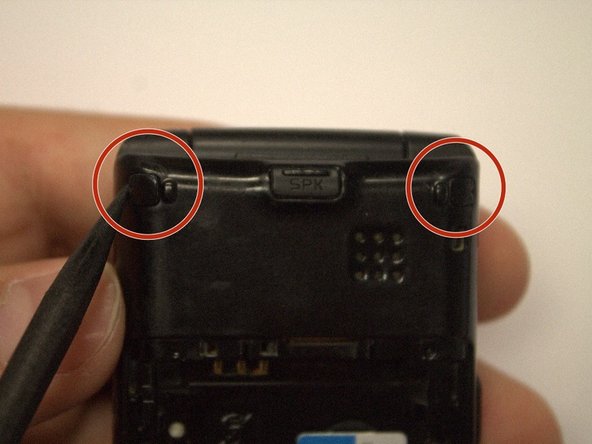
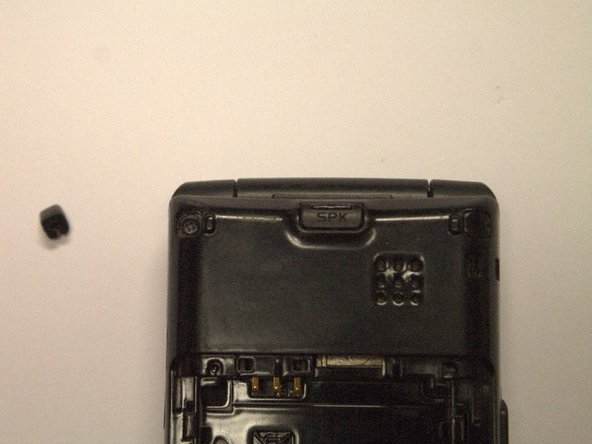
    • Using a spudger or other sharp tool, remove the two rubber pieces on the top of the back of the phone.

    Ask FixBot

    Add Comment

  4. LG CU515 SKU 64743 Device Mother Board Replacement: step 4, image 1 of 2 LG CU515 SKU 64743 Device Mother Board Replacement: step 4, image 2 of 2
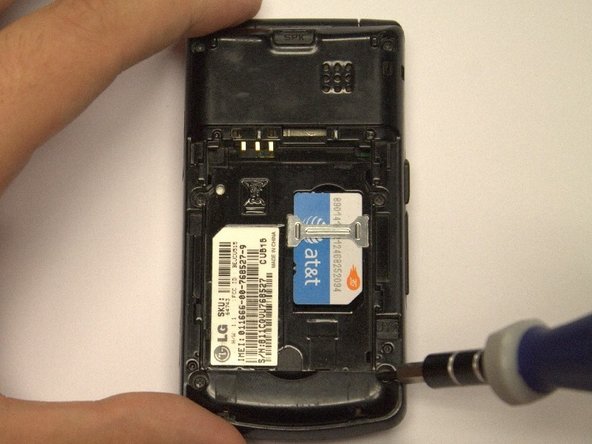
    • Use a small Phillips head screwdriver to remove the six 3mm screws identified in the photo.

    Ask FixBot

    Add Comment

  5. LG CU515 SKU 64743 Device Mother Board Replacement: step 5, image 1 of 2 LG CU515 SKU 64743 Device Mother Board Replacement: step 5, image 2 of 2
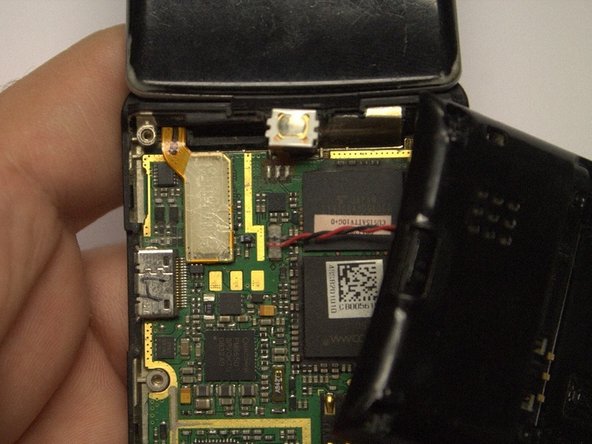
    • Using a pry bar or flat headed screw driver, pry the back cover from the front and lowly lift apart.

    • It may be necessary to pry around the entire edge in order to remove the back cover.

    Ask FixBot

    Add Comment

  6. LG CU515 SKU 64743 Device Mother Board Replacement: step 6, image 1 of 2 LG CU515 SKU 64743 Device Mother Board Replacement: step 6, image 2 of 2
    Tool used on this step:
    Tweezers
    $4.99
    Buy
    • Use tweezers to carefully unplug the wires connecting the speakers to the mother board.

    Ask FixBot

    Add Comment

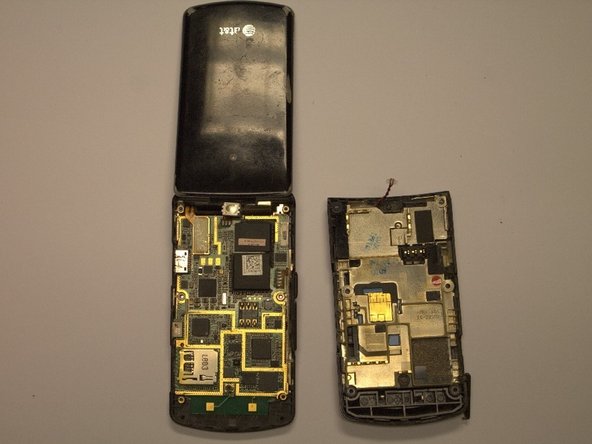
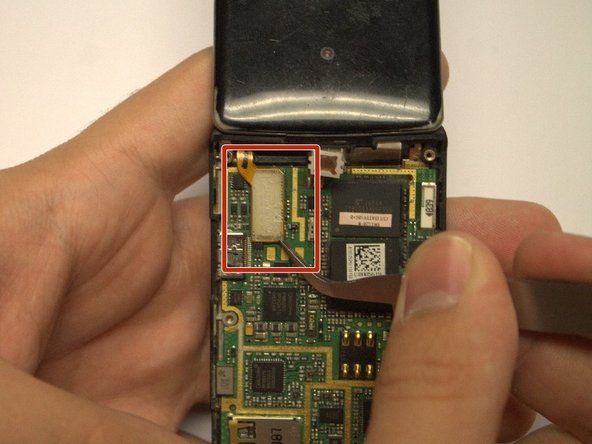
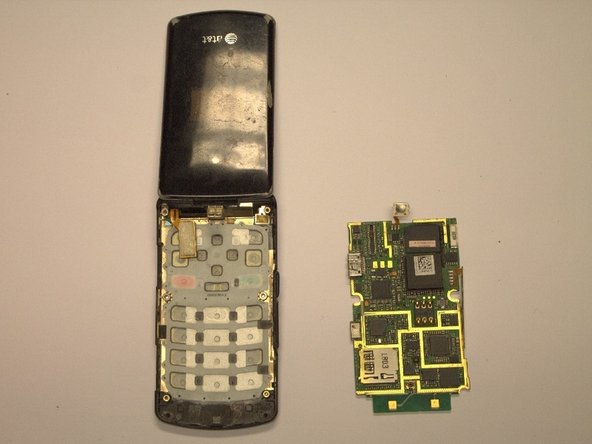
  7. LG CU515 SKU 64743 Device Mother Board Replacement: step 7, image 1 of 3 LG CU515 SKU 64743 Device Mother Board Replacement: step 7, image 2 of 3 LG CU515 SKU 64743 Device Mother Board Replacement: step 7, image 3 of 3
    • Locate the small tab located at the top, center of the motherboard. It connects the motherboard to the rest of the phone. Detach it using the tweezers.

    • Carefully unplug the rectangular ribbon cable connection using tweezers.

    • It should now be possible to lift the motherboard from the rest of the phone.

    Ask FixBot

    Add Comment

Conclusion

To reassemble your device, follow these instructions in reverse order.

Cancel: I did not complete this guide.

Maggie

Member since: 10/18/13

698 Reputation

6 Guides authored

0 Guide Comments

Add Comment

View Statistics:

Past 24 Hours: 0

Past 7 Days: 1

Past 30 Days: 17

All Time: 521