Free Shipping on Domestic Orders $75+

HP Photosmart M547 Screen Replacement

What you need

  1. HP Photosmart M547 Screen Replacement, Screen: step 1, image 1 of 3 HP Photosmart M547 Screen Replacement, Screen: step 1, image 2 of 3 HP Photosmart M547 Screen Replacement, Screen: step 1, image 3 of 3
    • Disconnect from all power sources. (Remove batteries, chargers, etc.)

    Ask FixBot

    Add Comment

  2. HP Photosmart M547 Screen Replacement: step 2, image 1 of 2 HP Photosmart M547 Screen Replacement: step 2, image 2 of 2
    • Remove the five 5mm screws from the bottom of the camera with a PH00 screwdriver.

    Ask FixBot

    Add Comment

  3. HP Photosmart M547 Screen Replacement: step 3, image 1 of 1
    • Pop the silver siding off of the camera. Proceed carefully as to not break the plastic.

    Ask FixBot

    Add Comment

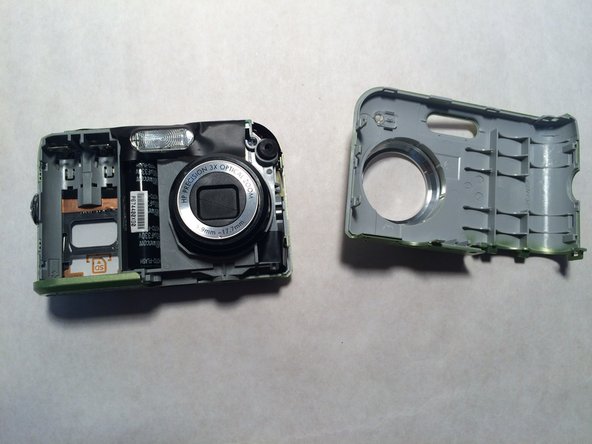
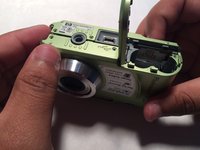
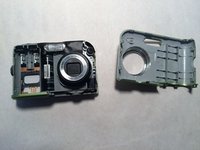
  4. HP Photosmart M547 Screen Replacement: step 4, image 1 of 2 HP Photosmart M547 Screen Replacement: step 4, image 2 of 2
    • Make sure that the siding is fully removed and the battery dock is open. Carefully pry the top off of the camera.

    Ask FixBot

    Add Comment

  5. HP Photosmart M547 Screen Replacement: step 5, image 1 of 1
    • Approach from the front of the camera, make sure that the black/red wires as not covering the screw.

    • Carefully remove the black 5mm screw from the camera with a PH00 screwdriver.

    Ask FixBot

    Add Comment

  6. HP Photosmart M547 Screen Replacement: step 6, image 1 of 1
    • Flip the camera over and pop off the plastic siding.

    Ask FixBot

    Add Comment

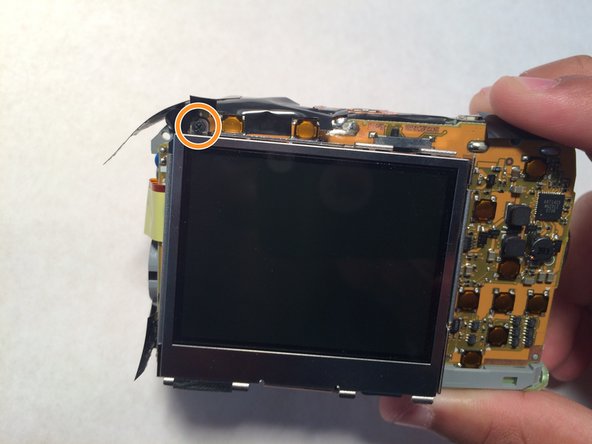
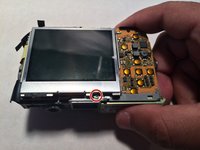
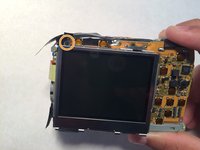
  7. HP Photosmart M547 Screen Replacement: step 7, image 1 of 2 HP Photosmart M547 Screen Replacement: step 7, image 2 of 2
    • Look for the silver 5mm screw connecting the screen to the circuit board. Then carefully remove it using a PH00 screwdriver.

    • On the opposite corner of the screen there is a similar screw. Carefully remove that one as well.

    • You may need to peel back thin, black plastic to get to the screw. The plastic is purely there for dust protection.

    Ask FixBot

    Add Comment

  8. HP Photosmart M547 Screen Replacement: step 8, image 1 of 1
    • When you lift the screen off of the rest of the camera, you will see a small piece of ribbon wire connecting the screen and circuit board.

    • To remove this connection, you must lift the black bar at the base of the ribbon wire (on the circuit board), then slide the ribbon wire out.

    Ask FixBot

    Add Comment

  9. HP Photosmart M547 Screen Replacement: step 9, image 1 of 1
    • Congratulations! You have removed the screen, you can now replace it and reassemble your camera.

    Ask FixBot

    Add Comment

Conclusion

To reassemble your device, follow these instructions in reverse order.

Cancel: I did not complete this guide.

One other person completed this guide.

0 Guide Comments

Add Comment

View Statistics:

Past 24 Hours: 0

Past 7 Days: 27

Past 30 Days: 76

All Time: 1,487