
Garmin Dezl 760LMT Battery Replacement

Ryan Williams and
Last updated on Jun 15, 2020
Views: 7.2K
View statistics:
- Past 24 Hours:
- 3
- Past 7 Days:
- 26
- Past 30 Days:
- 108
- All Time:
- 7,203
Comments: 4
1 comment on steps, 3 guide comments.
Go to guide commentsCompleted: 6 7
6 people have marked this guide "completed." Will you be next?
7 people have marked this guide "completed." Including you — great job!
Favorites: 0 1
No one has favorited (and subscribed to) this guide. Will you be the first?
1 person has favorited (and subscribed to) this guide — and that's you!
Introduction
Go to step 1 ↓This guide will explain how to open your Garmin, detach the battery from the motherboard, and remove the battery from the device safely and quickly.
What you need
Parts

Tools


-
-
-
Using a Torx T6 Screwdriver, remove the ten 7mm screws from the back panel.
 Ask FixBot
-
-
-
-
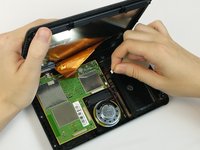
Turn the device over, laying it on its back with the screen facing upwards.
-
Lift the front panel away from the silver part of the back panel.
-
-
-
-
-
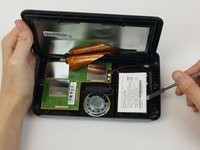
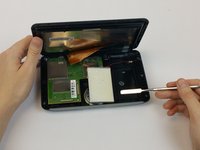
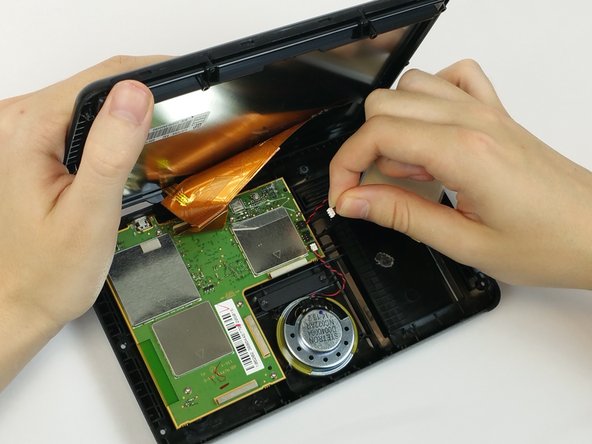
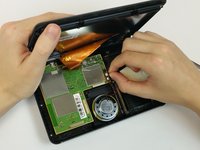
Grasp the battery wire near the motherboard and lift upward to detach the connector.
-



To reassemble your device, follow these instructions in reverse order.
Cancel: I did not complete this guide.
6 other people completed this guide.

Team

USF Tampa, Team 4-2, Passmore Fall 2016 Member of USF Tampa, Team 4-2, Passmore Fall 2016
USFT-PASSMORE-F16S4G2
4 Members
72 Guides authored
3 Guide Comments
Thanks for the tutorial, it was very helpfull. I've changed the battery without any problem. Good job
