
Fairphone Fairbuds Charging Case Battery Replacement

Last updated on Jul 9, 2024
Views: 2.7K
View statistics:
- Past 24 Hours:
- 4
- Past 7 Days:
- 36
- Past 30 Days:
- 175
- All Time:
- 2,717
Comments: 0
No one has left comments on this guide. Will you be first?
Go to guide commentsCompleted: 1 2
1 person has marked this guide "completed." Will you be next?
2 people have marked this guide "completed." Including you — great job!
Favorites: 0 1
No one has favorited (and subscribed to) this guide. Will you be the first?
1 person has favorited (and subscribed to) this guide — and that's you!
Featured Guide
This guide has been found to be exceptionally cool by the iFixit staff.
Introduction
Go to step 1 ↓Use this guide to replace a damaged or worn-out charging case battery in your Fairphone Fairbuds.
You can buy a replacement charging case battery from Fairphone here.
What you need


-
-
-
Flip your charging case upside down.
-
Use a Phillips screwdriver to remove the 4.5 mm‑long screw securing the outer shell.
 Ask FixBot
-
-
-
-
Flip up the bottom of the outer shell to expose the battery.
-
-


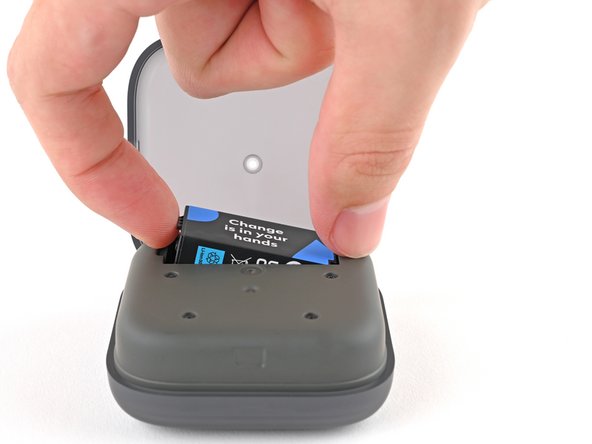
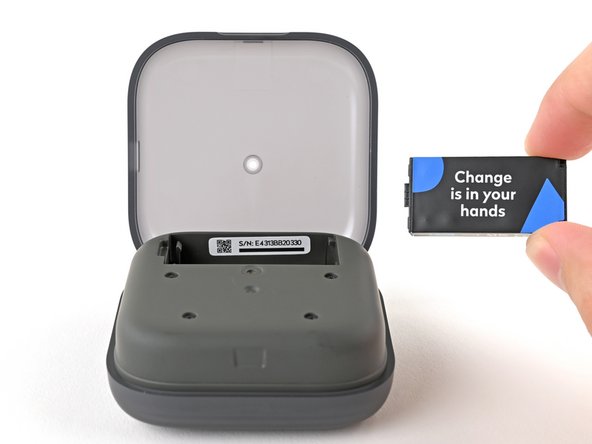
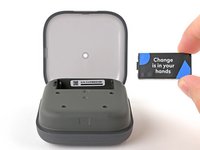
To reassemble your device, follow these instructions in reverse order.
For optimal performance, calibrate your newly installed battery after completing this guide.
Take your e-waste to an R2 or e-Stewards certified recycler.
Repair didn’t go as planned? Try some basic troubleshooting, or ask our Answers Community for help.
Cancel: I did not complete this guide.
One other person completed this guide.


