Introduction
After so many charging cycles, the battery in your Chromebook will begin to lose power and won't hold a charge. Buying a new computer is more expensive than replacing a broken battery. Use this guide to replace a broken Asus C436F Chromebook battery.
Remember to turn off the Chromebook before proceeding with the replacement. Let the Chromebook discharge before proceeding. If not, you might burn your motherboard.
What you need
-
-
Flip your Chromebook over so the bottom case is facing up.
-
Use a Torx T5 screwdriver to remove eleven 3 mm screws from the bottom of your device.
-
-


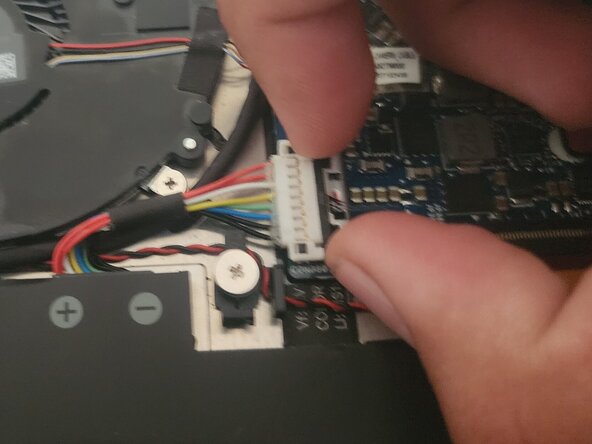

To reassemble your device, follow these instructions in reverse order. For optimal performance, calibrate your newly installed battery after completing this guide.
Take your e-waste to an R2 or e-Stewards certified recycler.



Team

CSU Los Angeles, Team 5-90, Harris Spring 2025 Member of CSU Los Angeles, Team 5-90, Harris Spring 2025
CSULA-HARRIS-S25S5G90
1 Member
1 Guide authored
