
Acer Chromebook CB0311-1H-C1MX Speaker Replacement

Sami Suplizio and
Last updated on May 20, 2025
Views: 325
View statistics:
- Past 24 Hours:
- 1
- Past 7 Days:
- 8
- Past 30 Days:
- 47
- All Time:
- 325
Comments: 0
No one has left comments on this guide. Will you be first?
Go to guide commentsCompleted: 2 3
2 people have marked this guide "completed." Will you be next?
3 people have marked this guide "completed." Including you — great job!
Favorites: 0 1
No one has favorited (and subscribed to) this guide. Will you be the first?
1 person has favorited (and subscribed to) this guide — and that's you!
Introduction
Go to step 1 ↓This guide will demonstrate the process of removing the speakers for the Acer Chromebook CB0311-1H-C1MX. The speakers are responsible for properly playing sound from the device. If the laptop is not playing sound at the proper volume or quality, then replacing the speakers might resolve the issue.
Before replacing speakers, make sure to check device settings in order to ensure the disoriented sound is not the result of a settings issue.
What you need
Tools
-
Spudger4.9


-
-
-
Using a JIS #1 screwdriver, remove eleven 6.6 mm screws from the back cover.
 Ask FixBot
-
-
-
Beginning at the hinges, use an iFixit Opening Tool to pry open the back case.
-
Continue using the iFixit Opening Tool around the entire edge of the case.
-
-
-
-
-
Using a JIS #1 screwdriver, remove all four 4.8 mm screws holding the battery in place.
-
-
-
-
Gently push on either side of the silver connector so that it no longer covers the battery cable.
-
Disconnect the battery cable by pulling it straight out.
-
-
-
-
-
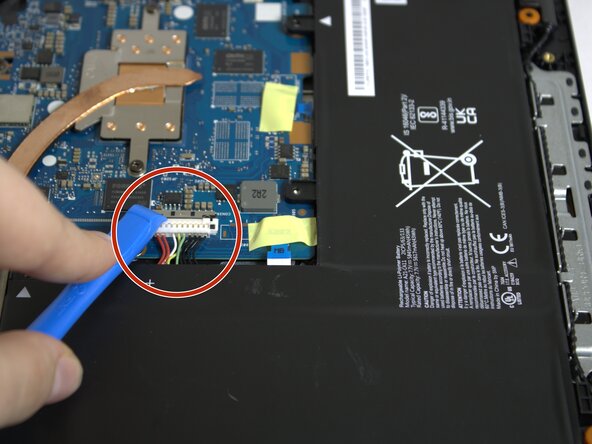
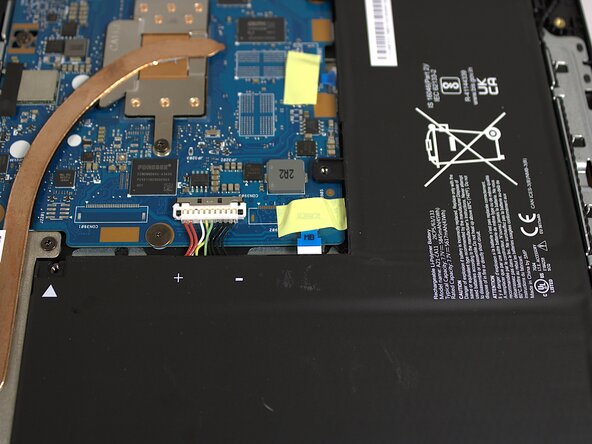
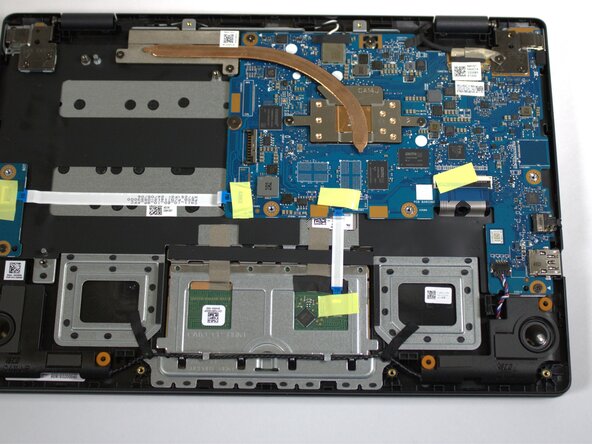
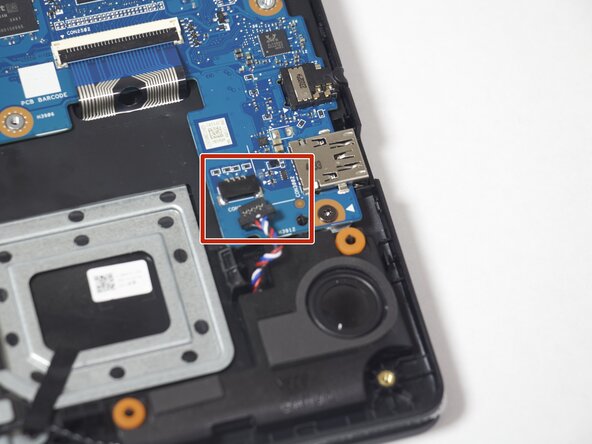
Disconnect the speaker cable from the motherboard by pulling it straight out.
-
-






To reassemble your device, follow these instructions in reverse order.
Cancel: I did not complete this guide.
2 other people completed this guide.

Team

Colorado Mesa University, Team 1-1, Kinney Spring 2025 Member of Colorado Mesa University, Team 1-1, Kinney Spring 2025
CMU-KINNEY-S25S1G1
4 Members
84 Guides authored
