AirPort/Bluetooth Board
|
1 Answer 1 Score |
Which Upper Case Part |
|
6 Answers 1 Score |
Replace SuperDrive with 2nd HardDrive (IDE/PATA) |
|
2 Answers 1 Score |
Unable to install OS X |
|
2 Answers 0 Score |
Boots up but black screen |
(High-Res)
Track down a number of hardware problems using the PowerBook G4 Aluminum 17" troubleshooting guide.
There are a number of components in the PowerBook G4 Aluminum 17" 1.67 Ghz High-Res that can be cost effectively upgraded.
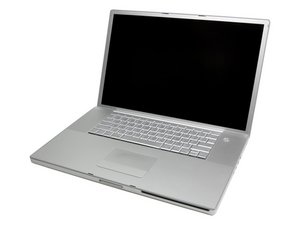
Released in October 2005, the G4 Aluminum 17" 1.67 GHz High-Res came equipped with ATI Mobility Radeon 9700 graphics standard. Features included a standard SuperDrive, a DVI port, and both FireWire 400 and Firewire 800 ports. The LCD used by the 17" PowerBook G4 Al is the same used as in the 17" iMac of that era, but with a thinner backlight.
PowerBooks tend to look very similar, and it's important to know which machine you have before ordering any replacement parts. Check your machine against the details in this section. If they don't match, find your model under PowerBook G4 Aluminum 17" and check the Identification section on its page.
Past 24 Hours: 7
Past 7 Days: 27
Past 30 Days: 84
All Time: 69,210