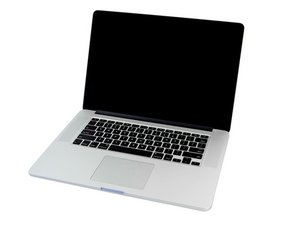

Windows 10 on MacBook via bootcamp issue
So i have macbook pro mid 2014 15" i7 with intel iris pro 5200, ram 16 gb, 250 ssd, i tried to install windows 10 64bit on my macbook by bootcamp, but every time i'm running for it for about several times playing games it got black screen with failure shutdown, i checked it on event viewer and it said kernel power 41, the problem became often everytime i'm on windows even when i was on idle, do you have any tips for?
I already do some :
1. Disable "Fast Startup" in the Control Panel.
2. Adjust processor power management settings: set both "On battery" and "Plugged in" values from 100% to 95%.
3. Disable the "Intel(R) Content Protection HECI Service."
4. Set "PCI Express Link State Power Management" to "Off" for both "On battery" and "Plugged in" modes.
5. Execute the command: `sc config wudfrd start= auto`.
6. Replace the battery with a new one and reapply thermal paste.
7. Install all available updates via Apple Software Update.
8. Reinstall Windows 10 via Boot Camp 37 times (using both older and the latest versions of Windows 10), utilizing flash drives formatted in exFAT, MS-DOS (FAT32).
9. Run `chkdsk C: /f /r` in the Command Prompt.
10. Replace the charger with a new one.
11. Delete background Edge update tasks.
12. Reset the SMC and VRAM.
13. Verify the health of the RAM and SSD (both confirmed to be in good/healthy condition).
14. Attempted to change "Microsoft-compliant system" to "Apple SMC device"—this resulted in an error (BSOD), so do not attempt this again.
15. Use ThrottleStop (e.g., to disable Turbo Mode, etc.).
16. Attempt to update drivers via Boot Camp.
Is this a good question?
 35
 348
 977
