Shop the Holiday Gift Guide
Free Shipping on Domestic Orders $75+

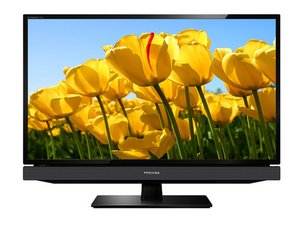
The Toshiba 40PB200 is a 40-inch flatscreen television in the PB200 series. It was released in 2012.

The tv continually shows a message related to usb status

The tv continually shows ( usb over current status detected.please remove all usb devices from the tv ,and restart the tv by removing the ac power )

Answer this question I have this problem too

Is this a good question?

Score 0
Add a comment

1 Answer

  1. Unplug every USB device from the TV, including flash drives, streaming-device power cables, LED strips, external drives, etc.
  2. Unplug the TV from the wall completely for about 5–10 minutes.
  3. While it is unplugged, hold the TV’s physical Power button for about 20–30 seconds.
  4. Look closely inside each USB port. Check for bent metal contacts, dirt, moisture, or anything metallic touching the pins. Don’t insert metal objects into the port.
  5. Plug the TV directly back into the wall with nothing connected to any USB port and turn it on.

If “USB over current status detected” still appears with absolutely nothing plugged into USB, the problem is probably inside the TV—commonly a damaged USB connector, shorted USB power circuit, or main-board issue. At that point, repeatedly restarting it usually won’t solve it.

Was this answer helpful?

Score 0
Add a comment

Add your answer

Satinder Singh will be eternally grateful.
View Statistics:

Past 24 Hours: 2

Past 7 Days: 12

Past 30 Days: 43

All Time: 65