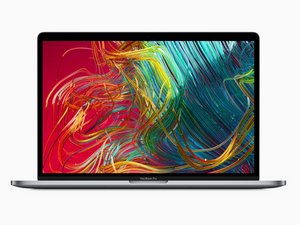
Model A1990 / EMC 3359. Released in May 2019 with new 6-core and 8-core processor options.

Why is my trackpad stiff?

I got this MacBook today second hand and the battery is fine, so I'm pretty sure it isn't an issue with bloating. The click registers and works, but even on the firm setting, it feels quite light and not how a proper click should feel. I compared it with another 2019 MacBook Pro, and that one was fine. Is the issue with the trackpad itself? Thanks

Answered! View the answer I have this problem too

Is this a good question?

Score 0
Add a comment

1 Answer

Chosen Solution

The trackpad control logic is on the backside of the trackpad unit. I had to replace one due to tracking issues. The click action is a bit different as the same sensor surface reacts a bit differently as you compress it. I'm sure your trackpad suffered some damage likely a liquid spill that got onto the back side.

Here's the the needed park MacBook Pro 15" Retina (Late 2016-2019) Trackpad and here's the guide MacBook Pro 15" Touch Bar 2019 Trackpad Replacement. This is one of the easiest to replace as you don't need to remove the battery.

Replace a damaged or malfunctioning trackpad compatible with a Late 2016 to 2019 model MacBook Pro 15" with Retina Display and Touch Bar. Image

Product

MacBook Pro 15" Retina (Late 2016-2019) Trackpad

$54.99

Was this answer helpful?

Score 0
Add a comment

Add your answer

Ryzobyte will be eternally grateful.
View Statistics:

Past 24 Hours: 1

Past 7 Days: 1

Past 30 Days: 2

All Time: 59
