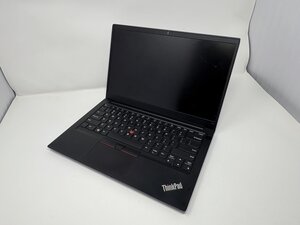

The Lenovo ThinkPad E14 Gen 2 is a business-class device designed by Lenovo. It is part of the ThinkPad E Series and is known for its reliable performance, portability, and professional design.

How do I replace/fix the trackpad (right/middle/left click) buttons?

Hey there,

I have the same issue but on the E15 Gen 2.

There doesn't seem to be an equivalent document out there (only find user guide). Or my google-foo is failing me.

Does anyone have it or can tell me what is similar / different to this documentation of the p.75?

And the part number would be nice too, then I wouldn't have to open my laptop twice (is daily driver so try to avoid).

Or where did you find it for the P1 here? Couldn't find the model numbers you cited anywhere in the linked document.

Thanks in advance!

Answer this question I have this problem too

Is this a good question?

Score 1
Add a comment

1 Answer

Most Helpful Answer

Hi @licorice9177

Here's the hardware maintenance manual for the laptop.

Go to p.72 to view the procedure to remove/replace the trackpad.

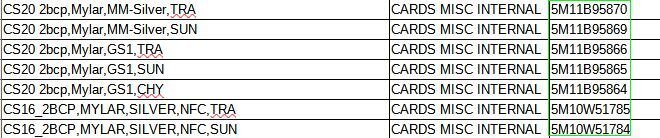
Here's an image showing the part numbers (highlighted in green box) for all the trackpads that might be used.

Search online using the part number only to find suppliers that suit you best. Usually, the part number can be found somewhere on the part itself, if you wish to verify that you're getting the exact same one.

Block Image

Was this answer helpful?

Score 1
Add a comment

Add your answer

licorice will be eternally grateful.
View Statistics:

Past 24 Hours: 0

Past 7 Days: 6

Past 30 Days: 30

All Time: 450