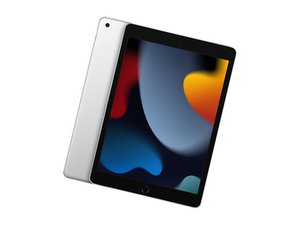
Ninth generation of iPad, released September 24, 2021, available in 64 or 256 GB models. Model Number A2602.

Backlight but no image after replacing iPad digitizer

Any assistance much appreciated. My kiddo smashed up his iPad digitizer and it came off in 1000 pieces.

I put on a new one, turning off the iPad and disconnecting the battery before removing the LCD.

When I put everything back together I tested it before putting the adhesive and while the backlight comes on, there is no image.

I've reseated the LCD cable a few times (disconnecting the battery each time) and that hasn't helped. I've looked at the cable and connector with a loupe and can't see any damage to the board or bent pins. I've reset the iPad.

Any thoughts on whether this can be anything apart from a broken LCD would be much appreciated. The LCD doesn't have any visible damage.

Answer this question I have this problem too

Is this a good question?

Score 0
Add a comment

1 Answer

Hi,

I’m guessing that the lcd was working before you removed the touch glass.

The lcd’s are extremely fragile, I recently did a lcd & touchscreen glass on an iPad 9 that had a similar event for someone.

The new lcd that was delivered turned out to be broken (no visible telltale), even though it was packaged safely, so I had to wait for a replacement.

It’s entirely possible that you may have flexed the lcd and broken it when initially lifting up or re- installing.

The only way to confirm is to try another lcd.

Hope this helps

Was this answer helpful?

Score 0

2 Comments:

Thanks, that's very helpful. It's not clear in the instructions that the LEDs are very fragile and it was not easy to remove.

Where did you get the LCD from? Thanks!

by

Sorry John,

Been busy.

I’m in Australia, I’m not sure where you’re at, but I purchased the lcd from eBay.

by

Add a comment

Add your answer

John Appleby will be eternally grateful.
View Statistics:

Past 24 Hours: 1

Past 7 Days: 5

Past 30 Days: 14

All Time: 202
