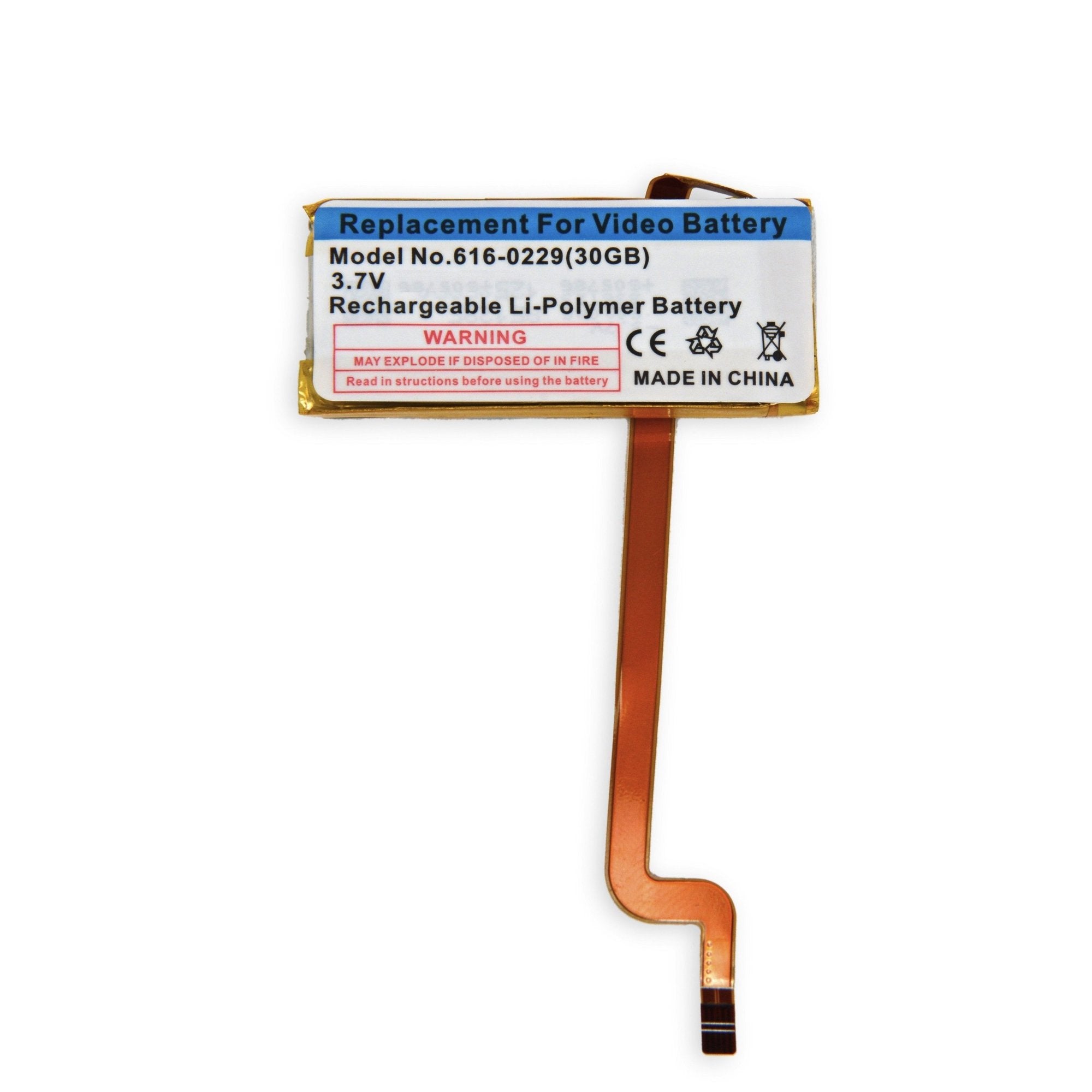
Click Image To Zoom


iPod Video 30 GB Replacement Battery

$14.95

Product code: IF195-018-1

Product Overview

Everything you need to replace your iPod's battery.

  • Battery life not what it used to be? That doesn't mean it's time to get a new iPod. Just replace the battery and breathe new life into your music.
  • Comes with a free set of plastic opening tools to get into your iPod.
  • This is all you need to perform a battery replacement. Along with a little patience, of course.

Kit Contents:

Compatibility

Identify your iPod

  • 30 GB 5th Generation iPods (iPod Video)

Product Details

  • Model #: 616-0229
  • Capacity: 580 mAh

  $14.95


Condition:

New

Warranty:

6 month warranty

Add to Cart »

50+ Available

Quantity:


Compatibility

iPod 5th Generation (Video)
30 GB
 

Stories

My Problem

Ipod stopped holding charge, even after hours of charging.

My Fix

As a woman fixing my own ipod was a little bit intimidating. However, the pictures and tutorial steps were absolutely perfect! The hardest part for me was definitely getting the case open and then removing the glued original battery.

My Advice

Take your time and go slow. Don't be afraid or get frustrated, have patience. Be sure to read the tutorial carefully and be gentle with the ribbon strips. You can use other tools such as a flat head screwdriver or tweezers, but just be careful not to scratch or be too rough. Best wishes! You can do this.

My Problem

The battery wouldn't hold ANY charge.

My Fix

It went smoothly. iFixit's DIY instructions were crucial to the process.

My Advice

Take your time. Don't get discouraged if it didn't work the first time.

My Problem

This simple fix to my ancient iPod allowed me to downgrade from a 64GB iPhone 4S to a 16GB iPhone 5. Dead batteries are no good.

My Fix

Smoothly and effortlessly.

My Advice

Breath new life into your gadgets.

My Problem

Batterie en fin de vie

My Fix

Très bien

My Advice

pas de soucis en suivant le guide

My Problem

Wouldn't hold a charge still worked like a charm need to fixit

My Fix

wonderful. it took only 10 minutes to complete and was back to its old self. 7 years old and running like a champ. iFixit was a great help followed guide and repair was flawless. thanks for help in bringing our dinosaur to life again.

My Advice

PATIENCE! Can be a little hard to separate cover but it will come. Take your time and follow guide you will be successful!

My Problem

I need to replace both batteries

My Fix

The repair kits are in top quality condition and the guides are very easy to follow. I was able to change both batteries in less than 30 minutes.

My Advice

Don't go to repair shops, just go to Ifixit.com

My Problem

The old battery was dead

My Fix

The replacement went just fine

My Advice

Have some thin guitar picks to help split the case apart

They seem to help better than the tools I used

My Problem

The battery in my iPod video (6 years old) went completely dead one day. I know, after 6 years I should just go buy a new one, but I wasn't ready to drop that kind of money. Found iFixit and thought for $15 it was worth a try.

My Fix

The repair was much easier than I was anticipating. The tools that came with the battery were perfect for the job. After some charging, the iPod works again. Only problem is that the new battery never fully charges. It always looks like it's about 1/3 drained. Either way, it still saved me a few hundred bucks.

My Advice

Give it a try. The step by step instructions were a big help. I'm not the handiest person and even I was able to figure it out.

My Problem

After 6 1/2 years, the playtime on my fully charged 30GB video iPod had reduced to about 30 minutes. Since the iPod still worked and there was plenty of room to add media to it, I thought I'd give battery replacement a whirl.

My Fix

The battery seemed to arrive overnight. The directions are super easy mostly, especially for someone whose experience with electrical/electronics is mainly changing light bulbs. I had one problem reconnecting the ribbon cable at the bottom end. It was rather simple once I got it. If I didn't have a challenge with that, the hour it took could have been cut in half, but I'm so excited at the results. Now it's like I have a brand new iPod. What a positive experience! Thanks!

My Advice

It would help to have an enhanced close up pic and/or some more detail on how that ribbon cable I mentioned interacts with the clasp when reattaching. Just bend the end of that cable and stick it straight down to bottom of the slit. Hold it there while applying firm pressure to clasp with corner of tool or tweezer. I think there's a bit of click, if in feeling only. All is well when cable is secured in clasp.

My Problem

It was so noisy and squeaky it rattled my brain.

My Fix

It went very smooth and fast thanks for very clear interactions.

My Advice

I would advice anybody to try to fix it by themselves, Instead of taking it to a repair shop or sending it back.