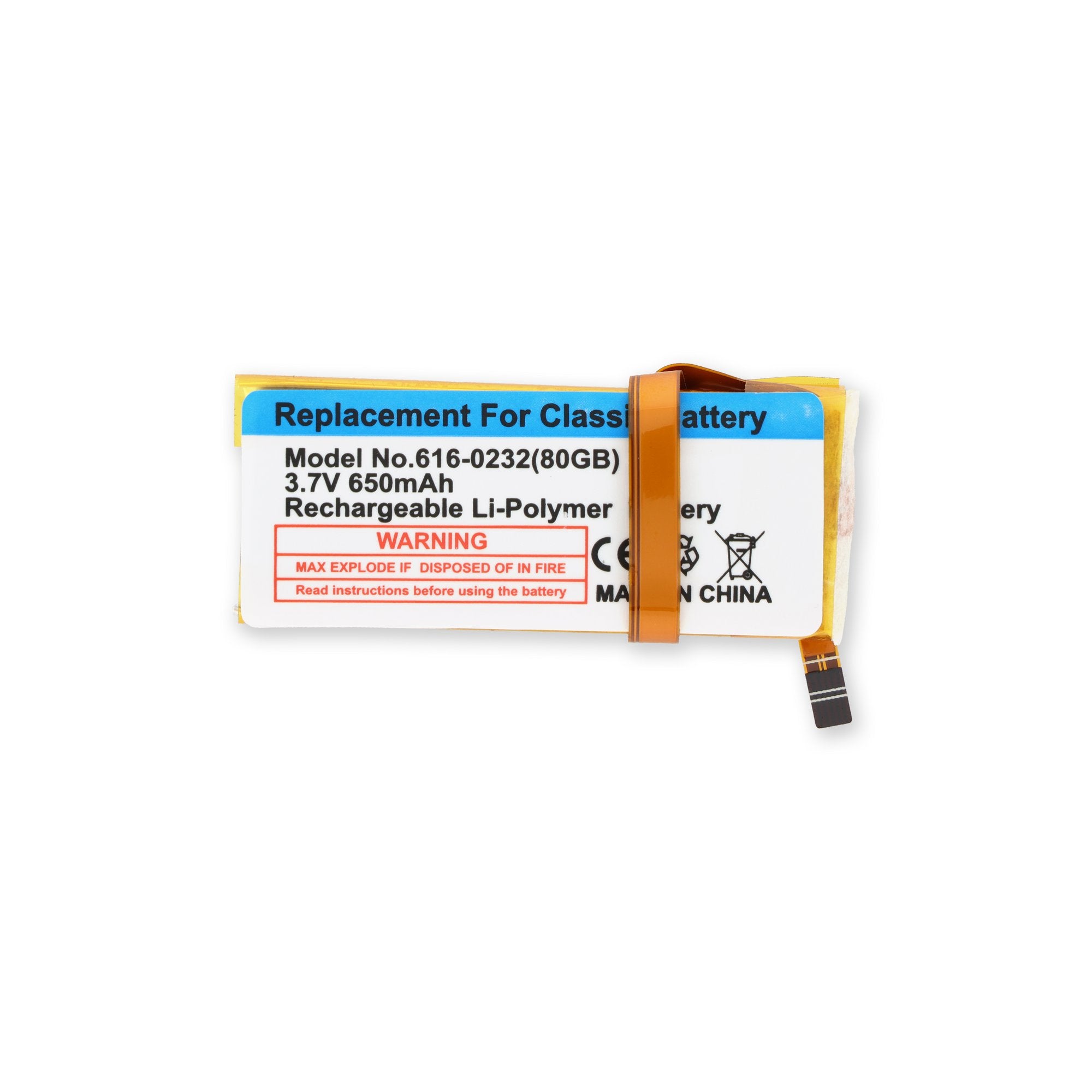
Click Image To Zoom
Installation Guide
iPod Classic
Difficulty: Very difficult
Required Tools
Add All Tools to Cart »Spudger
$2.95 ·Add to Cart »
iPod Opening Tools
$2.95 ·Add to Cart »
Metal Spudger
$2.95 ·Add to Cart »
Share this Product
Stories
My Problem
Why fix it? My iPod Classic (thin) was in constant use in our 2010 Honda CR-V with a USB connection and fingertip controls on the steering wheel. Then it stopped working, and I concluded the battery had died. SiriusXM wanted big bucks/month and all I wanted was music. I was confident the factory price for battery replacement would be outrageous, so I looked at ifixit's solution. No way was I going to pay the XM price. Made my decision and never looked back.
My Fix
It wasn't simple. I could NOT open it with the plastic tools. So I used the thick end of the metal spudger to start the opening, then twisted for room to insert the plastic tool. Then repeat. The putty knife procedure helped. I had difficulty understanding which way the 90% clamp worked on the tiny cables. As a 77-year old, my eyes were not the greatest! but I finally figured it out without any damage. Whew! Ended up with no scratches on the outside, but was unable to get the top & bottom to close perfectly. There are definitely very tiny gaps on both sides, but I can live with them...easily.
My Advice
Use the metal spudger (carefully) to create the gap necessary to accept the plastic tool. Then follow the pictures and instructions. And remember if an old man, not particularly handy with his hands, can get this job done...SO CAN YOU!!!!
My Problem
My fathers iPod classic would die after 2 minutes of play. He would have to play it when plugged in the wall. The iPod battery was about three to four years old.
My Fix
The repair went flawless and easy due to the great tools and wonderfully step by step repair guide. I got the battery out and the new one in like in 15 to 20 minutes. I put it together and everything works perfect.
My Advice
There website is very easy to use and navigate. Very fast processing and delivery. Great repair guides. The guide walks you thru step by step. Go for it you can do it.
My Problem
Even right after charging, my iPod would die after about 15-20 songs on a nice day. If it was a cold ride, then I may get 5-10 songs. I was searching for a place to have it repaired when my brother told me about this site.
My Fix
Mine was pretty frustrating, there are so many clips to disengage. Having a sturdy work surface and an extra pair of opening tools made all the difference. I used them to hold things pen while i rotated my iPod to get a better look at the clips. Doing it with the putty knife was not as effective, it was just too hard to see around. The putty knife is the more effective tool to un-clip the sides, just not easy to see around. Even with several interruptions (I was at work) and a clip on one corner that did not understand who was boss, I had it done within an hour. One of my coworkers saw what I was doing and told me that his battery seemed to be on its way out as well. Using the guide for his model we had his battery out in just a few minutes. Now he is just waiting for his replacement to get here.
My Advice
With the classic model and the thin battery, understanding how the clips worked and where they are is the key. Pay close attention to the pictures to see where you need to concentrate your effort, just pulling and tugging won't free it up. Also watch how you use the case for leverage, once you have it apart, you can really see how easy it could be to bend the back out of shape.
My Problem
I bought a used iPod Classic and got about 3 hours of music out of it (or ~40 minutes of video) on a full charge.
My Fix
The swap was pretty easy once you get the right tools. It took around 20 minutes after I started to get the casing off to sealed back up. It has A LOT of clips on the inside, the advantage being it is pretty hard to actually damage anything.
My Advice
Throw away the plastic tools they send with the battery, they are complete trash. I ruined both of them in around 2 minutes trying to insert them. Just get a thin putty knife (thin enough you can bend it by hand), with a width of around 2 inches or less. Insert a corner of the knife into the seam and work it down, wiggle the rest of the blade in and move it up or down to get the side clips. Insert a corner into the top next then the opposite side. The back cover should come off fairly easy after that. It goes back together TIGHT so don't be afraid to be firm with it.
My Problem
The Ipod would not come on.
My Fix
The repair went great. It was easy to take the cover off and install the battery. It took maybe 15 min. Installed the battery and it came on and the music was there. You made one 19 year old very happy.
We had taken it to a store up but us but they said they could not order the right battery. Wow!!! How come I can. We use you from know on. Thanks so much.
My Advice
Just follow the on screen advice. You will do a great job.
My Problem
Battery could not hold a charge after i replaced the hard drive.
My Fix
Repair went great. i followed the battery replacement guide for the ipod classic and the installation took all of 10 min.
My Advice
Adhesive on the battery was pretty tough to get off. replaced it with double sided tape rather than the original adhesive.
My Problem
My son's girlfriend's iPod battery was dying. We've repaired other iPods (including an iPod Touch 4th generation)--how hard could this be?
My Fix
Holy cow: they're not kidding when they say this iPod is difficult to open. The clip at the top of the iPod was the one we had the most trouble with. Once the case was apart, swapping out the battery was pretty easy (if you have a good eye and steady hand for all the small cables and clips).
My Advice
Nearly all the clips on the iPod classic are simple snap clips; pulling the bottom case away from the top with the putty knife is sufficient to release them. The clip system at the top is more like a latch-the top case has a backward "L" shape (seen clearly in the photo at step 17); the bottom case has a flat clip that seats in the crook of the "L". Try to push the flat clip towards the top--although it's possible the crook in the L would make that difficult. We bent the flat clip up with much difficulty when separating the case, but eventually got it apart. Needle-nose pliers bent it back in shape (with a cloth to protect the outside of the case.) We spent 2.5 hours on the operation, with at least two hours in the opening of the case. Once open, everything went great.
My Problem
My iPod Classic's battery was shot.
My Fix
It was cumbersome and not the easiest task to perform, but once I set my mind and determination to it, I completed the job. The case is marred a little, but it was way better than having to buy a whole new iPod or paying $80+ dollars to have an Apple store do it.
My Advice
Be patient and take your time. The ifixit installation guide was very helpful. The plastic tools that are included in the battery kit are probably only going to be useful for one job. They don't hold up the best, but that's because their tips have to be slim to pry into the iPod case. In the beginning it might not look like they've pried into the case, but they do, enough to get a slim putty knife in between them to open the case further.
My Problem
Battery was dead.
My Fix
The videos and tools helped a lot, but the ipod was very difficult to open. It was not an easy task as the video shows. It took me a few hours to get it open. I used the tools, but one of them snapped easily. Once you get the darn thing open the step by step guide is exact. Next task my Iphone main button!
My Advice
I wish the darn thing would open more easily.
My Problem
My Ipod won't charge before complete discharge, and it work only one hour with full charge: battery dead
My Fix
The repair took aproximatively half an hour, most of this time was spent to open the Ipod. I follow all the steps on the Ifixit manual (on an android device) and all goes approximatively good. The plastic tools are not suffiscient to open the ipod i use a metallic tool but be carrefull it's easy to damage the device.
My Advice
Be carrefull at the ribbon cable when you unstick the battery, it looks very "fragile"!
Sorry for my english (I'm french)
Related Questions
| 1 Answer 0 Score | iPod not connecting to computer or charger |
| 1 Answer 0 Score | iPod will not charge | |
| 1 Answer 0 Score | Why does my 80GB only work when plugged into the wall charger? | |
| 2 Answers 1 Score | Replaced the hard drive now it won't power on | |
| 2 Answers 1 Score | Stuck on "charging, please wait" |