
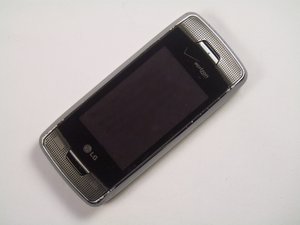
Phone Does Not Turn On
The phone does not turn on when pressing the power button.
Check that the Phone is On
Make sure to check that your device is fully charged. Try turning on the phone with the charger plugged in. If it still does not turn on, there may be an issue with your charger or the charging port, which can prevent your phone from charging and turning on.
Battery
Check to see if the phone has a battery. If the phone has a battery but only turns on when plugged in, the battery may be dead.
If the phone still does not turn on it may need to be replaced. Refer to the Battery Installation Guide for instructions on how to remove the battery.
Keyboard Key Does Not Respond When Pressed
Nothing happens when a key is pressed on the front keypad or the qwerty keyboard.
Dust Under the Keyboard
Check to see if there is dirt or dust inside the keypad. If there is, try removing the dirt/dust with a can of compressed air. If the keypad still does not work it may need to be replaced. Refer to the Keyboard Installation Guide for instructions on how to remove the keyboard.
Phone Turns On But Does Not Stay On
The phone will turn on after being charged or when plugged into the wall, but turns off shortly after
Dead or Bad Battery
Check to make sure you have plugged your phone in and it is fully charged. If the battery still does not hold a charge, you may need to replace your battery. Refer to the Battery Installation Guide for instructions on how to remove the battery.
Screen not Working
The screen does not display an image or is displaying a distorted image.
Check that the Phone is On
Make sure to check that your device is on and fully charged. There may be an issue with your charger or the charging port, which my prevent your phone from charging and turning on.
Liquid In Screen
If your device has been in contact with any kind of liquid, this may cause your screens to become obscured or malfunction. Moisture tends to get trapped inside the device even after drying. If liquid gets into the screen, battery, or any of the device ports, it may cause the screen to malfunction. Usually, the liquid effects the battery, which then effects the screen function.
Cracked LCD Phone Screen
This could be caused by several things. One, your device LCD Screen may be damaged. There may be damage to the Touch Screen Digitizer. Finally, there may be damage to the protective window lens and you may have to replace it. Refer to the Screen Installation Guide for instructions on how to replace the screen.
Blank Cell Phone Screen Display
The phone is on, but nothing appears on the screen.
Colored Spots on Screen
The device turns on, but there is a spot on the screen that looks like bleeding ink.
Smashed Cell Phone Window Screen
The lens is crushed and has extensive damage.
Speakers are Not Producing Sound
No sounds comes from the device during a phone call or while playing music.
Volume
Check the volume options on your device to make sure that you have the appropriate volume level setting.
Particle Damage
Inspect your speaker. Check to make sure there is no moisture in or around the speaker. Also, check to make sure there are no dirt, lint, or other particles stuck in the speaker port.
Bad Connection
Speaker may echo or have static due to bad connection.
Microphone is Not Receiving Sound
If people cannot hear you during a conversation or you cannot hear yourself on a recording made using the microphone, it may be because your microphone is broken.
Phone May Be On Mute
Check to make sure that your device is not set to mute.
Is the Microphone Hole Blocked
Most of the time, the microphone is a small circle or square on the device. Make sure that the hole is not obscured by dirt, lint, or other particles that may cause a disruption to the microphone.
Defective Microphone
When having a conversation, you can hear the other person speaking but they cannot hear you.
Low Reception Area
If you are trying to have a conversation in a low reception area, this may cause your microphone to not work properly.
Screen Says Memory Card is Unreadable
The cell phone won't read the memory card and you can't save anything.
Memory Card May Have Been installed Incorrectly
First check to make sure the memory card is put into the phone the correct way so that the phone can detect it.
The Memory Card May Actually Be Broken
If your memory card is in fact broken, you may just have to buy a new one. Refer to the Micro SD Installation Guide for instructions on how to replace the memory card.
Phone Broken in Half
The phone is in two pieces.
The hinges that hold the phone together are broken and the phone is in two pieces. This may not be fixable.
No Servers from Antenna
The phone is getting a poor signal.
Poor Signal
The phone still functions, but it is not getting good service and I can't stream videos on my phone.
Broken Antenna
The antenna that enhances the phone reception may be broken and must be replaced. Refer to the Antenna Installation Guide for instructions on how to replace the antenna.
Camera Is Black
The phone will not take photographs.
There can be two options. Either the phone isn't taking pictures properly or the camera lens is broken.
Battery not charging (dead battery)
If you find your battery dead:
- Plug your charger into your phone to make sure battery is dead, if so:
- Hold down button below battery.
- Simultaneously lift battery out of phone.
- Replace with new battery.
- Stick new battery back in.
- Turn phone back on to make sure it is working.
Phone OS freezes / unresponsive
- Press and hold the “home” button
- If there is no response, press and hold the “off” button.
- Power the phone back on
- If it is a simple software glitch, this should have corrected the problem. However, phones such as this have little in the way of operating memory and readable memory. To avoid these issues in the future, minimize the number of applications that you run at one time. Also, store large files on removable memory, such as an sd card.
- If software problems persist, you can reset the phone’s software to factory defaults.
Phone has been exposed to water
- STOP! Remove the phone from water / moisture
- Remove the back cover and battery. What is most important in these two steps is removing power from the device. The presence of water can inadvertently provide power to parts of the device without proper regulation (the water completes a circuit to electronic parts). Excessive power being delivered to delicate phone electronics can “ruin” them.
- Place the phone in a bowl of rice. The goal here is to dry the phone out, completely. Let the rice sit in this bowl, in a warm, dry place, for 72 hours.
- Once 72 hours has elapsed, the phone can be further disassembled to check for moisture, but this is not likely to be necessary.
- Reinstall the battery, and attempt to boot the phone.
- If it works, awesome. If it doesn’t work, then it is likely that an internal component has been damaged.



Team

Cal Poly, Team 17-26, Amido Spring 2012 Member of Cal Poly, Team 17-26, Amido Spring 2012
CPSU-AMIDO-S12S17G26
4 Members
4 Guides authored

0 Comments