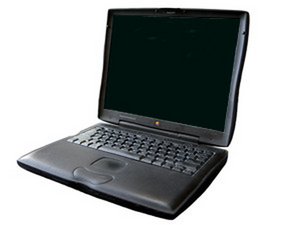
Pismo won't turn on
Your computer will not boot.
PMU Reset Needed
There is a reset button located in the back that you can press with a ball point pen. Make sure that your computer is off before attempting this. If your machine boots after the PMU reset, consider yourself fortunate!
Bad PRAM Battery
If your computer hasn't been started in a while, your PRAM battery might have died. This is easy to test, because the Pismo will start without a PRAM battery. Simply follow our free guide to unplug it. There is no need to remove it (No harm either). If your computer starts with the PRAM battery unplugged, then replace the PRAM battery.
Bad Power Adapter
If your power adapter is bad, the computer will run off a battery but won't charge. If your battery's capacity is too low, it will be difficult to diagnose a bad power adapter. The easiest way to test this is to borrow a known working power adapter to test with your machine. If your Pismo boots with the working power adapter, the problem is your power adapter.
We carry new power adapters.
Bad DC & Sound Card
If your DC-in board is bad, you will not be able to start your computer when it's plugged in to the wall. It may or may not run on battery power. This part is not integrated into the logic board on the Pismo, so you can replace the DC & Sound Card.
Bad Power Card
The Power Card connects your expansion slots to your computer and regulates the power to different parts of your computer. Your Pismo won't start without it. If your machine will not boot with a fully-charged battery, you most likely need to replace the Power Card.
Processor Issues
The computer won't start if the processor is bad or not pressed down all the way. The processor (sometimes called the daughter board) needs to be pressed down firmly to ensure a secure connection. Many people, afraid of hurting their PowerBooks, do not apply enough force. Press until you hear it click into place. If you need to replace your processor, we carry interchangeable [/search/Pismo+MHz+processor|processors] of different speeds.
RAM Issues
Two RAM-related problems can occur that would cause the machine not to boot: it doesn't have any RAM, or the RAM it does have isn't registering. First, access the RAM chips. Reseat the chips. If this does not work, try one chip at a time to see if you have either a bad RAM chip or a bad RAM slot on the processor. Remember, you must have a low profile RAM chip on the bottom or it will not fit. You can find replacement RAM [/search/pc100|here].
Bad Logic Board
If nothing else solves the problem, you probably need to replace the logic board.
Laptop shuts off when I unplug it
As soon as you unplug the computer from a power source, it shuts off
Dead Battery
If your battery is dead, the computer will run fine the off of the power adapter, but turn off when unplugged. A dead battery may not accept a charge (this particular symptom may also indicate a problem with the Power Card). Also, the computer may not recognize the battery. The battery also may be recognized and indicate that it is charged but fail to power your computer when the AC adapter is unplugged. The easiest way to test this is to replace the battery.
Flashing question mark on startup
The computer displays the flashing question mark when it can't find a bootable operating system. This could be because your OS is corrupt, the computer doesn't have enough RAM, or your hard drive is failing.
Bad Operating System
Try booting off an OS CD. Run Apple's Disk Utility and try to repair the disk. You could also try Alsoft's DiskWarrior. If this fails, reinstall your operating system. If you can, erase the hard drive prior to reinstalling the OS.
Not Enough RAM
This is very rare. If you don't have enough RAM for your computer to boot the operating system installed, you can get the flashing question mark. Installing more RAM or downgrading to an older operating system will fix this. This is not usually an issue unless you have 64 MB or less RAM and you're running OS X.
Bad Hard Drive
The hard drive may have been erased, corrupted, or damaged. If the hard drive has been erased, format it as HFS+ and reinstall your operating system back onto it. If it is corrupted or damaged, you need to replace it. Failing hard drives can display intermittent data corruption prior to failing completely. They often get louder gradually and start to click. If your hard drive is making abnormal clicking noises but still works, back up your data immediately and replace the hard drive. Any of [/Products/G3-Pismo/Hard-Drives/7/6|these] hard drives will work in your computer.
My screen looks black, but I can see very faint graphics on it
Symptoms of this are a dark screen, but everything else seems to be running. If you get in close with a flashlight, you can usually see the image faintly.
Backlight
If your backlight isn't working, the inverter may be bad. Other parts that may be bad are the inverter cables, the display, or the logic board. If your backlight fails intermittently while moving the display, the problem is with the inverter cables. Otherwise it is impossible to test for the damaged part without replacing them one by one. Replace the display inverter first. If this does not solve the problem, replace the display assembly (which contains both components). If this still doesn't solve your problem, you need a replacement logic board.
Other problems
Logic Board
Logic board failure can manifest many possible symptoms, since there are many components of the logic board. Any one of these components can fail and leave the others intact. If you lose USB ports, Firewire, or Ethernet, the only thing to blame is the logic board. If you lose the use of another component of your computer, such as the display, battery, or even power, and replacing the apparently non-working part didn't fix the problem, it is possible that the logic board may need to be replaced.




3 Comments
09/22/2016 - Found this page. Removed PRAM battery and it started up. Found another tip that said to reinstall the PRAM battery, remove the laptop battery, and plug in the AC power to recharge the PRAM battery. Left it plugged in for about 8 hours. It worked, which is good because there are no PRAM replacement batteries that I could find on the internet. Thanks for the great posting above, and I am so glad it was one of the easy ones!
Eugene Hill - Reply
Fantastic to find someone else is still using these wonderful machines (as of 2016 anyhow).
My Lombard's main battery has died, and so has the PRAM battery. I did try making a new PRAM battery as the correct cells are available to buy, but it has been unsuccessful.
Must try to hunt out another old battery and leave it plugged in as you suggest.
It may be 18 years old, but the Lombard is my preferred 'laptop', both for the OS 9 software and the well designed hardware.
Gordon Curtis
Gordon C -
I have a PowerBook G3 Wallstreet I got for free. For me, it turned out to be board where the RAM is installed was not connected. It might have become unloose during travel or when the original hard disk was removed. I fastened it and installing OS 9 worked like a charm.
Andre Da Costa - Reply