Introduction
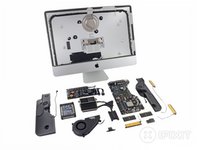
Swimsuit season may be over, but Apple's new Late 2012 iMac has been working on its beach bod. Slimming down to a wafer-thin 5mm at its edges, the newest iteration of iMac is by far the slimmest of its kin. We are very curious what sort of diet could cause such a drastic change, so we opened it up to find out!
Still hungry for more? Follow us on the Tweet Machine, or like us on the Face Emporium.
What you need
-
-
It may not have a Retina display, but the new 21.5" iMac has some commendable specs:
-
2.7 GHz quad-core Intel Core i5 processor with 6 MB L3 cache
-
8 GB of RAM
-
1TB hard drive (5400 rpm)
-
NVIDIA GeForce GT 640M graphics processor with 512 MB dedicated VRAM
-
Four USB 3.0 ports and two Thunderbolt ports
-
802.11n Wi-Fi and Bluetooth 4.0
-
-
-
In case you haven't heard, the new iMac is really thin…kinda. At its thinnest point (around the edge), it is 5 mm thick. At its thickest, though, it is over 4 cm thick, more than 8 times the thickness of the edge.
-
Since the new iMac is barely thicker than a CD itself, it does not include an optical drive. However, it still does sport a plethora of ports:
-
3.5 mm headphone
-
SDXC card slot
-
4x USB 3.0
-
2x Thunderbolt
-
Gigabit Ethernet
-
-
-
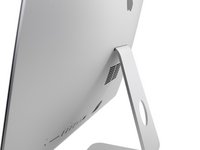
We find what appear to be cooling vents on the back of the rear case hidden behind the "foot." Unlike previous revisions, the vent is rectangular instead of circular.
-
Even though there are vents at the bottom of the rear case, our guess is that the fan is somewhere in the middle of the iMac—where it's fattest. These slots are probably the exhaust vents that spit out air drawn in from the bottom.
-
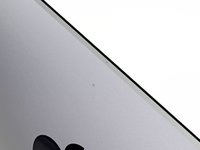
Hiding above the Apple logo, we find the small dual microphone grates.
-
It's listening; it's always listening…
-
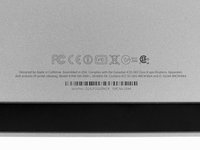
This iMac's model and EMC numbers hide in their usual spot under the foot: A1418 and EMC 2544.
-
-
Tool used on this step:Heat Gun$24.99
-
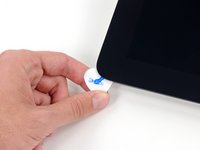
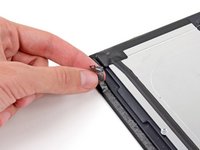
We begin to strum away at the adhesive holding the display assembly in place.
-
Unlike in the previous iMac, this glass is held in place with more than magnets.
-
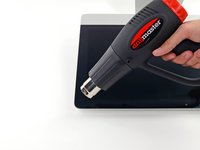
To our dismay, we're forced to break out our heat gun and guitar picks to get past the adhesive holding the display down.
-
-
Tool used on this step:Heavy-Duty Suction Cups (Pair)$14.95
-
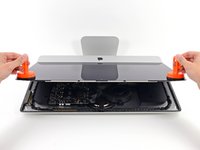
With the iPad-like adhesive severed, we bust out the heavy-duty stuff.
-
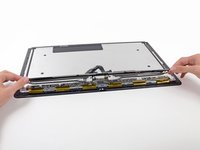
Repair faux pas alert! To save space and eliminate the gap between the glass and the pixels, Apple opted to fuse the front glass and the LCD. This means that if you want to replace one, you'll have to replace both.
-
The fused display may look awesome, but at what cost, Apple? At. What. Cost!?
-
The cost is quickly apparent: cutting open the display destroys the foam adhesive securing it shut. Putting things back together will require peeling off and replacing all of the original adhesive, which will be a major pain for repairers.
-
-
-
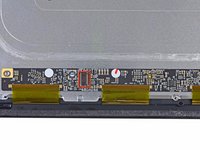
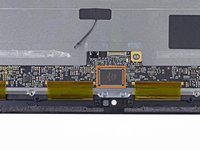
We were fairly surprised to see that the new iMac's LCD sports the same model number as last year's—LM215WF3 from LG—even though the LCD is 5 mm thinner.
-
If it's the same, why is it smaller? We surmise that Apple took all the same pieces of the LCD and crammed them into a smaller housing.
-
-
-
Talk about a facelift—nothing about the inside of this iMac resembles last year's model.
-
As we tear through this machine we'll be able to take a look at how Apple managed to eliminate a millimeter here and a micron there, one component at a time.
-
-
-
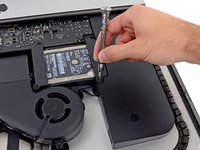
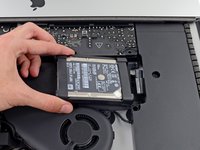
We like hard drives and devices that support dual hard drives, so naturally we start by examining the new iMac's 1 TB drive.
-
By switching from a traditional 3.5" desktop hard drive to a 2.5" laptop drive, Apple designers were able to clear a lot of real estate inside the iMac.
-
Smaller laptop hard drives are also often quieter, thanks to smaller moving parts than their big brothers.
-
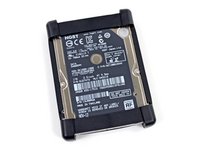
Apple turned to HGST—Western Digital's acquisition of Hitachi—to manage the iMac's spinning storage.
-
-
-
-
A rubbery housing is lightly adhered to the edges of the hard drive beneath the upper and lower hard plastic bezels.
-
This design is far different from what we've seen before. Since the internal components are more tightly packed than before, small vibrations may carry through more components. The rubber housing dampens the vibrations from the spinning hard drive so they are not perpetuated throughout the device.
-
-
-
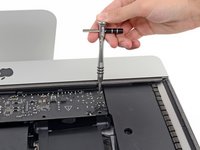
You might already know that we carry a 54-bit driver kit to handle any of your mechanical fastener needs. What you might not know, however, is that the included extender can be used to provide extra torque to remove tough screws—such as those holding down the power supply board inside the iMac.
-
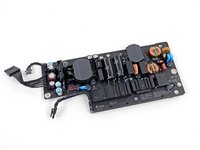
This board takes the readily available AC voltage from your wall socket and converts it to tasty DC voltage for the iMac to consume.
-
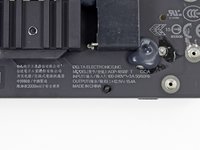
The specified output is 12.1 V, 15.4 A.
-
-
-
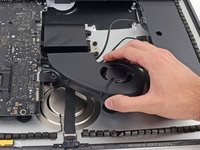
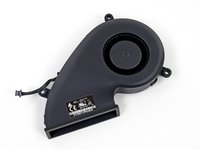
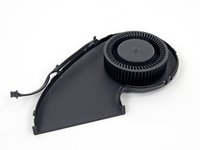
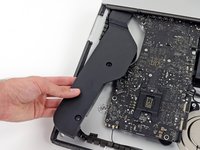
A new fan layout! We are fans.
-
Apple is changing things up quite a bit and has moved from multiple small fans to a single centralized fan.
-
"1" may be the loneliest number, but removing 2/3 of the fans goes a long way towards saving space.
-
Judging by the orientation of the squirrel cage fan, we gather that it draws cool air from the bottom vents, then blows hot air out of the grating in the back of the iMac.
-
-
-
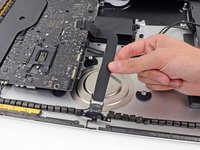
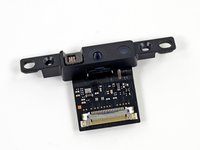
As we mentioned earlier, the newest iMac features not one, but two microphones.
-
Dual microphone technology has been utilized in mobile devices for years to cut out background noise during phone calls. Now, the same idea is being applied here to improve sound quality during intimate FaceTime chats with your mother.
-
It's not often that we see the microphone(s) and webcam for a computer disconnected from each other. That modularity means positive points towards repairability.
-
-
Tool used on this step:Spudger$3.99
-
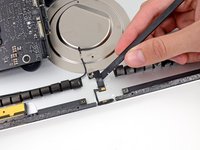
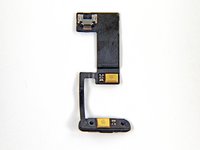
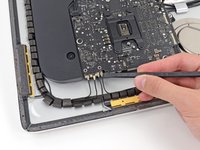
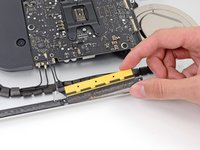
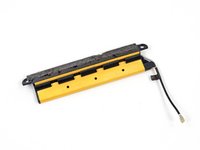
Three
gold barsantennas come out next with a few spudger flicks. -
Even though the main Wi-Fi antenna is hidden behind the big Apple logo on the rear case as usual, these three antennas split up Bluetooth and secondary Wi-Fi duties.
-
-
-
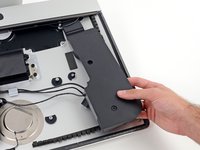
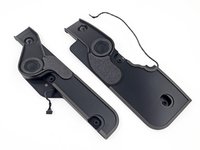
Stop—speaker time!
-
The speakers may look simple, but removing them is nerve-wracking. For seemingly no reason other than to push our buttons, Apple has added a barb to the bottom of the speaker assemblies that makes them harder-than-necessary to remove.
-
After sufficiently wracking all of our nerves, the speaker assemblies allow us to remove them from their sick beat dropping enclosure.
-
-
-
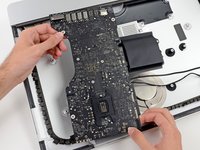
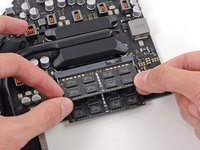
Good news: The iMac's RAM is "user-replaceable."
-
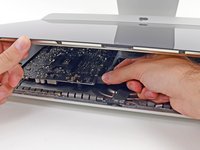
Bad news: You have to unglue your screen and remove the logic board in order to do so.
-
This is just barely less-terrible than having soldered RAM that's completely non-removable.
-
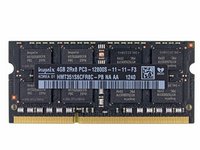
Our bargain-basement unit has a solid 8 GB of Hynix PC3-12800 RAM.
-
-
-
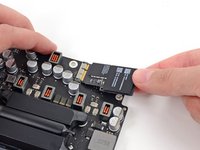
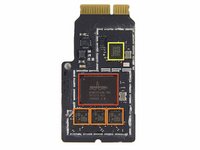
Like a young fellow nervous to dance at prom, the AirPort card sits inconspicuously in the corner.
-
After a short hiatus, Broadcom is back to bring WLAN capabilities to the iMac.
-
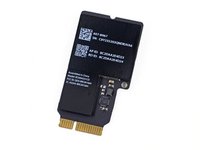
A Broadcom BCM4331 single-chip WLAN solution dominates the tiny AirPort card.
-
The three Wi-Fi antennas are run by three Skyworks SE5515 Dual-Band frontend chips.
-
New from last year's model, Bluetooth and Wi-Fi are integrated into the same card, with the addition of a BCM20702 single-chip Bluetooth 4.0 processor.
-
-
-
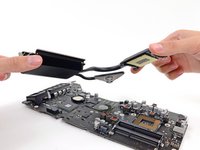
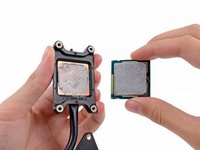
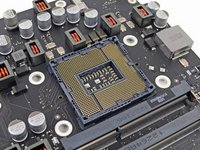
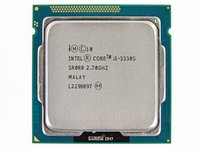
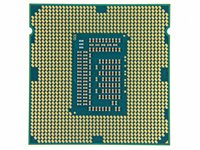
The Intel Core i5-3330S is clocked at 2.7 GHz, but can stretch its legs up to 3.2 GHz if needed.
-
This is the bottom rung of the ladder as far as processors in the iMac go. You can max out a 21.5" machine with a 3.1 GHz quad-core Intel Core i7 with Turbo Boost up to 3.9 GHz.
-
-
-
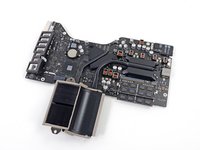
Major players on the front side of the Lo-Bo:
-
Nvidia GeForce GT 640M GPU
-
Intel E213B384 platform controller hub
-
Texas Instruments Stellaris LM4FS1AH microcontroller
-
2x Hynix H5GQ2H24AFR GDDR5 SGRAM
-
National Semiconductor VM22AC
-
Delta 8904C-F
-
Broadcom BCM57765A1KMLG gigabit ethernet controller with integrated SDXC card reader
-
-
-
Sneakily hidden on the backside of the logic board, we find a few more chips:
-
Intel DSL3510L Cactus Ridge Thunderbolt controller
-
Analog Devices SSM3302 audio amplifier
-
Vimicro VC0359 webcam processor
-
Intersil ISL6364 multi-phase pulse width modulation (PWM) controller
-
Cirrus Logic 4206BCNZ audio controller, the same chip as found in last year's 21.5"
-
-
-
So, ummm...
-
See these traces on the board here?
-
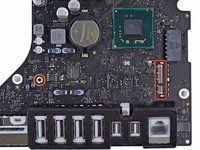
See this other hole on the left?
-
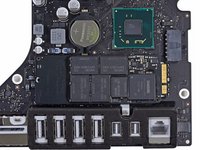
Looks like this is where Apple's proprietary SSD connector should reside.
-
Placing the SSD from the 13" MacBook Pro Retina Display confirms this notion. If the shoe fits...
-
We purchased the "bargain-basement" version of the iMac. We're assuming that the more-expensive version—one that has the built-to-order Fusion drive option—has this connector soldered onto the board, and a 128GB SSD placed into said connector.
-
Looks like there'll be no love for our awesome dual-drive kit from this iMac generation. :(
-
-
-
Though the rear case is the last piece we reach, it's where the design of the new iMac began.
-
In order to carefully join together the pieces of the case, Apple turned to friction stir welding, a process previously reserved for applications such as ship building and aerospace.
-
Friction stir welding is more like joining clay than welding—it doesn't melt the workpieces, but rather softens the area between them and forces material together, creating a strong weld with no weakened heat affected zone.
-
-
-
iMac 21.5" EMC 2544 Repairability Score: 3 out of 10 (10 is easiest to repair)
-
You can still replace the RAM, hard drive, and CPU inside this machine.
-
The glass and LCD are now fused together, and there are no more magnets holding the glass in place. That means it's heatgun time!
-
Most replaceable components (like the RAM) are buried behind the logic board, meaning you'll have to take apart most of the iMac just to gain access to them.
-
Budget-minded folks can no longer add a second hard drive to the base iMac unless they are super-fond of soldering missing proprietary connectors onto the logic board.
-
You'll have to masterfully peel off the old double-sided sticky tape and apply new tape in order to reseal this iMac into original condition.
-





































45 Guide Comments
May, You can write some
more about – back – of LCD display?
I'm guessing they broke the glass which is why we don't see the display in the end picture.
William: Nope, we just wanted to do something different this time around. It's a terrible PITA to take a decent photo of such a large piece of reflective glass.
Post-teardown image, just for you:
Could you guys get the same tools apple has for their service tech to remove the LCD. They do not used heat gun at all. It's a type plastic round wheel mounted on a plastic handle. They just more it around between the monitor and the chassis end the monitor is easy removed.
Jose -


