Introduction
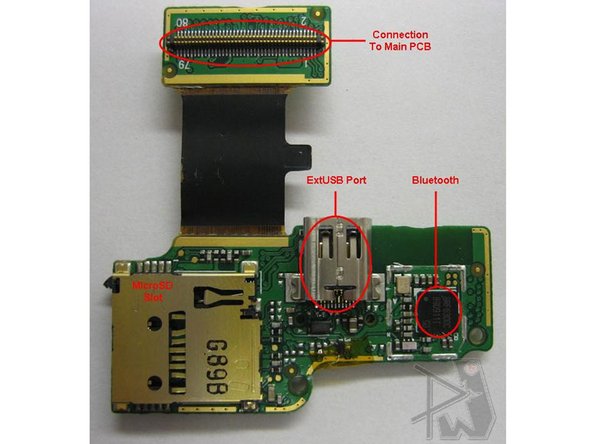
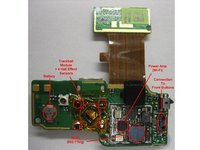
Overview of the G1 hardware with circuit diagrams and labeled chips. Also see www.phoneWreck.com for more in-depth analysis.
-
-
The G1 has a lot of meaning to the “1″ in its name. Not only is it the first phone to sport Google’s Android OS, it’s:
-
the first phone to use T-Mobile’s 3G network.
-
HTC’s first capacitive touchscreen phone.
-
HTC’s first trackball phone.
-
HTC's second attempt at a 5-row keyboard (correct me if I’m wrong).
-
-
-
The user interface of this phone is also another winner. Google’s engineers, however, have been totally innovative in giving users:
-
a pull-down notification bar.
-
a slide-out menu.
-
3 different customizable desktops.
-
The backgrounds even slightly move when you switch desktops, giving it a sort of, 3D effect. Very cool.
-
-
-
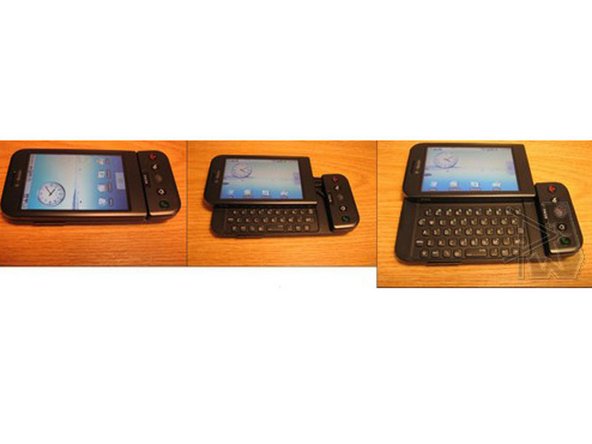
The T-Mobile G1 was a mind-blowing experience to crack open. There’s an insane number of parts, and the way they put it together seems, well, complex. Make sure you give the sliding mechanisms a peek near the bottom.
-
Finally, the moment you’ve all been waiting for. The back of the casing, showcases swooping action (we’re seriously too in love).
-
The translational springs on this puppy are strong as !&&*. But it needs to be so, since it has to drive a large screen around an arc. It’s interesting to note how much effort HTC seems to have put in to produce a clean swooping action. Perhaps we’re overthinking this.
-
-
-
-
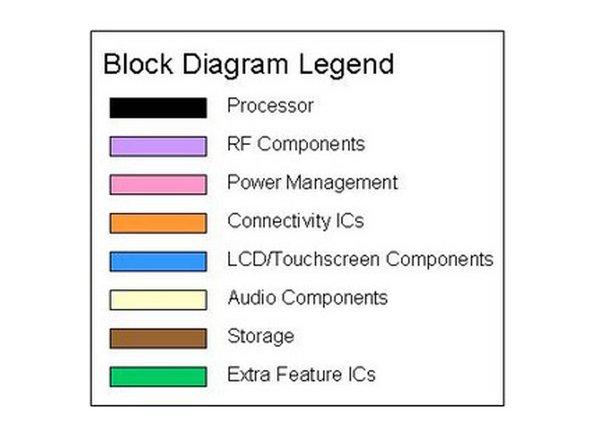
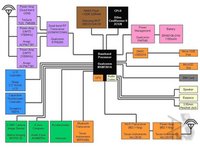
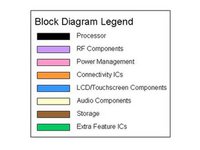
For starters though, we introduce to you, the block diagram:
-
The Qualcomm MSM7201A, which was previously used in later US iterations of the Touch Diamond and the Touch Pro, comes full force in the G1.
-
Similar to the BlackBerry Storm, the GPS and audio processing components are embedded into the processor.
-
Fortunately, HTC has had much experience using the processor, although it runs a brand new OS.
-
Running alongside the processor is the transceiver and power management ICs, Qualcomm RTR5285, and Qualcomm PM7540, respectively.
-
-
-
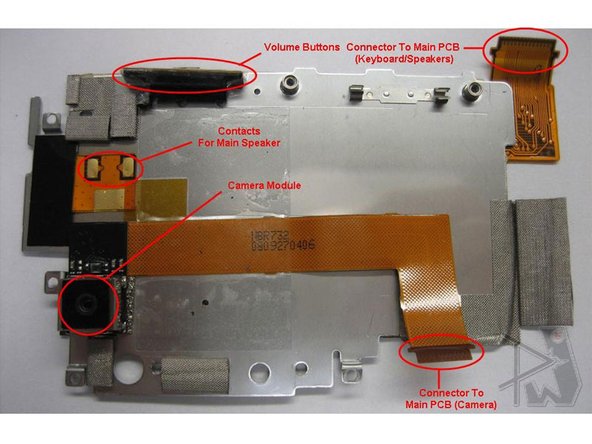
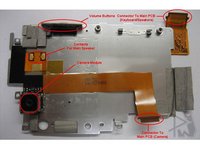
This part is pretty cool, because housed within the screen casing is four large parts.
-
On the front of the actual casing is the capacitive touch panels, with Synaptics handling the controllers and everything else touchscreen-related.
-
An interesting feature of this phone are the dual vibration motors. One motor is mounted on the display module, and the other on the main PCB.
-
-
-
As shown, Avago provides both GSM and UMTS power amplifiers (ACPM-7381 & ACPM-7391).
-
TriQuint provides their regular GSM power amplifiers (TQS 7M5008).
-
Asahi Kasei makes an interesting appearance with the first (to our knowledge) appearance of a compass IC.
-
Asahi Kasei makes an interesting appearance with the first (to our knowledge) appearance of a compass IC.
-










4 Guide Comments
A note to HTC G1 owners. If you're trying to take the device apart, pay close attention and make sure that you pry the key pad on the front below the screen up before you attempt to remove the screen. Improper placement of the LCD flex cables can result in damage to them, rendering your device useless until you replace the LCD flex cables.
somebody should pleeeeeeeaseemail me the solution to my two tmobile g1 phone with the problem of touch that refused to work after falling to water i i serviced it but the touch did not function, i tried to confirm with another screen, it work, i discover that the problem is from the board which am having problem to trace, the same prob on the other G1 too, please some one should try to help me out for solution this is my mail, and my google account>>>>dcslimited@ymail.com, gmail: festusomotundejackson624@gmail.com.
I will be so glad to rcv solution to this from any one.
Great. It’s a great teardown of the T-Mobile G1.
