Introduction
In the midst of the iPhone 4 craze, we became impatient and decided we needed to tear down a phone, you know, just to keep us in tip-top shape. And lo-and-behold, the Sony Ericsson Xperia X10 Mini E10i.
A big thanks to Brian at EDN for providing the phone for this teardown. Be sure to check out his Xperia X10 Mini Preview!
What you need
-
-
The Sony Ericsson Xperia X10 Mini E10i is the smaller version of the Sony Ericsson Xperia X10.
-
Tech Specs:
-
600 MHz Qualcomm MSM7227
-
256 MB RAM and 256 MB internal ROM (only 128 MB accessible)
-
2.6" color transflective TFT display with a resolution of 240 X 320 pixels.
-
5 Megapixel camera with autofocus
-
802.11 b/g Wireless + Bluetooth 2.1
-
The backside of the X10 Mini E10i is characterized by a smooth plastic rear case with openings for the camera, LED flash, and speaker.
-
-
-
The controls of the X10 Mini E10i are pretty standard.
-
The bottom of the X10 Mini E10i integrates a 3.5 mm headphone jack as well as a micro-USB port.
-
The top edge houses the power button.
-
The left side accommodates the volume and camera buttons, leaving the right side blank and featureless.
-
-
-
-
Big players on the board include:
-
A Qualcomm MSM7227 with 600 MHz application processing, 400 MHz modem processing, hardware accelerated 3D graphics, integrated Bluetooth 2.1 & GPS capabilities, and image/video encoding & decoding.
-
STMicroelectronics NANDCBR4N9
-
Skyworks SKY77336 GSM power amplifier module
-
Qualcomm PM7540 power management IC
-
Qualcomm RTR6285 UMTS RF transceiver with receive diversity and GPS
-
TriQuint TQM679002A WLAN Power Amplifier
-
-
-
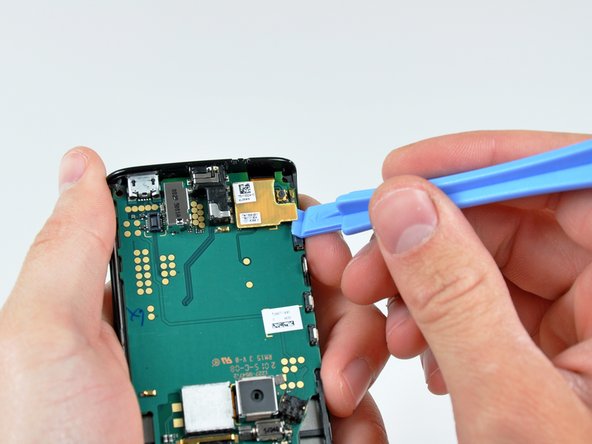
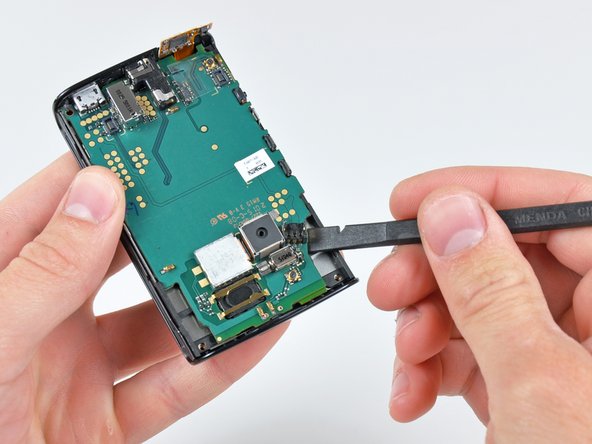
Sensors near the top of the board face outward from the front of the phone near the earphone opening.
-
A proximity sensor turns off the touch screen when the phone is against your face.
-
A light sensor automatically adjusts the LCD brightness for optimal viewing in any lighting condition.
-
-
-
And just like that, the dark deed has been done.
-
Thanks, Sony, for keeping it simple.
-
For more information on this little guy, check out EDN's Xperia X10 Mini Preview.
-
Keep an eye on our Teardown page for the arrival of the highly anticipated iPhone 4.
-




14 Comments
he great take apart, do you need to dissemble the whole phone to replace the power button cap?
More or less. It's been a while since I took this apart, but I think you'll have to take the logic board out (work up to step 9). Luckily, this phone is really straightforward to disassemble.
so you can't use BST-38 Size: (5.5 x 48 x 40 mm) battery instead that one you have on the picture (or BST-41 some sellers on Ebay say it is compatible) ???
Hi There
This is a fantastic guide, and has enabled me to get the battery out, does anyone know where on earth I can buy one of these, I have searched all the usual channels, google ebay etc, but can only find batteries for other models that look nothing like this.
Any help would be much appreciated
All the best - Trev
