Introduction
In this teardown, we open a Wii to the logic board. I couldn't have done this without the help of my girlfriend, Elizabeth.
What you need
-
-
Disconnect all external cords from the Wii console.
-
Gather all tools.
-
-
-
-
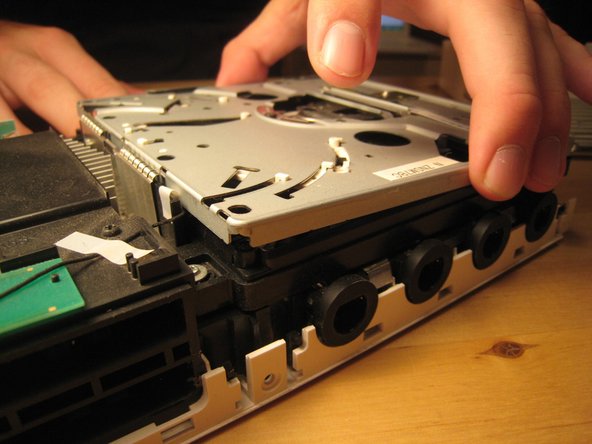
We lifted up the cover of the optical drive by removing the six Phillips #00 screws. These are all labeled on the previous image.
-
There are a ton of parts in the optical drive, but there is nothing very fancy about this drive compared to other slot-loading drives, so I didn't take it apart completely. There are also a ton of gears and levers that I did not want to deal with.
-
-
-
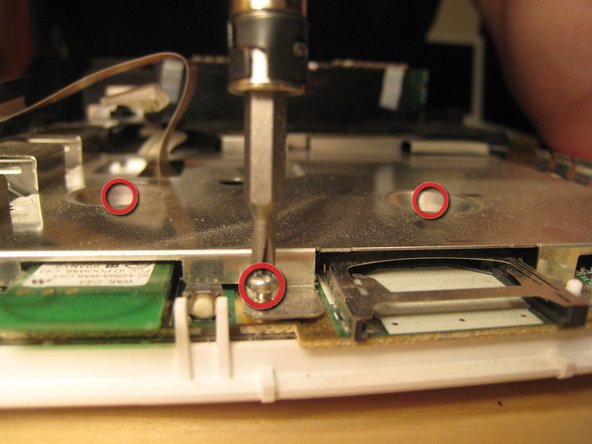
Remove all screws from the logic board cover. Two are recessed in the middle; others are along the edge. More will become visible as other parts are removed. It's like a game! You can start with the screws holding in the black plastic pieces, but I started with the most visible and went from there.
-
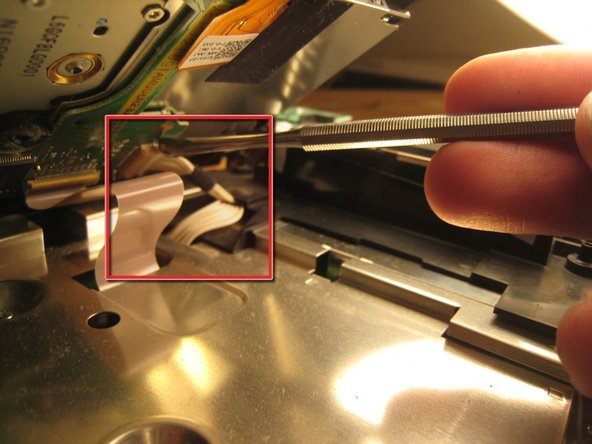
There are two wires (shown in the third picture) coming from the logic board and connected to the Wi-Fi antennas. These are delicate. Do not break them.
-
-
-
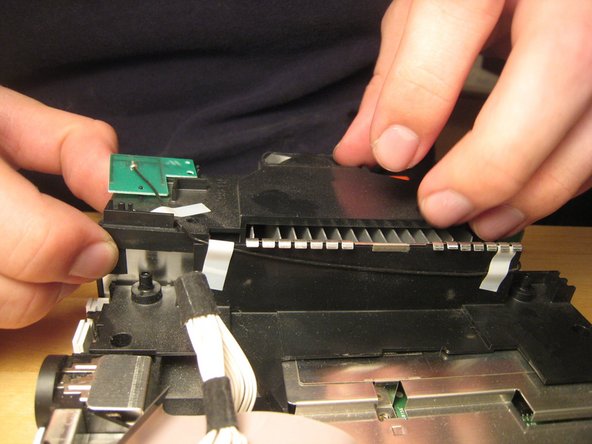
With the black plastic covers off, we can see all the screw holes. Most of the screws are out by now, but once the rest of them are out, you can lift off the logic board cover.
-
Note that at least one part is thermal padded to the logic board cover. You might have to replace this thermal pad, but I didn't. I just pushed them back together. Oh well!
-
Remove any remaining screws in the logic board cover.
-
-
-
We stopped there.
-
A muffin tin worked really well to organize all the screws.
-
Putting the Wii back together took only about half an hour, and it works perfectly. We improved Nintendo's design by three or four screws and one square nut, but worsened their design by one piece of duct tape (to hold in the bios battery).
-










27 Comments
I was kinda hoping you would take apart the optical drive assembly, you said there is "nothing fancy" about it, but since Nintendo designed this drive to be able to take the "mini" discs from GameCube, they have to work out a mechanism to center the disc before loading it onto the motor, hence "a ton of gear and levers" and that's the exact thing I actually wanted to see, I really wanted to know how they made it work..
:P
Maybe I can make a guide for you with it like that. I plan to replace the Hard Drive in my wii so ill make a guide.
@zeldaawesome It is not a hard drive, it is NAND. In fact, that’s about as far away from a hard drive as you can get.
Xu Xian -
I have a dud drive, so i might just do this.
Nice guide. I have one suggestion and one comment to add.
Suggestion: a different color circle in the pictures for the Tri tip screws would speed up re-installation.
Comment: the extra square nut holds in the BIOS battery cover which is quite inconvenient to discover as it is the last screw you reinstall.
