Introduction
The Nexus 4 landed in our inbox just in time for a Friday teardown-a-rama. Questions that linger in our minds:
- Is it good as a phone? No idea. We dove right in to the Nexus 4—for science!
- Will it blend? We'll let Tom answer that one.
- How repairable is it? Only time will tell. Look below for the freshiest of the fresh information on the Nexus 4's innards.
We'll love you forever* if you follow us on Twitter, like us on Facebook, or subscribe to our YouTube channel.
*But only if you're kind to us.
What you need
-
-
Google unveiled its 4th generation phone in the Nexus line and it's called—wait for it—the Nexus 4! Let's see what's inside número cuatro.
-
4.7" 1280 x 768 pixel touchscreen LCD with IPS
-
Qualcomm Snapdragon S4 Pro system on a chip (SoC) with 1.5 GHz CPU
-
2 GB RAM
-
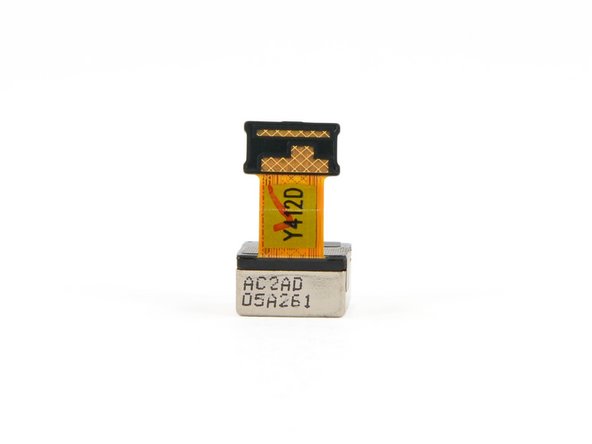
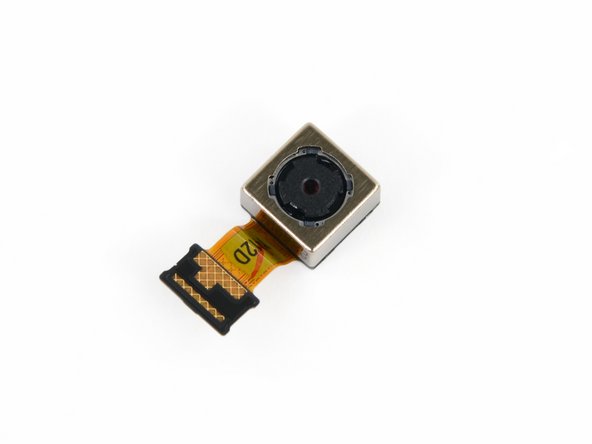
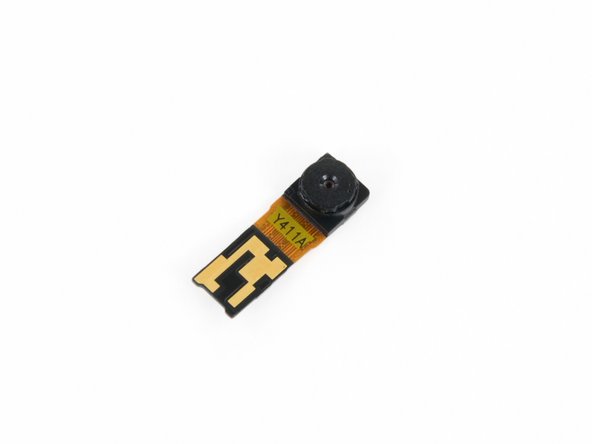
8 megapixel rear-facing and 1.3 megapixel front-facing cameras
-
Near field communication (NFC)
-
Android 4.2 (Jelly Bean)
-
-
-
At first glimpse, the Nexus 4 doesn't jump out and grab your attention, but its clean, sleek design makes it anything but an eyesore.
-
Google chose LG as its design partner to manufacture the newest Nexus phone. For all of their hard work, LG gets their logo on the back of the phone (and probably a decent boost in sales revenue).
-
Perhaps we spoke too soon about the Nexus 4 not clamoring for attention. Upon closer inspection, the back of the phone shows off one of our favorite features: sparkles!
-
-
-
Left to right: iPhone 4S, iPhone 5, Samsung Galaxy Nexus, Samsung Galaxy SIII, LG Nexus 4.
-
We wanted to add a Galaxy Note II to the mix, but this iPad Mini was the closest thing we had (size-wise).
-
Despite the minor variation in appearance, not all black rectangles are created equal. Compared to the Galaxy Nexus—the phone it succeeds—the Nexus 4 is a hair heavier (139 g vs 135 g), thicker (9.1 mm vs 8.9 mm), and wider (68.7 mm vs 67.9 mm).
-
-
-
Whenever a new Android device hits the stage, we feel obligated to see how it measures up to the latest iPhone. Let's have a look-see.
-
Both phones have their main I/O connector on the bottom, flanked by two screws. For the iPhone, it's the Lightning connector (Apple proprietary) and two Pentalobe screws (also proprietary). The Nexus 4, on the other hand, wields a micro-USB/SlimPort HDMI port (universal) and two Torx screws (quite common).
-
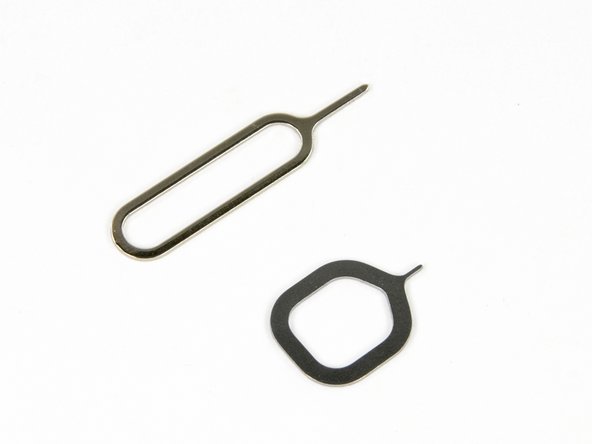
Rather than hide the Micro SIM card underneath the battery—a common practice in many phones—LG pushed the Micro SIM slot to the side and included their own stubby SIM eject tool. Very Cupertino.
-
-
-
After liberating the two T5 Torx screws from their imprisonment, it took a few minutes of diligent work with a plastic opening tool to remove the back cover.
-
It wasn't particularly difficult to open this device, but anyone attempting it without the proper prying tool will face a lot of frustration.
-
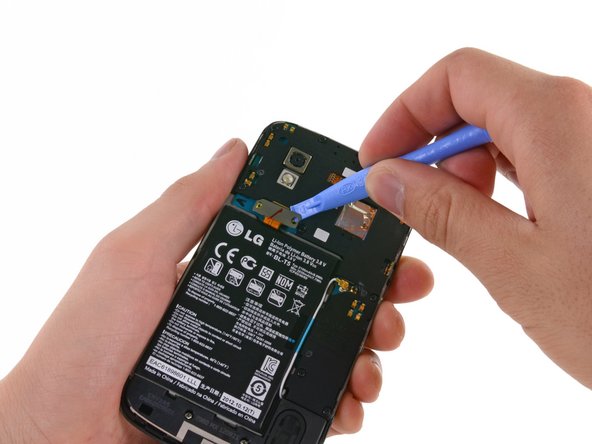
Right off the bat we notice that the battery is much harder to replace than in the earlier Galaxy Nexus. This could hurt its repairability score, but it's still early!
-
-
-
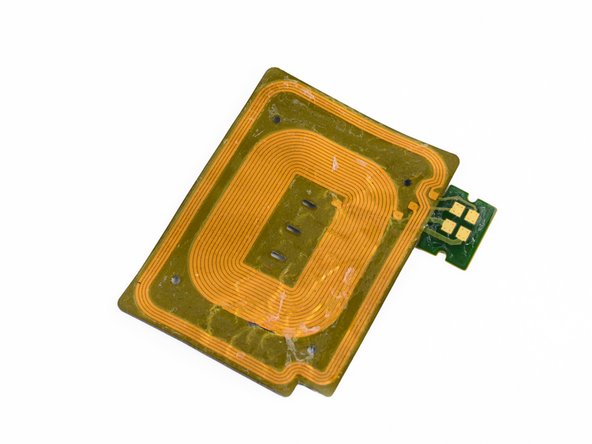
The rear cover of most phones is a ho-hum piece of plastic that serves no real purpose other than covering the battery. That is not the case here.
-
A number of pressure contacts power the NFC antenna and connect the induction coil needed for wireless charging to the motherboard.
-
With "wireless charging" listed as an official tech spec for the Nexus 4, we were anxious to try it out on our device. Alas, the phone doesn't ship with a wireless charger. Boo.
-
Two years ago, Google brought NFC to the smartphone realm with the Nexus S. It's been a long road, but the technology seems to finally be catching on.
-
-
-
-
Eventually, we're able to pull out the 3.8 V, 2100 mAh battery.
-
Just like Apple did with the iPhone 5, LG is utilizing a 3.8 V battery to power the Nexus 4.
-
Strangely enough, Google doesn't list any specifications for the battery on their product page. We'll have to rely on real-world tests to see what kind of battery life users can expect to achieve.
-
-
-
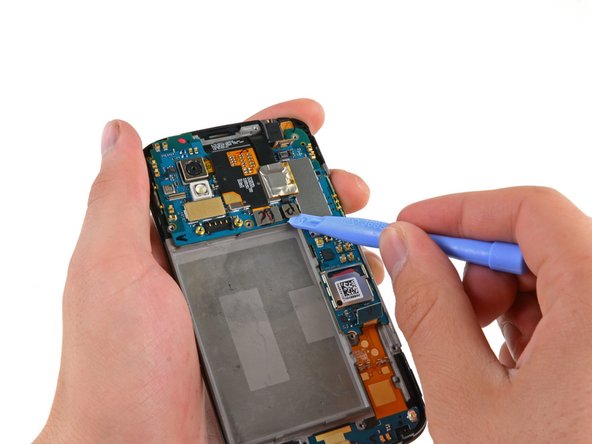
Next up is the obtrusive plastic frame covering the motherboard.
-
With the frame screws removed, the Nexus 4 is officially screw-less. That brings us to a total of only 4 different screw lengths, and 15 screws in total. Here's how they break down on our Magnetic Project Mat.
-
-
-
In addition to providing some support and stability, this frame houses the earpiece speaker and vibrator motor, both of which attach to the motherboard via pressure contacts.
-
The Nexus 4 uses a linear-oscillating vibrator motor as opposed to the counterweighted rotational vibrator in the iPhone 5.
-
-
-
The front of the motherboard :
-
Toshiba THGBM5G6A2JBAIR 8GB Flash
-
SlimPort ANX7808 SlimPort Transmitter (HDMI output converter)
-
Invensense MPU-6050 Six-Axis (Gyro + Accelerometer)
-
Qualcomm WTR1605L Seven-Band 4G LTE chip
-
Avago ACPM-7251 Quad-Band GSM/EDGE and Dual-Band UMTS Power Amplifier
-
Murata SS2908001 802.11 a/b/g/n Wi‐Fi and Bluetooth module
-
Avago 3012 Ultra Low-Noise GNSS Front-End Module
-
-
-
Back o' mobo:
-
Samsung K3PE0E00A 2GB RAM. We suspect the Snapdragon S4 Pro (APQ8064) 1.5 GHz CPU lies underneath.
-
Qualcomm MDM9215M 4G GSM/UMTS/LTE modem
-
Qualcomm PM8921 Power Management
-
Broadcom 20793S NFC Controller
-
Avago A5702, A5704, A5505
-
Qualcomm WCD9310 audio codec
-
Qualcomm PM8821 Power Management
-
-
-
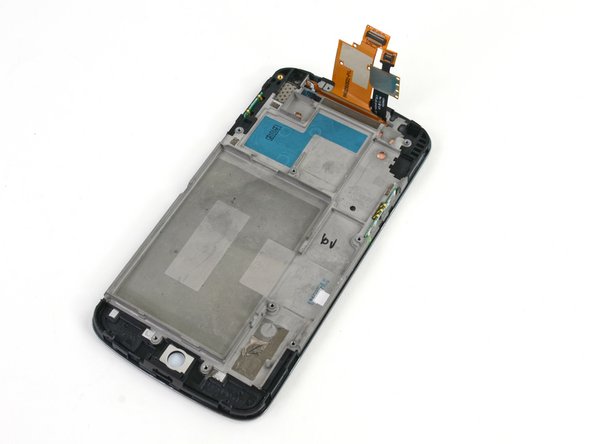
Front panel—fused LCD, glass, and frame.
-
A Synaptics S7020A touchscreen controller ensures your fingers morph into super-accurate pig-killing machines.
-
The 4.7", 1280 x 768 , WXGA IPS display is manufactured by LG Display.
-
The display is labeled as LH467WX1.
-
-
-
Nexus 4 Repairability Score: 7 out of 10 (10 is easiest to repair).
-
Removing the back cover requires nothing more than a common screwdriver, a plastic opening tool, and some patience.
-
The entire device only contains four different length screws—all common screw types—for a total of only 15 screws.
-
Once the back cover and inner frame are removed, pressure contacts make all of the inner components a breeze to replace.
-
The battery is stuck to the frame with a lot of adhesive, so removing it without puncturing the battery can be difficult.
-
The glass is fused to both the display and the display frame. So don't crack the glass unless you're good with a heat gun, or you're fond of replacing the glass, display, and frame together ($$$).
-
















38 Comments
Can the LTE chip somehow be activated/unlocked?
Do not think it would be possible because it would make no sense to sell it without LTE having a possible working LTE functionality.
Can you use the LTE functionality of the nexus 4?....not out of the box, you have to unlock the bootloader and modify the nexus 4's software...in short yes when it's modded