Introduction
We got our hands on a MacBook Pro 13" Unibody and decided to compare it to a MacBook Unibody -- from the inside! Follow us on Twitter to get all the latest updates as we're doing the teardown!
What you need
-
-
This just in: the new MacBook Pro 13" Unibody!
-
We'll be comparing it to the MacBook Unibody throughout the teardown.
-
We have a feeling it will be very similar in most regards.
-
-
-
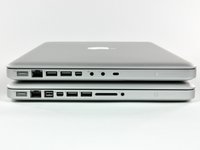
Some comparisons to the MacBook Unibody:
-
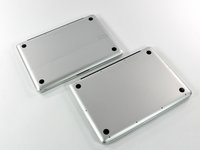
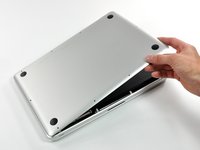
No access door for the battery on the bottom.
-
The addition of an SD card slot (and the omission of digital/mic port) is readily apparent.
-
FireWire is back!
-
Computer lock is now on the other side.
-
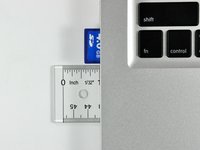
The SD card sticks out almost .5"! This is a cheeseball design for a MacBook "Pro" if you ask us.
-
-
-
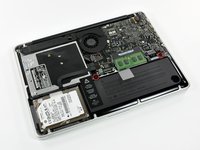
...It's almost exactly the same as our old, "lesser" MacBook Unibody.
-
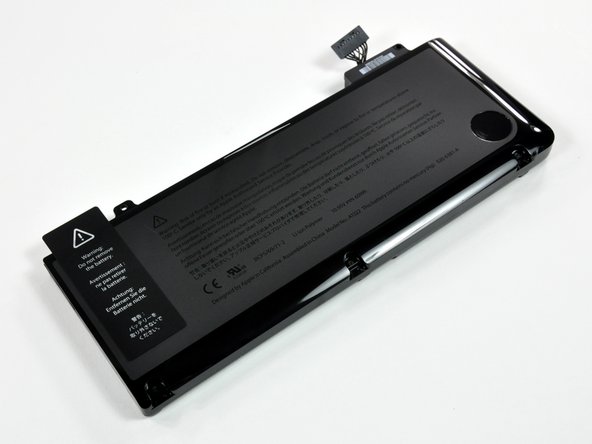
The battery compartment is identical to the one we uncovered in the MacBook Pro 17" Teardown. We'll venture a guess that it looks the same in the updated 15" Pro as well.
-
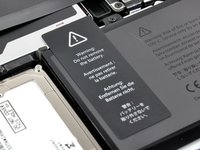
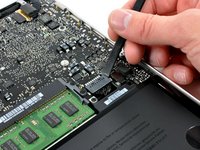
Remove two tri-wing screws and the battery is suddenly replaceable. The sticker comes right off, just as in the 17" Pro -- because it's adhered to just the battery and midwall, not to the optical drive.
-
-
-
-
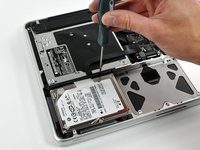
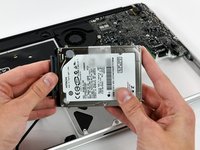
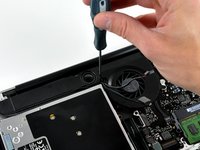
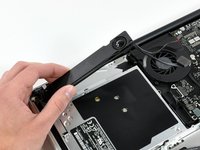
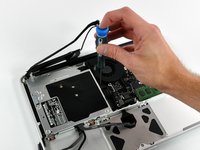
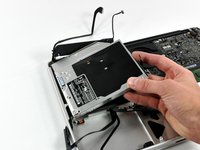
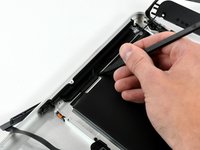
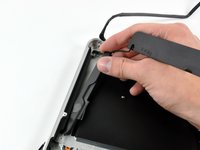
Removing the hard drive...
-
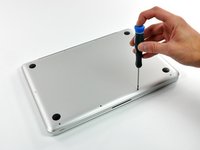
It's still considered user-replaceable by Apple, but replacement does require removing 10 more screws than on the MacBook Unibody.
-
First thing we'd do is replace the 160 GB Hitachi with something more meaty.
-



























10 Guide Comments
Hi. AMAZING walkthrough and I really love your website. I need HELP!
I bought a refurbished MBP 13-inch 2.26 GHz and I don't think it came with a wireless card (I think I got ripped!). Bluetooth is working but my airport says "No Airport card installed".
Anyway - is it possible to check if the wireless card is in there? If not, is it possible to replace it? Any help and advice would be greatly appreciated!!!
The AirPort card is hidden in the display. We don't have a guide specifically for it, but you can follow the display guide to remove the display and then use the clutch cover guide to access the AirPort card (you don't have to remove the front display glass to access the card; the clutch cover guide was part of another guide for the LCD but the steps are generally the same).
great guidelines.... I have a macbook pro mid2009 A1278. buzzing sounds coming out when I play any music. is there any fix?
Hi, I have a macbook pro Mid 2009, now it very slow. can it upgrade? If it must upgrade What I I do for it?
Give me some your opinion, Thank you very much!
Sicerely
Tao Nguyen
nnhattao@yahoo.com
