Introduction
Join us as we take a peek inside at Apple's newest revision of the Mac Mini, now with an HDMI port!
Check out the YouTube video slideshow of the teardown as well!
What you need
-
-
Well folks, after much clamor, it seems the engineers at Apple have finally included an HDMI port in an actual Apple product.
-
Notable Tech Specs:
-
2.4 or 2.66 GHz Intel Core 2 Duo processor
-
2 GB of RAM (expandable up to 8 GB)
-
NVIDIA GeForce 320M graphics processor with 256MB of shared DDR3 SDRAM (the same as the most recent MacBook)
-
HDMI port with support for up to 1920-by-1200 resolution
-
AirPort Extreme 802.11n Wi-Fi wireless networking
-
SD card slot
-
-
-
Departing from previous generations, the Mini's unibody top enclosure is machined from a single block of aluminum.
-
Measuring 1.4 x 7.7 x 7.7 inches and weighing only 3 lbs, this is truly one for the books.
-
The black logo and other accents match quite nicely with the styling of Apple's iPad and recent iMacs. Congrats, Mini, you're no longer the black sheep of the family!
-
The model number for this new unit is A1347.
-
-
-
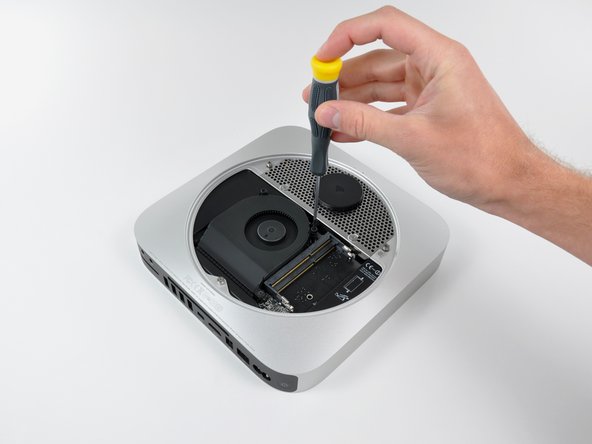
After removing two screws, the fan can be lifted out to access its power connector.
-
The connectors inside this machine look pretty consistent with those found in Apple's current product lineup. Nothing too new here.
-
All three fan screws are isolated with rubber dampers; a feature not seen on older apple machines. Low noise and vibration are big selling points for Apple these days, and the new Mini's idle emission of 14 dB is a testament to those design goals.
-
-
-
-
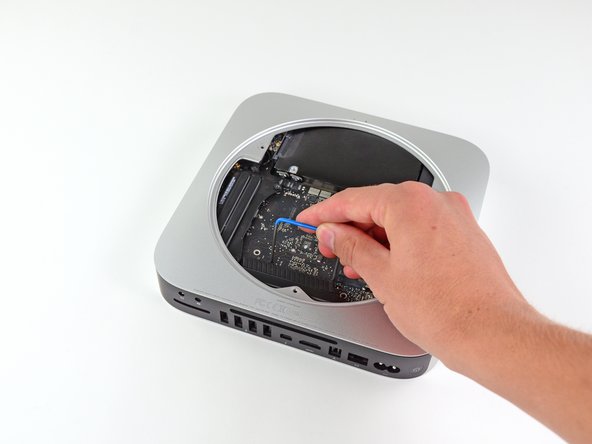
Behold, iFixit's specialized Mac Mini Mid 2010 logic board removal tool!
-
There are two blind holes in the case of the Mini that are meant for the ends of Apple's u-shaped logic board removal tool.
-
Being the shadetree mechanics that we are, we decided to circumvent the special Apple tool in favor of something that works just fine while keeping extra dollars out of Mr. Jobs' pockets.
-
-
-
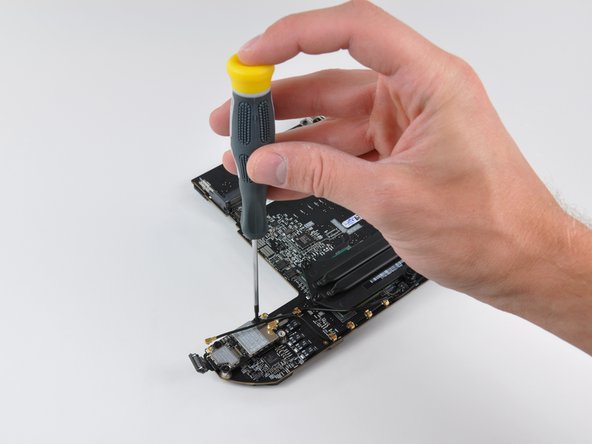
Next to where the speaker was located, we find the AirPort Extreme card.
-
The Mac Mini Mid 2010 has 802.11n Wi-Fi wireless networking, as well as Bluetooth 2.1 with Enhanced Data Rate technology.
-
After disconnecting the remaining two antenna connectors and its data cable, the AirPort card can be easily removed from the logic board.
-
-
-
The bare logic board.
-
The brains of the unit feature:
-
Intel P8600 2.4 GHz Core 2 Duo processor
-
NVIDIA GeForce 320M graphics processor with 256MB of shared DDR3 SDRAM
-
Other notable chips include:
-
Broadcom BCM57765 integrated gigabit ethernet and memory card reader controller
-
Cirrus 4206ACNZ audio controller
-
Delta LFE9249-R discrete LAN filter
-
-
-
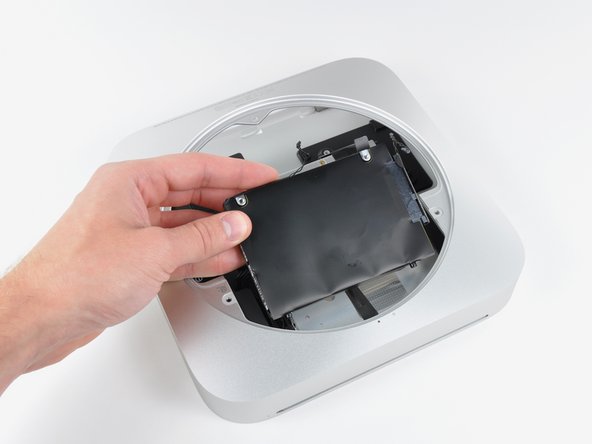
The Mac Mini comes with either a 320GB or 500GB SATA hard drive.
-
Sadly, there's only one hard drive in our non-server model.
-
Need more storage? Only time will tell if this Mac Mini is as easily modified as its predecessor. For now, we recommend just getting the server edition.
-
-
-
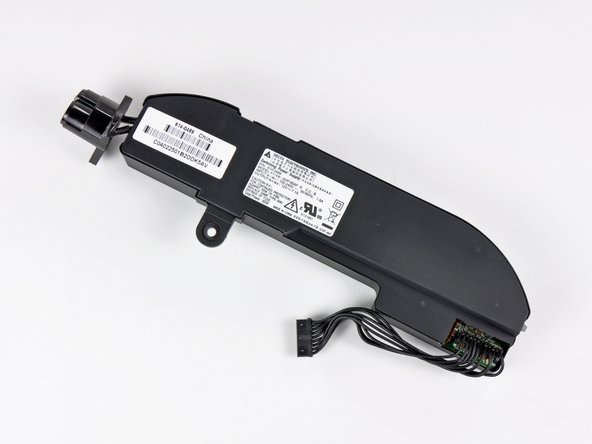
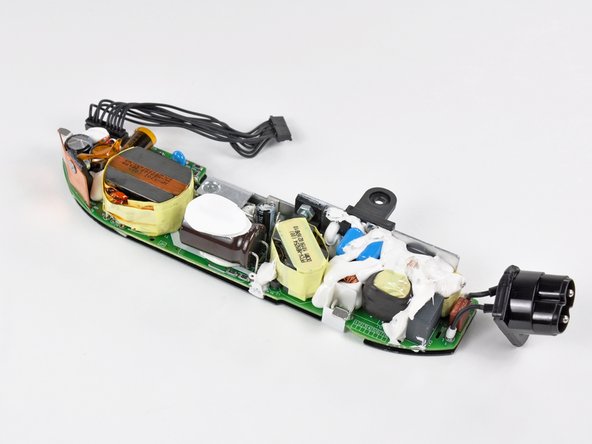
The new Mini's power supply churns out a minuscule 7 Amps at 12V. Compare that to the 25.8 Amps at 12V cranked out by the iMac Intel 27".
-
Like its iMac cousin, the Mac Mini finally says goodbye to external AC adapters.
-
-
-
The optical drive bay drive simply slides out of the aluminum unibody housing.
-
Well what do we have here? Is this a new optical drive? Why yes it is!
-
Hitachi-LG Data Storage (HLDS) Super Multi DVD Rewriter model GA32N
-
The optical drive is 12.5 mm thick, giving everyone a glimmer of hope for a sweet Blu Ray installation...
-
-
-
The remainders of the Mac Mini Mid 2010.
-
Macminicolo took apart the server version of the new Mini. Check it out if you want to see how Apple stashed the second hard drive.
-
Thanks for following iFixit during this historic moment. Until next time!
-












5 Comments
It seems the advantage of going with the server edition is the higher storage space and faster CPU. however you miss out on the DVD player. How easily do you anticipate it would be to upgrade the CPU on the non-server edition?
About Step 7, did you notice if the screw to the left of the RAM module has factory damage ?
There is a guy that claims that on different models he found stripped screws and that such stripped screw could eventually invalidate the warranty.
I didn't notice anything unusual when we were taking it apart - the screws seemed fine to me. The only time I've seen damaged screws is when we've disassembled a few random certified Apple Refurbished devices.
Do you need a CDs drive ?
The CD drive is not necessary. You can replace it with a HDD / SSD with an adapter.
