Introduction
Apple is shrinking! No, not in the AAPL stock way (that's high as ever), but in the 'Let's name everything mini' way. Along with the announcement of the iPad mini on October 23rd (teardown coming soon; we promise) came the new and improved Mac mini, the 2012 iteration of the optical-drive-less mini from last year. With the current trend, we look forward to maybe one day tearing down a smaller version of the Mac mini: the Mac mini mini. But until then, we content ourselves with tearing into the Mac mini Late 2012.
Want to be kept in the loop about all of our latest teardowns, big and small? Follow us on Twitter, or check us out on New Myspace to keep up with all the latest iFixit news.
What you need
-
-
Good things come in mini packages. This mini is packing:
-
2.5 GHz dual-core Intel Core i5 or 2.3 GHz quad-core Intel Core i7
-
500 GB hard drive or 1 TB hard drive configurable to a 1 TB Fusion Drive or 256 GB solid-state drive—upgradable with an extra hard drive or SSD using our dual hard drive kit
-
4 GB, 8 GB, or 16 GB of DDR3 SDRAM
-
Intel HD Graphics 4000
-
Thunderbolt and HDMI ports
-
SDXC card slot
-
-
-
It's beginning to feel like Groundhog Day. The same model number (A1347) has graced the 2011 and 2010 minis.
-
The port layout is consistent with last year's model:
-
10/100/1000BASE-T Ethernet
-
FireWire 800
-
HDMI (HDMI to DVI adapter included)
-
Thunderbolt (supports high-speed I/O and Mini DisplayPort)
-
Four USB 3.0 ports (an upgrade from last year's 2.0)
-
SDXC card reader
-
-
-
A simple twist of the bottom cover and we're in. That is plus one for repairability.
-
Upgradeable RAM!! Oh, how we've missed you!
-
The 2012 iteration of the Mac mini is equipped with PC3-12800 DDR3 RAM.
-
-
We're fans of easily removable fans.
-
Easily accessible fans mean soot sprites better run for cover, because cleaning dirty fans is no problem.
-
Need to clean your fan? Directions can be found here.
-
-
-
We remove the fan cowling, eager to get at the Wi-Fi antenna plate.
-
We are really starting to suspect that Dr. Emmett Brown had something to do with this mini as the antenna board and grille look identical to the last two renditions.
-
-
-
Here we find the legendary Mac mini logic board removal tool in its natural habitat.
-
-
-
-
The first component off the logic board assembly is the speaker assembly.
-
The speaker cable was arranged in a twisted pair, probably to reduce EMI that could distort the sweet, iconic tones of the Apple startup sound.
-
-
-
The Wi-Fi board, labeled BCM94331PCIEBT3B, stands no chance against our spudger as we make it truly wireless.
-
Removing the EMI shields allows us to peek at the ICs on the communications board:
-
Broadcom BCM4331 802.11 a/b/g/n Wi-Fi chip
-
Broadcom BCM20702 Bluetooth 4.0 transmitter
-
SiGe 5503A 2304A Dual Band 802.11a/b/g/n Wireless LAN Front End
-
SiGe 2598L
-
P2303A TUB2P
-
7871 1228 C6050
-
-
-
The heat sink is next to go.
-
Apple has really keyed in on their boomerang-style heat sink abilities—and for that, we applaud them. We know boomerangs can be tough to master.
-
Similar, again! We have not tried installing old 2011 mini parts in the 2012 mini, but we are certainly not ruling out the possibility!
-
-
-
Tucked away neatly near the rear of the mini is the hard drive.
-
Our model came with a 500 GB Hitachi hard drive.
-
The mini is one of the Macs launched with the Fusion Drive.
-
Apple's Fusion Drive is not to be confused with the Impulse Fusion Drive of Star Trek.
-
-
-
Next up, we displace the power of the mini.
-
It is beginning to feel repetitive to say how repetitive Apple is in the design of the mini; nonetheless, the power supply appears identical to last year's model.
-
Just like last year, the power supply provides 85 watts to the Mac mini—that's the same kind of electric juice as the AC adapter for a 15" or 17" MacBook Pro.
-
-
-
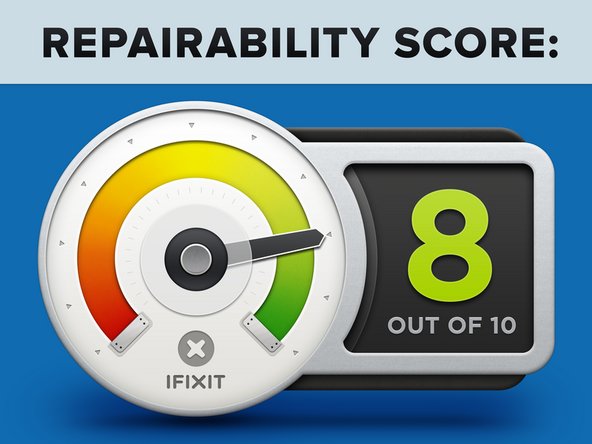
Mac mini Mid 2012 Repairability: 8 out of 10 (10 is easiest to repair).
-
No proprietary screws are found within the device.
-
You can easily upgrade your RAM and hard drive, as well as add a secondary drive.
-
There's no glue anywhere inside that needs to be removed while disassembling the mini.
-
The CPU is soldered to the logic board and not user-upgradeable.
-
While not difficult to do, you still have to remove almost all the internals in order to replace the power supply.
-


16 Comments
Hello,
I see that Mac mini Late 2012 have a Hitachi HTS545050A7E362 HDD
What kind of SATA connection have that Hitachi HDD?
And what kind of SATA connection have Mac mini Late 2012? SATA II or SATA III?
Regards
when reinstalling the heatsink did you notice the heatsink does not 100% connect to the platform hub?
even when screwed down tight and new thermal paste applied there is still a paper thin gap between heatsink and platform controller hub
can anyone else confirm this???
thanks
kevin
beanieboy182@hotmail.com
I noticed this too
Victor -
