Introduction
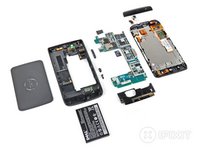
The Streak is new to the ever-expanding Android smartphone market. The behemoth also happens to be Dell's first smartphone, so we felt it proper to give it the royal iFixit treatment and see what makes it tick.
This is also the first device to receive a subjective "repairability" score from iFixit. We're listing the good and not-so-good repair aspects of the phone (as well as its score) in the final step of the teardown. Check it out!
What you need
-
-
At long last, the Dell Streak has arrived on American soil. More importantly, it has landed in the hands of iFixit. And we all know what that means...
-
The Dell Streak features:
-
5" 800x480 TFT LCD Display
-
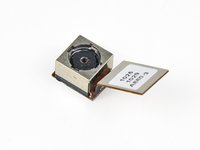
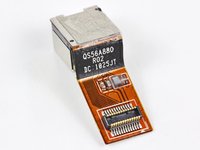
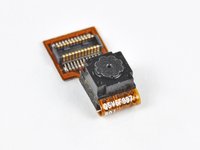
5 MP rear-facing camera and VGA front-facing camera
-
Android 1.6 (Donut) operating system
-
1 GHz Qualcomm 8250 Snapdragon processor
-
Corning Gorilla Glass front panel
-
-
-
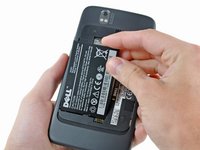
After the rear panel is gone, the battery can be easily removed from its home.
-
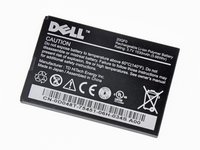
The Streak's 3.7 V 1530 mAh (5.66 Whr) battery reportedly powers the gargantuan device for...well...we don't know how long.
-
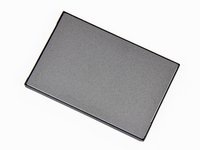
The inner face of the battery is covered with a sheet of steel, rather than plastic, to decrease its overall thickness. Perhaps the Streak also doubles as body armor?
-
-
-
-
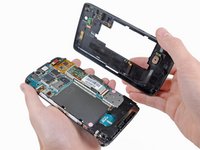
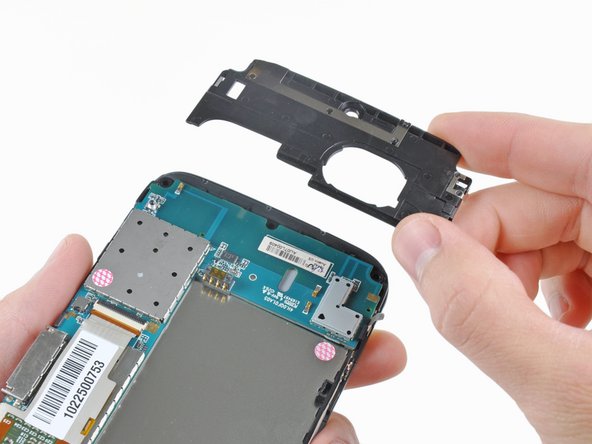
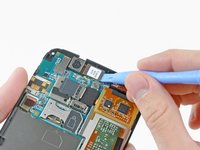
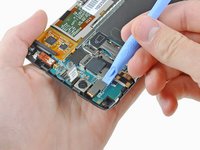
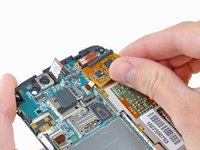
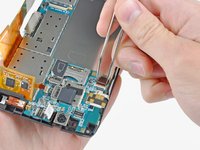
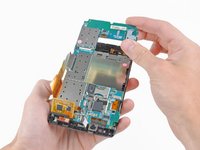
The "C"-shaped motherboard comes out easily. Rather than using daughterboards like the Droid 2, the Streak has all components attached to this singular motherboard.
-
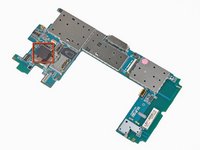
A 2 GB non-user accessible microSD card can be seen near the top of the motherboard.
-
This card is used to house system & applications files only, and Dell doesn't want you to remove it.
-
-
-
Big players on the motherboard include:
-
Qualcomm QSD8250 Snapdragon processor
-
Analog Devices ADV7520 Low Power HDMI™/DVI Transmitter
-
Hynix H8BES0UU0MCR NAND-based MCP
-
Qualcomm MXU6219 RF Transceiver
-
Qualcomm PM7540 Power Management chip
-
TriQuint Semiconductor TQS 7M5012 Power Amp (Quad-band GSM)
-
Texas Instruments TPS 65023 Integrated Power Management IC
-
-
-
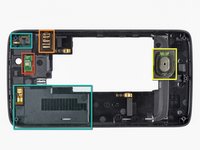
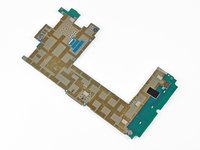
The back of the motherboard is relatively featureless, with a few notable exceptions:
-
Microphone
-
Pressure contacts for the capacitive controls on the lower bezel
-
Proximity sensors to tell the touchscreen when your face is pressed against it
-
Ambient light sensor for the front-facing camera.
-
-
-
Sadly, the Streak's LCD is permanently adhered to the front panel glass. However, that LCD/glass subassembly is held in the front panel with very strong 3M adhesive, and could be removed with enough careful prying.
-
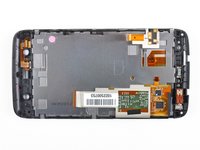
The inner face of the front panel assembly isn't all that exciting. The ear speaker and vibrator motor can be seen near its top edge.
-
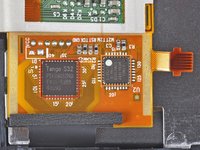
The touchscreen ribbon cable houses:
-
Pixcir's controversial Tango S32 Touchscreen controller
-
Atmel's ATmega168P 8-bit AVR microcontroller
-
-
-
Dell Streak Repairability: 8 out of 10 (10 is easiest to repair)
-
Good: Replacing the battery is super easy and takes less than one minute.
-
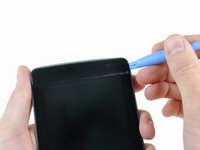
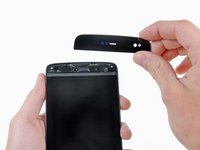
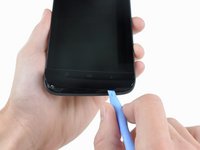
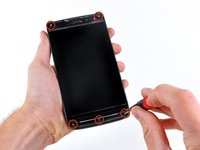
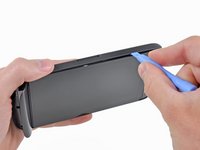
Good: Opening the device requires prying the bezels and removing five screws.
-
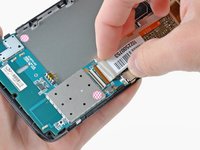
Good: Cables use standard connectors, including our favorite, ZIF connectors.
-
Neutral: The rear panel feels cheap and deforms easily for a $600 device.
-
Bad: The LCD is bonded to the Gorilla Glass, increasing the cost of fixing the device if you break just the glass.
-























4 Guide Comments
my screen broke after a final hard drop a few months ago (weather and ground are cold now) and not going to get it fixed. it was dropped quite a bit and held up pretty good... i can make great use of the bonus [hidden/second] memory card inside :)
thanks for the great pics and detailed teardown :)
my mobile led is damage so you have to change my led.
Usually, they're available on eBay, but BatteryTex and other retailers have them for around $20. Search for 20QF0 which is the correct 3.7v 1530mAh LiOn battery.
