Introduction
We partnered with TechRepublic to show you the beautiful inner details of Dell's all-new Adamo. Dell has clearly positioned the Adamo as a competitor to the MacBook Air. Does it have a chance? We'll find out.
What you need
-
-
We're happy to be partnering with TechRepublic on this teardown. TechRepublic is a great news and problem-solving resource for IT professionals.
-
We'll post updates on twitter about this and other things we take apart.
-
The shipping box is substantially larger than that of the MacBook Air (white box), but the two machines are nearly identical in size.
-
-
-
The Adamo's time-capsule cryo-chamber protection system ensures a safe voyage through spacetime for all components on board.
-
We were kind of expecting a high pressure hiss and a dense fog to roll out as the container automatically opened itself. Didn't happen. There are two plastic tabs on the bottom of the case that had to be pushed quite firmly in order to release the Adamo from its clear sarcophagus.
-
Lenin would be jealous.
-
-
-
The rear ports of the Adamo, from left to right:
-
RJ45 Ethernet
-
eSATA USB
-
2x USB
-
AC Adapter
-
The right side of the Adamo houses a SIM card slot and an audio out/headphone jack.
-
-
-
Adamo, meet Air. Now that you're acquainted...
-
The Adamo's dimensions, as compared to the MacBook Air:
-
Width: 0.23" larger
-
Depth: 0.56" larger
-
Height: 0.11" thinner
-
It's interesting how the Air plays tricks with height. It certainly looks thinner than the Adamo...
-
Both the Adamo and Air have very high torsional rigidity. This is largely due to their unibody constructions. It's hard to say which is more rigid, but the Adamo is heavier so it feels more solid.
-
-
-
The Adamo's elegance clearly beats the Air from this angle.
-
The Intel and Windows logos are not the typical stickers; they're painted into the case.
-
Unlike the Air, there are no visible screws on the bottom of the Adamo. However, the gaps between case bottom and frame are significantly larger than the Air's.
-
Getting inside may require some ingenuity...
-
-
-
It's time to use a metal spudger.
-
The Adamo uses a very slick locking system to hold the bottom panel in place.
-
The locking system utilizes three tracks of pins that span the inner left, right, and front edges of the computer. The pins lock into slots machined into the bottom panel, creating a very tight and secure connection.
-
The bottom panel is removed by simply sliding the metal ear (shown in yellow) connected to each set of pins (shown in red) to the right using a thin metal spudger.
-
-
-
The Adamo and Air with bottom panels removed.
-
The MacBook Air we're using in this guide is the original model (released over a year ago). Despite its age, the Air still packs a 1.6 GHz Core 2 Duo processor, 33% faster than our Adamo's 1.2 GHz processor.
-
To its credit, the high-end Adamo does include 4 GB of built-in RAM, double that of the Air.
-
Dell labels a lot more parts than Apple. This definitely makes our job easier, even though it's not quite as photogenic.
-
-
-
-
The bottom panel contains an integrated 6 cell Li-Polymer battery pack.
-
The 11.1 V battery is rated at 40 Watt hours, an improvement over the MacBook Air's 7.2 V, 37 Watt hour battery. (Dell's manual says 12.6 V, but we trust the battery more than their writers.)
-
The Adamo's advertised operating time is 5 hours, outliving Apple's claims for the MacBook Air by 30 minutes.
-
You can recycle the battery... in Japan.
-
-
-
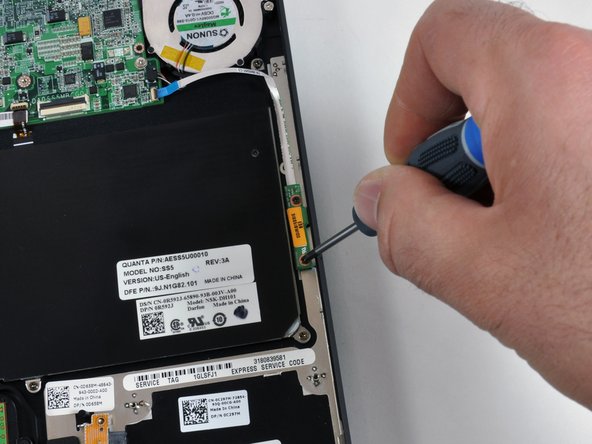
Removal of the 128 GB solid state hard drive. The drive is a Thin 128GB uSATA MLC. This particular drive utilizes 16 Samsung 64 gigabit multi-level cell (MLC) flash chips.
-
The Samsung chips are K9HCGZ8U1M, manufactured in February of this year.
-
The drive transmits data through a normal SATA connector. Impressively, the specs listed on the drive indicate a maximum power consumption of only 1.05 watts and an operating shock of 1500G!
-
The solid state drive's thickest point is the 4mm SATA connector. The rest of the drive is a scant 2.9 mm.
-
-
-
The Adamo has no shortage of wireless connectivity possibilities. This machine was the low-end model, so we only received two of the three wireless types.
-
The missing spot in the middle is for a WWAN WiMax 5530 HSPA Mini Card for AT&T. Even though our machine came without the card, it could be easily added in the future.
-
The antennas are routed to the slot and ready to go!
-
Surprisingly, the Bluetooth board is twice the size of the 802.11n card.
-
-
-
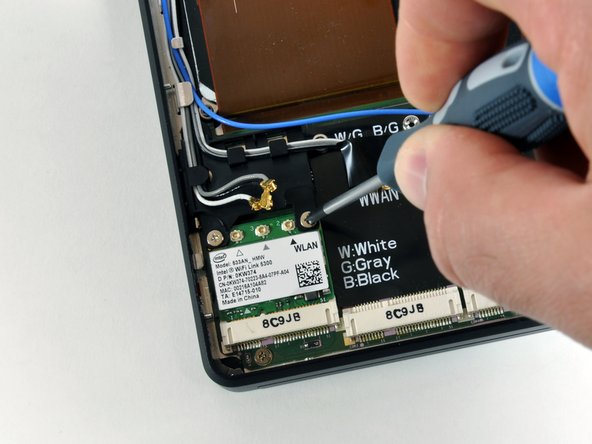
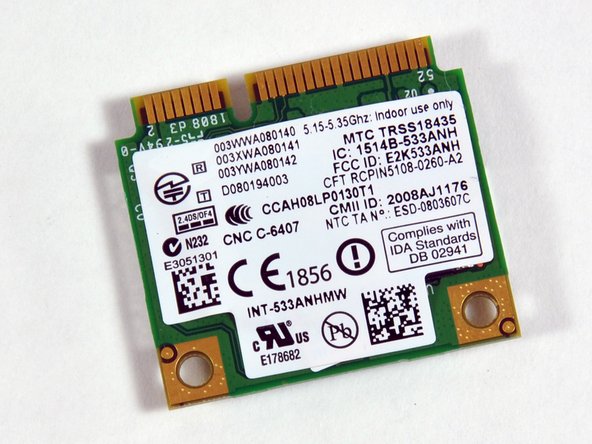
Removal of the 802.11n card and its three antenna cables.
-
The printed user's guide that came with our Adamo says the machine includes 803.11n Wireless LAN. We're not sure if that's a typo, or something new we don't know about yet.
-
-
-
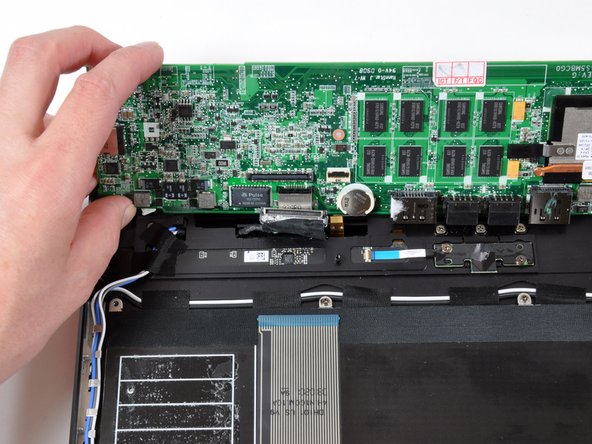
We disconnected several ribbon cables from the motherboard before proceeding.
-
Six Phillips screws hold the motherboard and its attached heat sink and fan in place.
-
The display data cable connects to the bottom of the board, and must be disconnected before the motherboard is freed from the machine.
-
-
-
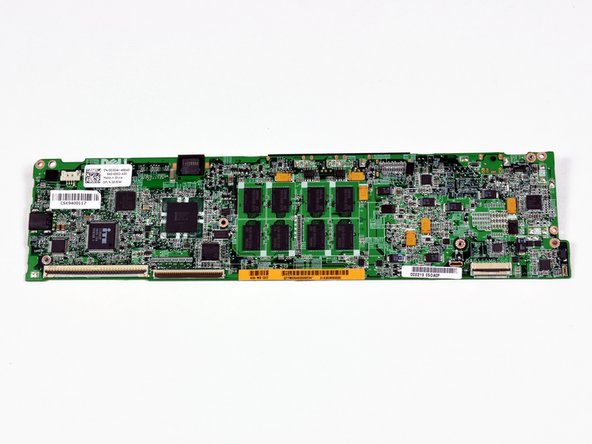
The bottom of the motherboard.
-
Yes, the processors are soldered to the motherboard. That's not a surprise, and hopefully you're not purchasing this machine to get the latest and greatest in processor technology.
-
Unfortunately, all the ports are integrated into the motherboard. Repair will not be cheap if something goes wrong.
-
-
-
The Adamo will likely be an excellent choice for people with large fingers. The letter keys on the Adamo have 30% more surface area than those on the Air.
-
At least the keyboard (and probably the whole machine) is produced by Quanta Computers. They're the world's largest notebook manufacturer and make machines for both Apple and Dell.
-
-
-
The hinge on the Adamo feels solid, but time will tell how well the hinge design holds up. Hinge problems have plagued a number of MacBook Air owners.
-
Getting the display assembly off requires the removal of 14 screws:
-
Eight Phillips on top, four on each hinge.
-
Four Phillips on the bottom, two on each side.
-
Two small Phillips on top, one on each side.
-
-
-
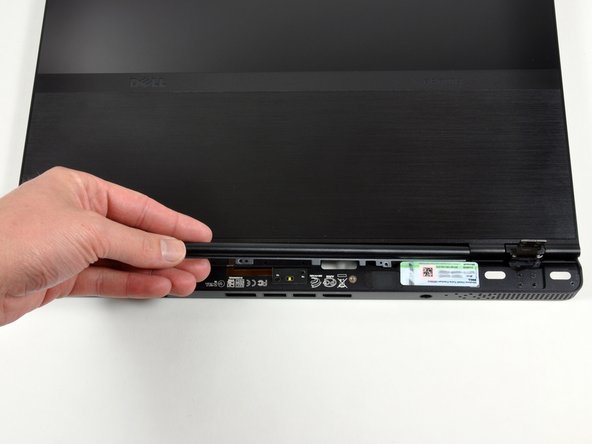
After lifting the clutch cover off, there's plenty of room to thread the display cables through the top case and remove the display assembly.
-
The display uses a LED backlight, so no inverter is necessary. As shown on this step, the display data cable is on the left, and the camera data cable is on the right.
-
-
-
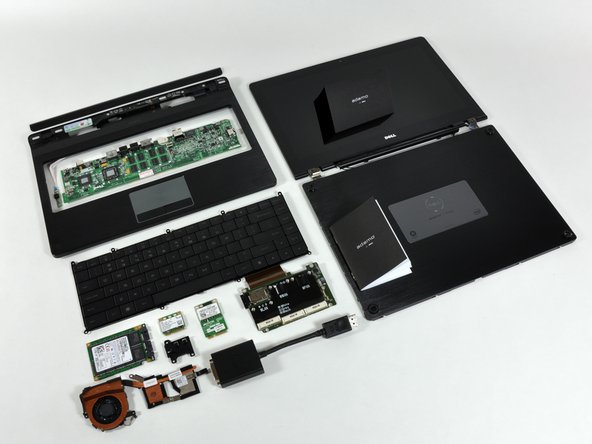
And here's the whole Adamo enchilada...
-
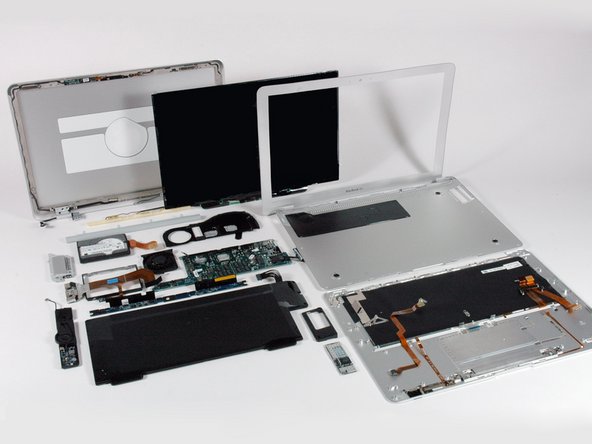
We included the final picture from our MacBook Air First Look for comparison purposes.
-