Introduction
The latest revision of the Apple TV has hit our doorsteps. And what does iFixit do when a gadget comes a'knockin' on our door? We investigate of course! Join us as we dismember the Apple TV 3rd Generation for all to see. Follow iFixit on twitter for the latest news.
What you need
-
-
Less than four inches square and an inch tall (the exact size of the 2nd generation Apple TV) the small but mighty Apple TV 3rd Generation adds the ability to play 1080p HD content.
-
The backside of the Apple TV 3rd Generation features the same exact ports as the previous iteration:
-
AC adapter port
-
HDMI output port
-
Micro-USB (for service and support)
-
Optical audio out port
-
10/100 Base ethernet port
-
-
-
With little effort from our part, we dive right into the Apple TV by removing the snap-on base.
-
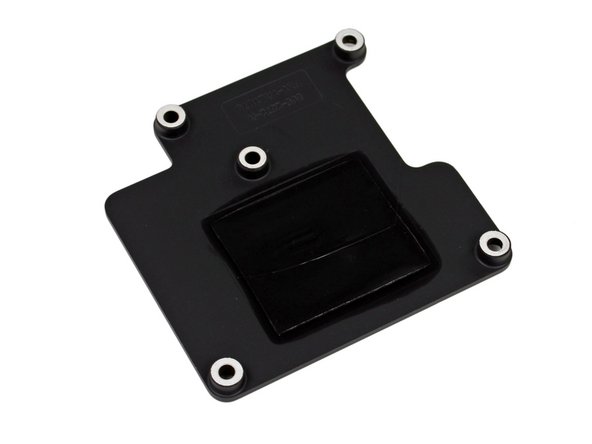
Once inside, we notice an immediate difference from the Apple TV 2nd Generation, the lack of a thermal pad.
-
Perhaps the "new" A5 processor doesn't get as hot?
-
-
-
The logic board is held in place by the power supply connector, but that's no problem for our spudger. A quick flick and the logic board is free.
-
So far, this device has been significantly easier to crack open than last week's iPad 3. We have a feeling the trend will continue with the Apple TV, since we just took out almost everything inside.
-
-
-
-
Clearing this casing is fast and easy. The power supply is one of the few parts left.
-
The rating of the power supply is 3.4V at 1.75A, which is identical to the 2nd Gen Apple TV's 5.95 watts.
-
If it ain't broke, why fix it?
-
-
-
Logic board is disassembled next, but first a quick message from our favorite sponsor, us:
-
We also make software for teaching people to do things. Dozuki makes it easy to create vibrant how-to manuals.
-
Dozuki is great for:
-
Standardized work instructions: improve quality by documenting how to get things done, one step at a time.
-
Building product support sites: make your customers love you by teaching them how to do amazing things.
-
Training and e-learning software: we've used Dozuki to teach over ten million people to repair electronics.
-
Online community platform: build a knowledge base of expert knowledge with Answers, the Q&A engine that drives the popular iFixit Answers.
-
Lots more: Dozuki shines in any situation where you need to harness the knowledge of experts to teach people to do things in the real world.
-
-
-
The bottom side of the logic board:
-
Apple A5 Single Core processor
-
The A5 PoP assembly breaks down into a Hynix LP DDR2 SDRAM and an application processor that carries the part number APL2498 and 8942C01 (third image). Thanks Chipworks!
-
Toshiba THGVX1G6D2HLA01 8GB NAND Flash
-
Broadcomm BCM4330 (appears to be the same chip in the iPad 3rd Generation).
-
Apple 343S0479
-
Apple 338S1040
-
-
-
The back side of the logic board:
-
V301
-
DELTA 8456E-R magnetic LAN coupler
-
TI 54418 (2.95 to 6V, 4A, 2MHz step down current mode regulator)
-
TXC Mn40 25.000 (25MHz crystal)
-
-
-
Looking closely it appears that there is another difference from the Apple TV 2nd Generation, two antennas!
-
While it is unclear where the two antennas terminate, we suspect Apple added the second antenna to address some complaints about range and signal strength in the previous model.
-
According to Broadcom, the BCM4330 can either function with a single-band 2.4 GHz 802.11 b/g/n (single shared 2.4 GHz antenna for Bluetooth and WLAN) or a dual-band 2.4 GHz and 5GHz 802.11 a/b/g/n antenna.
-
We're suspecting that this Apple TV is preserving the 2.4GHz shared antenna, but has also added a second antenna for 5 GHz connectivity.
-
-
-
Apple TV (3rd Generation) Repairability: 8 out of 10 (10 is easiest to repair).
-
Only six parts in a very easy-to-dissemble case.
-
Separate power supply, which is easy to get to and replace in case your old one ever decides to jump off a cliff.
-
No glue, thermal paste, gum, peanut butter holding things in place...
-
Standard screws, no endangered species screwdrivers necessary.
-
The logic board contains all the components, which means if something breaks, it could be expensive to replace -- unless you prefer to do board-level soldering.
-




7 Comments
Noticed on a new Apple TV the Phillips screws have been replaced by Torx and the bottom plate has been changed, The recess for the led connector is now open and not a complete rectangle
So I decided to teardown my 3rd Gen Apple TV just out of curiosity, and when I managed to finally open it, my unit is missing a Heat Sink, all that is there is the silver thermal plate. Is this a bad thing or does it not matter much? Maybe it was an error in the manufacturing process.
Hey guys
Thank you so much for helping all of us out.
My Apple TV is having static problems seems to me it’s a problem with the HDMI port as I have tried over 15 different hdmi cables.
If there is a fix for that can you please help me out.
Thanks again you guys are doing a fantastic job!
Hardy
Hello, I am doing a USB power mod to my AppleTV Gen3 A1469. All I will need is the HDMI connector. I have minor soldering skills. Is it easy to desolder all the other connectors? I plan on fashioning out a wafer-thin case out of polystyrene plastic.
