Introduction
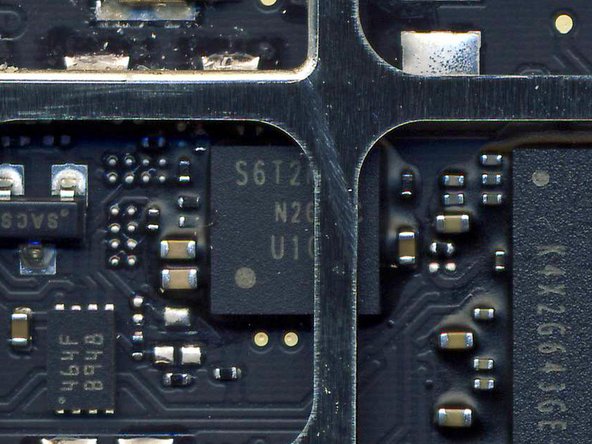
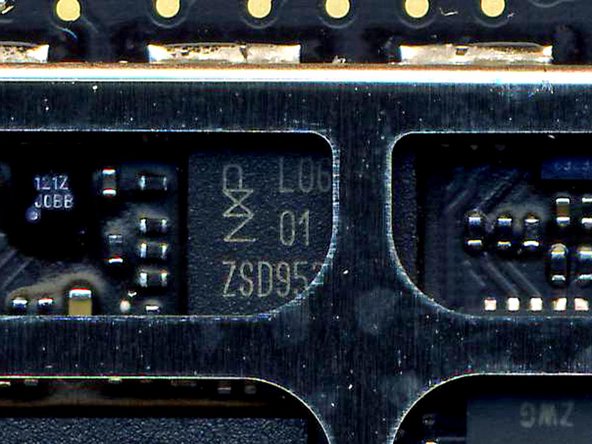
Deconstructing processors like the A4 usually happens behind the closed doors of only a handful of companies. These global reverse engineering firms are the investigative arm of the electronics marketplace, gumshoes who do research for people who need to find out who is making what circuitry, as well as what manufacturing process they're using to do it. They're the ones who delve deep into processors, audio controllers, and every other part you'd find inside a cell phone or iPad, figuring out layer by layer the exact composition of each package.
We partnered with the best company in the semiconductor reverse engineering trade, Chipworks, to bring you a closer look at how semiconductor teardowns are conducted, as well as a peek inside the iPad's chips. The engineers at Chipworks are a wonderful bunch of people who are just as interested in today's electronics as we are.
Their analysis of the iPad's packages will give you a better understanding of how the new tablet really works—on an almost molecular level.
-
-
Apple's A4 microprocessor is the brain of the iPad.
-
The A4 is an ARM processor featuring package-on-package construction to improve the speed and efficiency of internal processes.
-
The silkscreen on the A4 reads N26CGM0T APL0398 339S0084 YNL215X0. But that's not very interesting—those numbers don't mean much to us, either. Let's see what we can find inside.
-
-
-
Back when the original iPhone came out, we worked with some friends of ours in Silicon Valley to dissect the processor. The equipment we used wasn't nearly as cutting-edge as what Chipworks has, but it got the job done.
-
This is a silicon wafer. Each small square is a chip, called a die. The processor die in the A4 is 7.3 mm on each side, for a 53 square mm total area. The percent of working dies that you can get from a wafer like this is called the yield.
-
The A4 is actually much more than just a processor— it's a Package on Package, or PoP. In fact, there are three silicon dies inside the A4!
-
-
-
Our illustrious leader preparing to enter a cleanroom for some silicon surgery on the original iPhone.
-
-
-
Next, cut the processor in half to take a cross-section photo.
-
Band saws are much too crude for this, so we actually grind through the processor slowly, taking off very small amounts of material as we go.
-
You can see why it can be tough to take a clear, solid photo of a package's cross-section. The processor is actually one of the larger packages in the iPhone, and still very finicky to handle. Imagine trying to do this with a package a tenth of its size.
-
-
-
So what is a package? You're looking at one.
-
This is a cross-section of the iPhone's ARM processor + RAM package. Click here to see it in its full, 2854x313 glory.
-
The processor itself is the center rectangle. The silver circles underneath it are solder balls.
-
The two rectangles above the processor are RAM dies. They are offset from each other to make room for the wirebonds, which you can't see in this shot.
-
Having the RAM so close to the processor both reduces latency—making RAM access faster—and cuts power consumption, helping your battery last longer.
-
-
-
This is a typical cleanroom. Regular people—people who might even shop at the same supermarkets as you—suit up every day and go to work in rooms like these. It's absolutely imperative to keep dust, lint, and hair away from the task at hand.
-
Tools of the trade:
-
Scanning electron microscopes
-
High resolution X-ray machines
-
Really big magnifying glasses and microscopes
-
A number of other gadgets you might find in Q's lab
-
-
-
Chipworks is based in Ottawa, Ontario. It gets so cold there that your tires can actually crack if you're not careful.
-
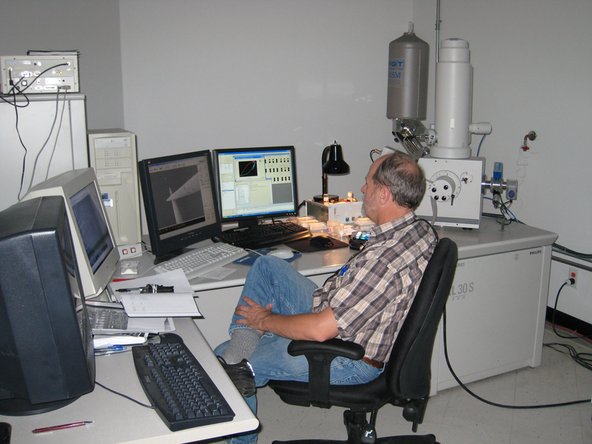
The equipment at Chipworks is quite different than you'll find in most semiconductor facilities. Every single machine they have exists with one purpose in mind: discovering what's inside the latest chips.
-
-
-
-
Grinding down a package. Keeping the part level as you grind is critically important.
-
This process is incredibly painstaking. There's actually a fine art in grinding to exactly the right spot for the photo while keeping the surface perfectly level.
-
We (at iFixit) are terrible at this. That's why we shipped our iPad to Chipworks.
-
-
-
The next step is to remove the outer packaging.
-
Tea time? Nope, just time for a nice acid bath.
-
Dipping the processor in acid dissolves the ceramic packaging containing the silicon. Using the appropriate concentration of acid for the type of ceramic packaging is critical.
-
Every once in a while, looking at a die yields nifty surprise hidden by the manufacturers. Alas, Milhouse was not found in the iPad. But he was recently discovered inside a Silicon Image chip!
-
-
-
Alright, now you know how we did it. But what does the A4 look like inside?
-
Photos of the top and bottom of the A4 package.
-
Those tiny dots you see on the underside are solder balls that adhere the processor to the logic board. They transmit all power, grounding, and information to-and-from the processor and board.
-
-
-
Before dismantling it, Chipworks took an X-ray image of the A4 processor to get a feel for how things are laid out inside.
-
If you look closely, you can see hundreds of thread-like interconnects (wirebonds) that carry electronic signals between dies.
-
The A4 has three layers: Two layers of RAM (Samsung K4X1G323PE), and one layer containing the actual microprocessor.
-
This Package-on-Package construction gives Apple the flexibility to source the RAM from any manufacturer they want—they're not locked into Samsung.
-
-
-
Here are two side X-rays of the A4 processor.
-
The dark dots along the inside of the processor are solder balls connecting the dies together. These are known as Ball Grid Arrays (or BGAs) in the industry.
-
These pictures are shot at two focal points across the width of the processor. They were quick shots, so we apologize if they're a little fuzzy.
-
The DRAM in the A4 is made by Samsung, so wirebonds are coming from both sides—unlike other DRAM modules Chipworks has seen from other manufacturers.
-
-
-
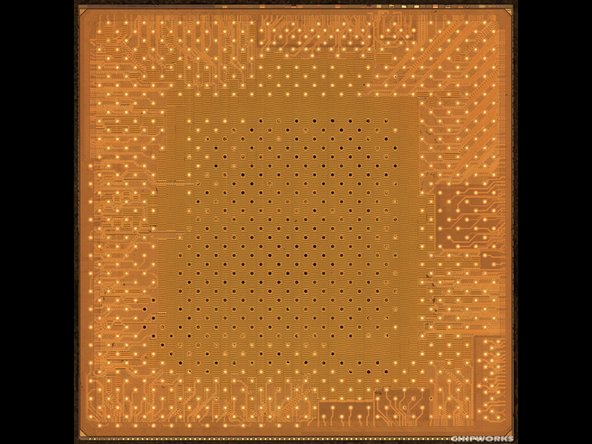
This is a die metal 8 layer.
-
Every iPhone processor that we have dissected has had a Samsung part number on the processor die. We have not found any Samsung markings on the A4 (outside of the DRAM), perhaps the clearest sign to date that Apple is in firm control of the semiconductor design.
-
We don't expect to find any markings from PA Semi, Apple's recent acquisition, but it's safe to assume they played a major role in designing this package.
-
-
-
This is the SDRAM inside the A4. Yes, that's a Samsung logo. No, that doesn't mean Samsung designed the A4—just the RAM.
-
Samsung's 1 Gb mobile DDR SDRAM (x2)
-
The part number on each die is K4X1G323PE.
-
Decoding this part number shows there is 2Gb of memory inside. This translates into ~128MB of memory per die, for 256 MB total.
-
-
-
So now that we've seen the inside, what can we conclude?
-
There's not much revolutionary here. In fact, the A4 is quite similar to the Samsung processor Apple uses in the iPhone.
-
It's clear from both hardware and software that this is a single core processor, so it must be the ARM Cortex A8, and NOT the rumored multicore A9.
-
It's quite challenging to identify block-level logic inside a processor, so to identify the GPU we're falling back to software: early benchmarks are showing similar 3D performance to the iPhone, so we're guessing that the iPad uses the same PowerVR SGX 535 GPU.
-
The iPad has 256 MB RAM, same as the iPhone.
-
The A4 sips power. In fact, power consumption is probably the reason Apple hasn't stepped up performance much from the iPhone. In order to get 10 hours of battery life, the entire iPad (including display) has to pull less than 2.5 Watts on average.
-
That's it for the A4. Let's take a look at some of the other chips inside the iPad.
-
-
-
That's what we've got so far. We'll add more photos as Chipworks posts more.
-
We'd like to thank our friends over at Chipworks for their exceptional work.
-
Don't forget to take a peek at our iPad Teardown for a complete disassembly.
-