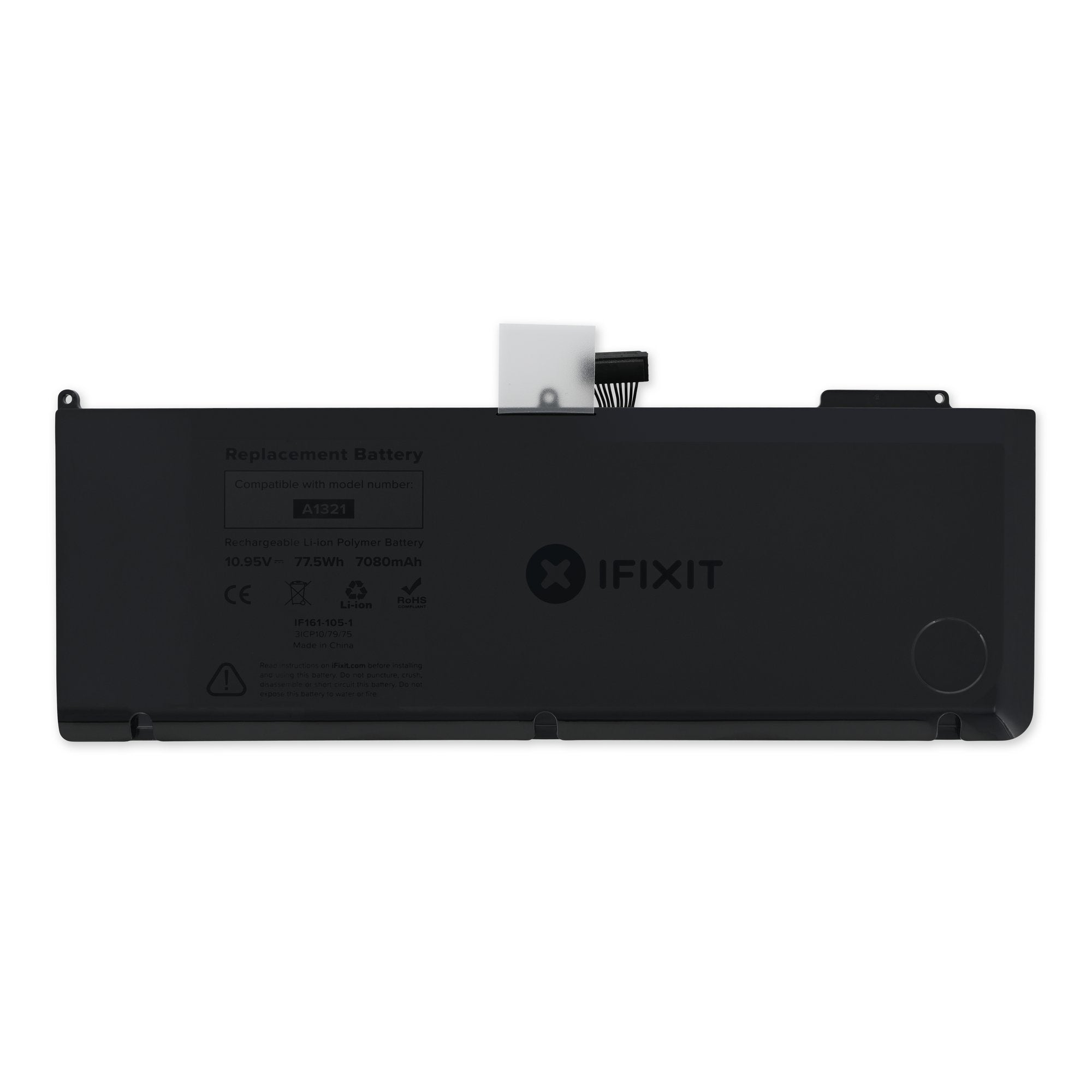
Click Image To Zoom


MacBook Pro 15" Unibody (Mid 2009/2010) Battery

$119.95

Product code: IF161-057-1
Apple Part #: 661-5476, 661-5211

Product Overview

Apple original OEM Battery

Compatibility

Identify your Mac

  • All Mid 2009 15" Unibody MacBook Pros
  • All Mid 2010 15" Unibody MacBook Pros

Product Details

  • Power Rating: 6700-7200 mAh
  • Watt Hours (Wh): 77.5
  • Model #: A1321

  $119.95 New


Condition:

New

Warranty:

6 month warranty

Notes:

The cycle count and capacity are that of a new battery. It may have some scratches or minor cosmetic blemishes.

This product is out of stock.

Notify me
 

Installation Guides

MacBook Pro 15" Unibody Mid 2009

Difficulty: Moderate


Compatibility

MacBook Pro 15" Unibody 2.53 GHz Mid 2009
2.53 GHz (Mid 2009)
MacBook Pro 15" Unibody Mid 2009
2.66 GHz (Mid 2009)
2.8 GHz (Mid 2009)
3.06 GHz (Mid 2009)
MacBook Pro 15" Unibody Mid 2010
2.4 GHz (Mid 2010)
2.53 GHz (Mid 2010)
2.66 GHz (Mid 2010)
2.8 GHz (Mid 2010)
 

Stories

My Problem

The unibody case had been bent from a fall. The battery was not fully recharging.

My Fix

Fine, but I didn't do it. I hired someone to do the repair.

My Advice

I tried to replace the top part of Macbook Pro but had to hire someone to do it after I failed.

My Problem

Battery on my 3 yr old MacBook Pro no longer could take a charge reliably. Didn't want to take my laptop in and leave it at the store, so decided to replace it myself after reading ifixit.

My Fix

Easy repair. Took 15 minutes and five of those minutes was dealing with my cat who kept jumping on the table.

My Advice

Make sure to have the right tools. Now I wish I'd also upgraded my hard drive while I had the laptop open. Oh well, will do another time. Great site.

My Problem

I had bad battery time

My Fix

Very easy to change the battery

My Advice

No just follow the guide

My Problem

After 2 years, osx indicated "service battery" and capacity was down to approx. 30%

My Fix

Replacement is pretty easy, about 10 screws, nothing more

My Advice

No, it is pretty simple, nothing can go wrong.

My Problem

My wifes battery on her MBP stopped holding a charge. Since I've opened laptops before I knew it couldn't be too hard to replace. So I called Apple to order a battery, and they tell me I have to take it to an Apple store to have it changed out. I said I know how to do it, can I buy a battery. They said you can't open your laptop. I said I already did, I know how to change the battery. They said, with alarm, you can't open your laptop!!!! I said what what do you mean I can't open it? It's my laptop!

Anyways, I gave up on that and headed over to iFixit. It was actually easier to navigate to the part I needed than on the apple website.

My Fix

First of all, removing the back is a cinch, just make sure you don't loose the screws. The battery had 5 point star screws that needed a special screw driver. I didn't want to spend the extra $12 so I took a small flat screwdriver and filed it down so it would fit in two of the five points. Then I applied steady pressure until the screws gave. There was a little stripping on two of them before I got the screwdriver filed down right, but I wasn't worried because once I got the screws loose I knew I would be able to do it again if needed. The battery terminal connection was a little awkward to reconnect since the cables run under the battery and there is very little wiggle room. That part took some hand/eye coordination.

My Advice

The change out was easy, but like I said before, I have opened up several other laptops and I knew what I was looking for. I am disappointed that apple is not making the battery easy to replace, since it's probably the only thing that will need regular maintenance. Thank God for iFixit tho.

Thanks iFixit!

My Problem

The battery was not holding charge and needed to be changed.

My Fix

Changing it went fine. I was happy to find a company from which I could obtain a battery for this late model Mac. I was even happier when I read the story of your company startup and that you are in California. The battery was delivered less than 24 hours after I ordered it!

My Advice

There ought to be a better way to determine if the MacBook Pro is mid-2009 or mid-2010 because of the difference in the screws that hold the battery in. I modified one of the flat electronics screwdrivers I have and used it to remove and reinstall those three screws.

My Problem

Battery life diminishing.

My Fix

Went very well. I followed the instructions and got it done under half an hour. I'm happy.

My Advice

None actually. Just have to be careful not to turn the screws too hard. Might damage the delicate screw threads.

My Problem

My MBP battery died more than a year. It could only last for around 2 hours or less.

My Fix

Everything go smoothly as the guide described. I brought a set of screwdriver bit from local store and surprisingly, it does include star shaped screwdriver for macbook pro battery!. It costs less than $100 HKD which is around USD 12.

During the removal of old battery, I found that all three mount point of it is broken, might be caused by few times of falling down.

My Advice

The initial Full Charge Capacity seems varies and keep decreasing to 67xxmah. But it raise up to 71xxmah after few days of use. So don't panic.


Related Questions