Introduction
Note: this is a complete guide for replacing a plain front panel. If you have a Front Panel Assembly replacement part, stop before removing the home button from your old front panel, and reverse the steps to install your new front panel assembly.
What you need
-
-
Fill a pot or pan with enough water to fully submerge an iOpener.
-
Heat the water to a boil. Turn off the heat.
-
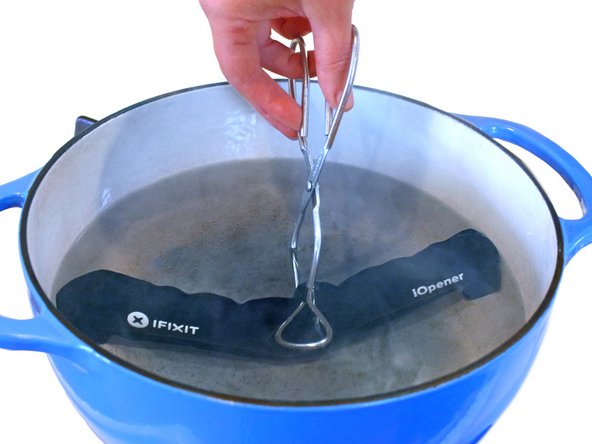
Place an iOpener into the hot water for 2-3 minutes. Make sure the iOpener is fully submerged in the water.
-
Use tongs to extract the heated iOpener from the hot water.
-
Thoroughly dry the iOpener with a towel.
-
Your iOpener is ready for use! If you need to reheat the iOpener, heat the water to a boil, turn off the heat, and place the iOpener in the water for 2-3 minutes.
-
-
-
If your display glass is cracked, keep further breakage contained and prevent bodily harm during your repair by taping the glass.
-
Lay overlapping strips of clear packing tape over the iPad's display until the whole face is covered.
-
Do your best to follow the rest of the guide as described. However, once the glass is broken, it will likely continue to crack as you work, and you may need to use a metal prying tool to scoop the glass out.
-
-
-
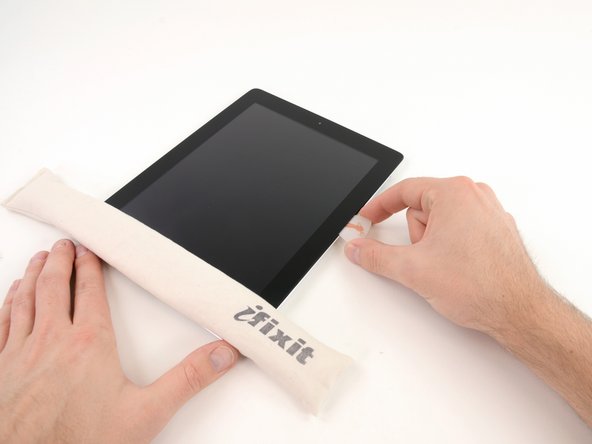
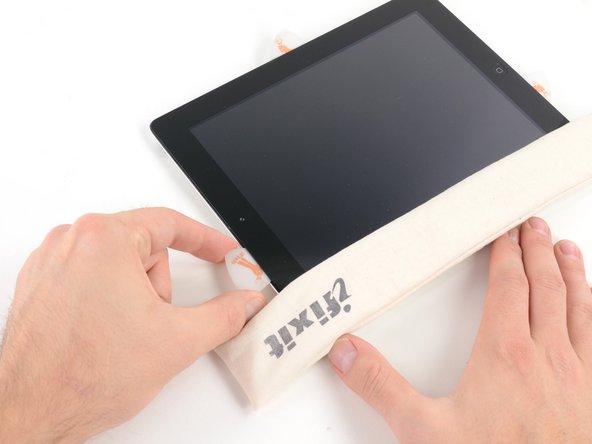
Lay the iOpener flat on the right edge of the iPad, smoothing it out so that there is good contact between the surface of the iPad and the iOpener.
-
Let the bag sit on the iPad for approximately 90 seconds before attempting to open the front panel.
-
-
-
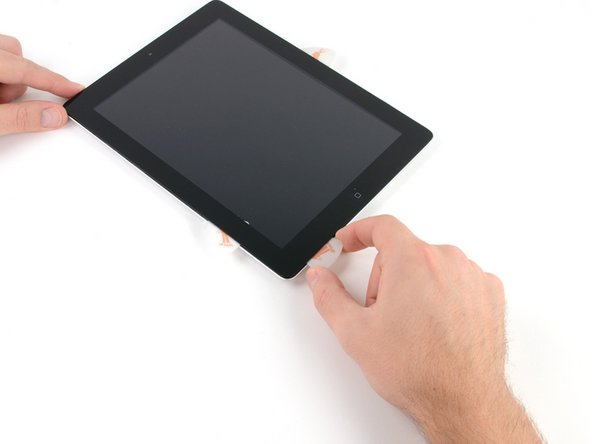
There is a small gap in the iPad's adhesive ring in the upper right corner of the iPad, approximately 2.0 inches (~5 cm) from the top of the iPad. You are going to exploit this weakness.
-
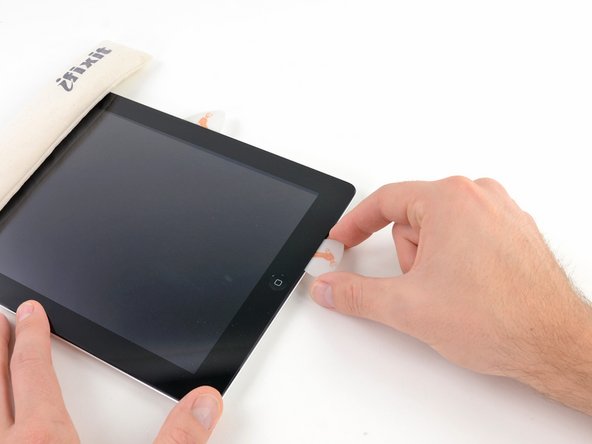
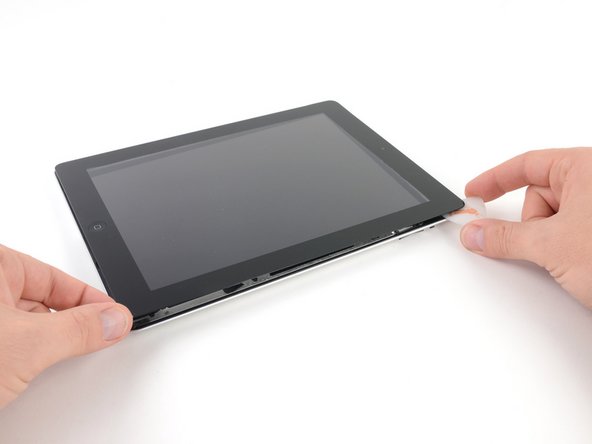
Align the tool with the mute button. Insert the tip of a plastic opening tool into the gap between the front glass and the plastic bezel. Just insert the very tip of the opening tool, just enough to widen the crack.
-
-
-
-
Once you have moved past the Wi-FI antenna (approximately 3" (75 mm) from the right edge, or right next to the home button) re-insert the opening pick to its full depth.
-
Slide the pick to the right, releasing the adhesive securing the Wi-Fi antenna to the front glass.
-
The antenna is attached to the bottom of the iPad via screws and a cable. This step detaches the antenna from the front panel, ensuring that when you remove the panel, the antenna will not be damaged.
-
-
-
Slide the opening pick along the top edge of the iPad, pulling it out slightly to go around the front-facing camera bracket.
-
The adhesive along this section is very thick, and a fair amount of force may be required. Work carefully and slowly, making sure to not slip and damage yourself or your iPad.
-
-
-
Use the edge of a plastic opening tool to carefully flip up the retaining flaps on the two digitizer ribbon cable ZIF sockets.
-
-
-
Lift the LCD from its long edge farthest from the digitizer cable and gently flip it toward the rear case—like closing a book.
-
While holding the LCD up, gently slide the front panel away from the iPad. Be careful not to snag the digitizer cable on the rear case or LCD.
-
Set the LCD back into the body for safekeeping.
-
-
-
Place the iOpener in the microwave and microwave it for thirty seconds on the highest power setting.
-
Place the iOpener over the home button on the front edge of the display.
-
-
-
Follow the iOpener heating instructions described in the iOpener heating section at the beginning of this guide.
-















To reassemble your device, follow these directions in reverse and use our iPad 2 Wi-Fi Front Panel Adhesive strips guide to reattach the front panel.
To reassemble your device, follow these directions in reverse and use our iPad 2 Wi-Fi Front Panel Adhesive strips guide to reattach the front panel.
Cancel: I did not complete this guide.
387 other people completed this guide.


29 Comments
Step11- I tore the antenna, still works though. Buy a new one for 2 bucks off amazon before repair just in case.
Correct! I tore my antenna also, but my wifi signal was so weak I had to replace the whole antenna, which required more time. The picture in Step 11 actually shows the antenna broken off the cable. That confused me a little. If your antenna looks like the one in step 11 you broke it! But I did complete the repair successfully. I also suggest you pick up a cheap antenna just in case.
mamos68 -
I would recommend that in cases of replacing shattered screens, that you tape the front panel glass with clear packing tape using overlapping strips, before you begin. This helps to ensure that the panel stays intact, and reduces the chances of puncturing the digitizing layer, and damaging the LCD upon removal.
You want to use clear tape so that you are able to see how any of the glass remnants are shifting during removal.
This is a very good idea. I was replacing one with a shattered screen and it was a pain in the ##@ because it kept breaking again and again, not to mention the safety glasses I had to wear because tiny glass bits kept flying into my eyes.
Have you edited the guide to include a step about this?
After replacing the screen I noticed it looked horrible because the little plastic bezel was missing. I considered reusing the old one but it got pretty beat up in the removal process so it wasn't really an option.
I will be editing the guide to mention trying to keep the plastic bezel intact so it can be reused after the screen is replaced. If it cannot be reused, I feel like the parts kit that includes the new screen should include a new bezel.
