Introduction
Upgrade your hard drive for an instant increase in storage space!
What you need
-
Tool used on this step:Plastic Cards$2.99
-
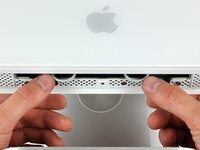
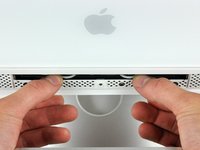
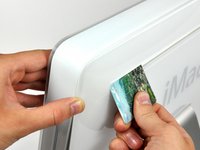
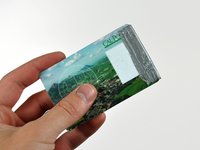
Insert a plastic card up into the corner of the air vent slot at the top of the rear case.
-
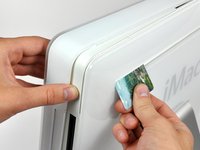
Push the card toward the top of the iMac to release the front bezel latch.
-
Pull the front bezel away from the rear case.
-
Repeat this process for the other side of the front bezel.
-
-
-
-
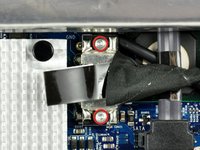
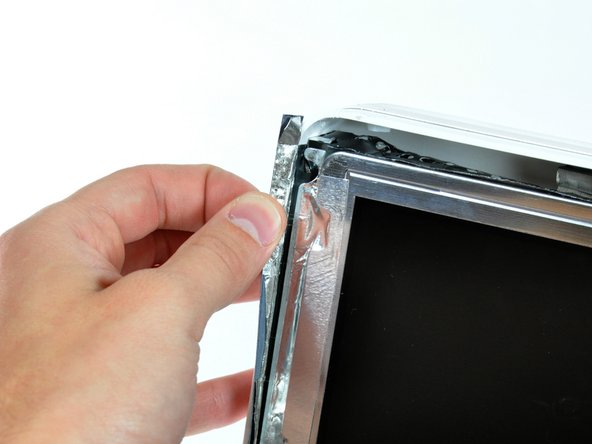
Peel back the aluminum EMI shield up off the lower three edges of the rear case.
-
-
-
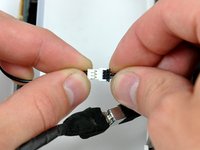
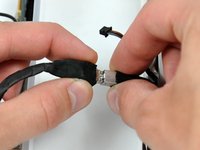
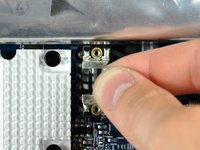
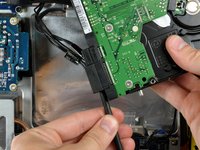
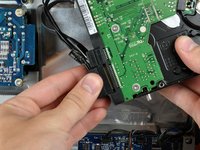
Disconnect the hard drive thermal sensor by pulling the connector away from its socket parallel to the face of the hard drive.
-















To reassemble your device, follow these instructions in reverse order.
Cancel: I did not complete this guide.
112 other people completed this guide.


4 Guide Comments
Before I discovered IFIXIT I had purchased a hard drive from Western Digital and am hoping it is the correct one for my 17" iMac G5, 2 GHz Intel Core 2 Duo. The WD drive's description is TRESXLB2 7200 64M SATA3 6GB/S 1.0 TB 2HD STD . Can anyone tell me if I will have problems with this drive? Western Digital's recommendations fit this description for my iMac. Thank you. Ron
Excellent presentation. My iMac G5 came apart easily just as described. The unit still worked perfectly but had been on the shelf for years as the screen was almost blacked out with lines. The G5 was replaced with an Intel model but I miss certain aspects of the old system. I'm hoping the HDD will boot up a G5 Power Mac so I can reminisce!
Excellent guideline. I took apart my old iMac to use the hard drive with the docking. Spend only few minutes with my daughter read the instructions, its quite fun. Thank you Walter. Keep safe and healthy
