Introduction
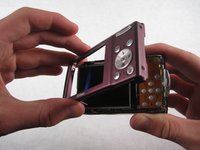
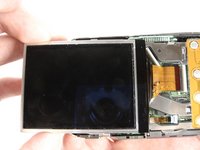
After removing the LCD screen, you will be prompted to remove screws and metal plates within the camera.
What you need
-
-
Place thumb on the battery cover panel on the bottom of the device.
-
Slide the panel to the right away from the camera.
-
-
-
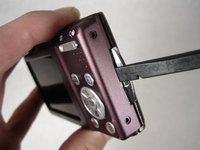
After removing the battery, unscrew the four 3.10mm screws on the side opposite the buttons.
-
-
-
-
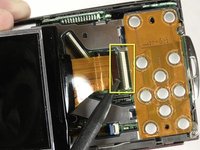
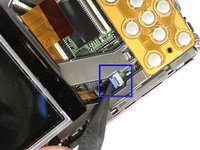
To remove the wide ribbon, gently pry the spudger underneath the black plastic latch where the ribbon connects and lift up. The ribbon should slide out easily.
-
Repeat the same process with the smaller ribbon, this time looking for a light blue latch.
-
-
-
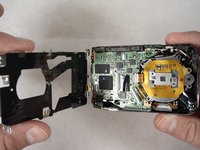
After removing the LCD screen, unscrew the four 3.8mm screws that hold down the metal plate
-
Unscrew the 2.5mm screw next to the wrist-strap mount.
-
-
-
Position the camera with the lens facing down and the shutter button facing you.
-
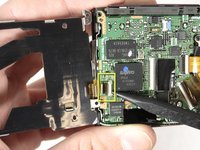
Lift the metal plate away from the camera without removing it fully. There is a ribbon attaching the edge of the plate to the camera.
-
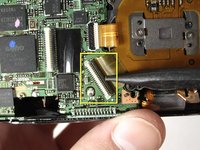
Carefully pry the spudger under the black latch and lift gently upward. The ribbon will slide out easily.
-
With the ribbon unlatched, the entire metal plate should now be detached.
-
-
-
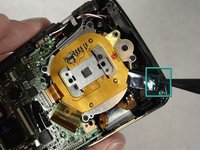
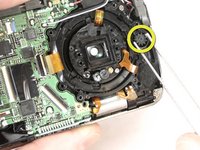
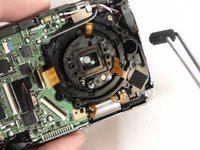
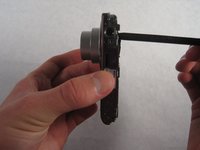
Remove the two silver 3.1mm screws from the silver plate.
-












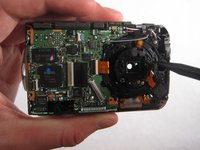
To reassemble your device, follow these instructions in reverse order, paying careful attention to the locations of the different screws.
Cancel: I did not complete this guide.
11 other people completed this guide.



Team

Cal Poly, Team 5-17, Amido Winter 2011 Member of Cal Poly, Team 5-17, Amido Winter 2011
CPSU-AMIDO-W11S5G17
6 Members
13 Guides authored
9 Guide Comments
i read all info but too scared to try it . is there a camera repair store near mt. home ar. ? thank you
my lens are jammed open
wd 40 helps
spray it on the jamed lens
and it will open and close
I forgot my login information on the old account used to write the guide but:
Do NOT use wd 40 on the jammed lens cap. Getting any of it on the lens itself can severely harm the optics and essentially ruin the camera.
John -
