Introduction
You can install hard drives up to 9.5mm thick.
What you need
-
-
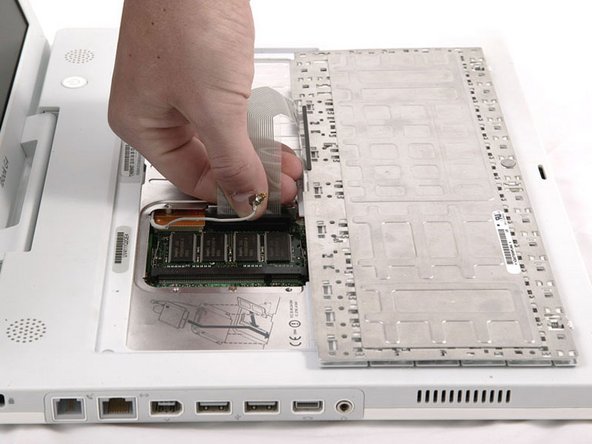
Pull the keyboard release tabs toward you and lift up on the keyboard until it pops free.
-
Flip the keyboard over, away from the screen, and rest it face-down on the trackpad area.
-
-
-
Use a pin (or anything you like) to remove the three rubber feet from the lower case.
-
-
-
-
Remove the following 10 screws from the bottom shield:
-
Six 3 mm Phillips
-
Three 7.5 mm Phillips
-
One 14 mm Phillips
-
-
-
Remove the following 11 screws from the bottom of the computer:
-
Three 3 mm Phillips around the battery compartment. (Some models may only have two screws.)
-
Three 4.5 mm Phillips along the optical drive bezel. (a magnetic screwdriver may help to lift these screws out)
-
One 11 mm Phillips in the lower right corner. (if present)
-
Four 14.5 mm Phillips.
-
-
-
Remove the following 16 screws:
-
Thirteen 3 mm Phillips.
-
One 3 mm Phillips. (actual screw not present in image)
-
Two 4 mm Phillips.
-
-
-
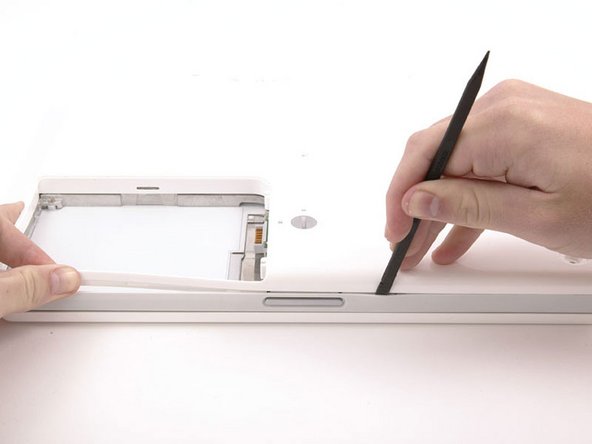
Lift the top shield up from the right side, minding the upper left corner, which may catch on the metal framework.
-
If your iBook has Bluetooth, as discussed in the previous step, you will need to slide the antenna through the lower I-shaped hole in the shield before completely removing the shield.
-
-
-
Turn the computer over and disconnect the orange hard drive cable, removing tape as necessary.
-
-
-
Remove the hard drive brackets from the left and right sides of the hard drive.
-






To reassemble your device, follow these instructions in reverse order.
Cancel: I did not complete this guide.
158 other people completed this guide.
Attached Documents


17 Guide Comments
isit really possible change 320gb hard drive to ibook g4 1.33 14". i heard motherboard doesnt support bigger than 128Gb?
I put one in and now the machine doesn't recognize the drive.
I'm gonna just pull it out and use it as an external until I can figure it out.
Quote from chacal:
isit really possible change 320gb hard drive to ibook g4 1.33 14". i heard motherboard doesnt support bigger than 128Gb?
I just went through the whole process and it worked fine. Used super duper to copy the original drive then restored using target disk mode and my MBP
Make sure that you print out the screw sheet (PDF), and lay out all the screws on the 3 sheets of paper. It makes it easy to keep track of all the screws, and you won't make a mistake when putting every thing back. Also, go slow and take your time. You don't want to rush on the HD replacement. It took me about 2 hours. The hardest part was take the case apart. You may want to look at a youtube video called "iBook G4 Hard Drive Swap", by smalldog.com. The video shows how the case comes apart, and puts your mind at ease when you hear the cracking sounds as the tabs are released. The instructions on the ifixit.com web site were awesome.
Quote from sapugh:
I just went through the whole process and it worked fine. Used super duper to copy the original drive then restored using target disk mode and my MBP
I too installed a 320 gb WD Hard Drive in a iBook G4. No problems. However, I did test the drive with one of my hard drives utilities to make the sure there were no write errors before installing the drive.
