Introduction
You can install hard drives up to 9.5mm thick.
What you need
-
-
Use a coin to rotate the battery locking screw 90 degrees clockwise.
-
Lift the battery out of the computer.
-
-
-
Pull the keyboard release tabs toward you and lift up on the keyboard until it pops free.
-
If the keyboard does not come free, use a small flathead screwdriver to turn the keyboard locking screw 180 degrees in either direction and try again.
-
Flip the keyboard over, away from the screen, and rest it face-down on the trackpad area.
-
-
-
-
Remove the following 4 screws on the bottom of the computer:
-
Two 3 mm Phillips from the left side of the computer.
-
One 4.5 mm Phillips near the latch mechanism (this screw may be missing in 800 MHz iBooks)
-
One 14.2 mm Phillips near the front, right corner.
-
-
-
Remove the following 14 screws (some models may be missing a couple of screws):
-
One 2.5 mm Phillips.
-
Six 3.5 mm Phillips.
-
One 4.5 mm Phillips near the sleep light with a small shaft.
-
Two 4.5 mm Phillips with larger shafts.
-
Four 5 mm Phillips
-
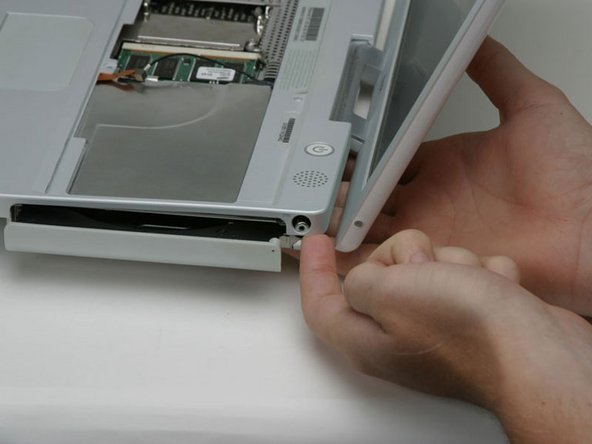
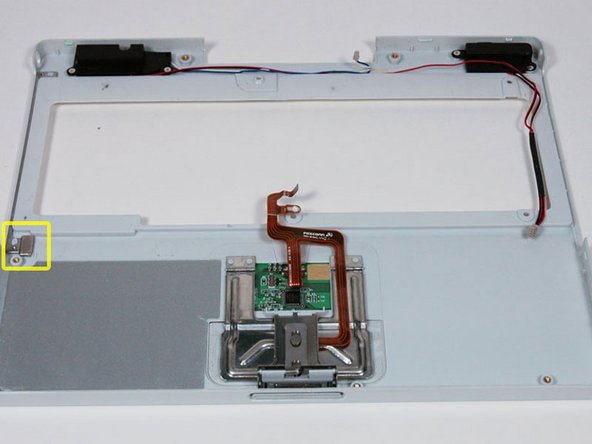
If a screw is inserted in the left hole, the 14.2 mm screw in step 24 can not be inserted to hold the top case down.
-






To reassemble your device, follow these instructions in reverse order.
To reassemble your device, follow these instructions in reverse order.
Cancel: I did not complete this guide.
127 other people completed this guide.
Attached Documents


9 Comments
Thanks for the clear guide ! Being an Amateur your 44 steps have shown me that I won't even go there !!
My hard drive in the iBook g3 is not functioning as it should. Are there any external drive startup options for an iBook of this age ?
I got as far as step 13, but two of the hex screws would not come out of the case. They appear to be loosened, but I can't remove them from the case. I then looked through the remaining steps and decided it was not worth my time to continue. I guess I will need to take this old iBook to someone who can do it for me.
The proccess is long but is real needed .
All still alive in the end, me and my Ibook g3.
tnks for this help.
Thank you!!!! Just pulling old hard drives and recycling, I cannot believe how tough these old g3’s were to get the hard drive out! Thanks again!!! Mike
These steps are all out of order, man!
