Introduction
Want more storage capacity? Replace your hard drive with a higher capacity unit.
What you need
-
-
Use a coin to turn the battery locking screw 90 degrees clockwise.
-
Lift the battery out of the computer.
-
-
-
Remove the following 10 screws:
-
Two 3 mm Phillips in the battery compartment, on either side of the battery contacts.
-
Four 3 mm Phillips around the memory compartment.
-
Four 16 mm Phillips along the hinge.
-
-
-
Rotate the computer 90 degrees clockwise so the ports face you.
-
Remove the three 3 mm Phillips screws along the edge of the lower case.
-
When replacing these screws, you must install them in the correct order. Begin by installing the screw closest to the display hinge, then work your way toward the front of the computer. Also, be careful not to put the screws in the two holes on either side of the video out port.
-
-
-
-
Remove the three 6 mm long silver Phillips screws from the retaining bracket on the left side of the optical drive.
-


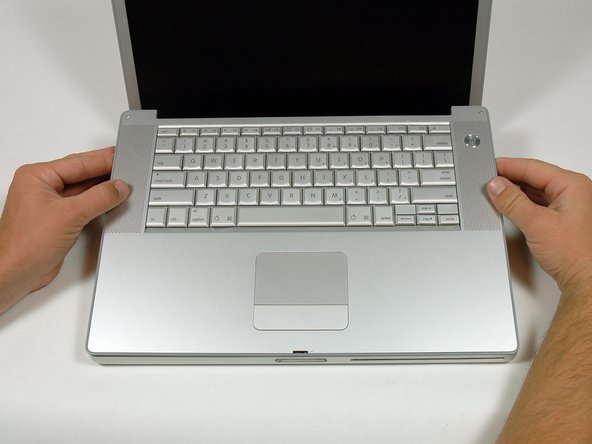

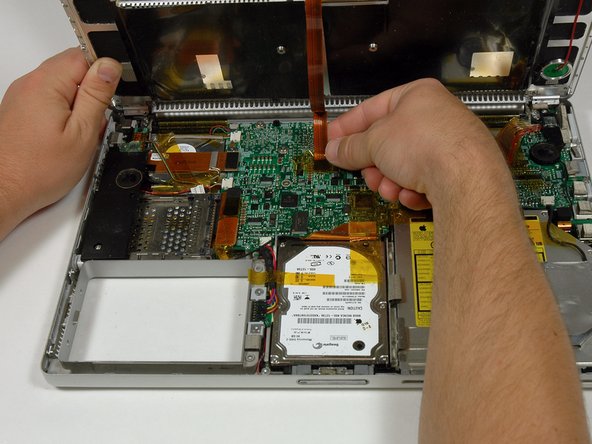


To reassemble your device, follow these instructions in reverse order.
To reassemble your device, follow these instructions in reverse order.
Cancel: I did not complete this guide.
82 other people completed this guide.
Attached Documents


3 Comments
I have a 15 inch powerbook g4 with 1,67ghz and I after installing 160gb ATA drive I only had 149,69 gb left before installing os and stuff. My question is: Does powerbooks have any hardware limitations that makes us unable to install more storage?
If you try to install an SSD via SATA-IDE-adaptor, please make sure it works before re-assembling the PowerBook - this saves you a lot of time. I did this four times in a row, just to see that it didn’t work out well. May be it’s the quality of the SSD, or of the adaptor. But note two things: use the “flat” version of the adaptor; and if Leopard’s disk-utility outputs and “Input/Output-Error”, try Tiger’s disk-utility for the first initializion of the SSD. Btw. the manual here is great! Thank you!
