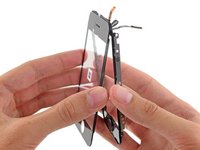
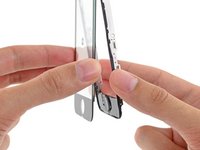
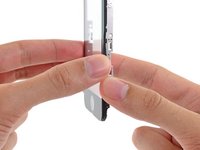
Installing iPhone 3G Front Panel

Introduction
| Difficulty: | Difficult |
|---|
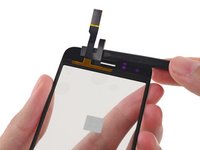
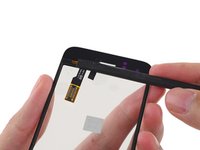
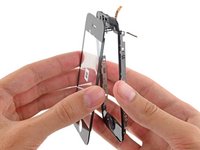
The front panel and digitizer can be separated and replaced on the iPhone 3G.
Tools used in this guide
Parts relevant to this guide
Paginated Single Page Steps

Step 2
Remove the metal handle from the suction cup. It's easier and safer to grip the suction cup's base instead of the metal handle.
Be very careful when opening the iPhone so that the cables under the display are not severed.
There is a rubber gasket between the silver front bezel and black display assembly. A bit of force is required in this step to separate the iPhone's display assembly.
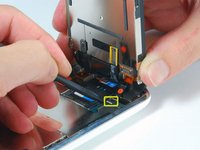
Use a small suction cup near the Home button to gently pull up the bottom portion of the iPhone's display assembly.


Success! It took me quite abit longer than some of those above, but in under 3hrs, it was complete. I am totally satisfied; the only potential problem I've found is that the rubber originally covering the front panel glass and the front panel plastic on the side--i.e., the rubber filling in the gap between the glass and the metal bevel/bezel?sp?--had been partially destroyed during the repair. Now there are spots at the top and bottom where dust could potentially get into the internals more easily. As it is, I opened my phone and it was extremely dusty, so that if it worked well with that kind of dust, I suppose it'll be alright with some more. Besides, now I know how to open it up and clean it! Thanks iFixit! You saved me $140, which is what Apple would have charged to fix my screen.
Everything worked except now my home button does not work, help please.
Is the front panel completely snapped into place? I believe there are some contacts on the front panel that have to touch contacts on the inside of the phone for the home button to work.
I have followed all the steps and the phone has turned on, BUT it wont let me slide to open. HELP!!
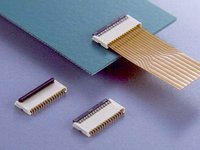
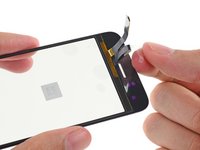
All went smoothly when removing the glass but when removing cables, cable #3 appeared to break off at the attachment and the small plastic "comb" like cover came apart and it doesn't seem like it will be able to be re-attached.
Does anyone have experience with this? Should I continue with replacement or am I destined for a new phone? Help!
Just performed this repair on my wife's 3G and it worked great. I had to use strong tape because the glass was too fractured for the suction cup. Also, removing the old tape from under the glass is a must and I also beed of what appeared to be some sort of sealant.
When performing Step 2, be sure not to harm the rubber gasket! Doing so will obviously break the seal it provides, which will quickly result in a "dusty" screen. Using the suction cup by itself should be enough to get the screen up. Once you can see a gap between screen and case, you can use spudger to apply leverage. (Not before, however.)
I ripped my gasket and received a dusty screen (dust trapped between LCD and glass) for my troubles. I'm looking for a screen protector that will cover that gap now.
THANK YOU SOOOOOOO MUCHHHHHH you saved my shattered phone!!! U dnt know how happy I am!!
Press the metal spudger between the chrome bezel and the screen, than use the suction cup.
iFixit Staff
Using a metal spudger might damage the bezel and/or screen. It's definitely doable to separate the two without a metal spudger - I did it myself with no problems - but other iPhone display assemblies may be tougher than the one I took apart.
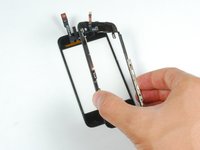
When reassembling the display and bezel, how should one install the gasket? What happens if the gasket is damaged while the phone is being disassembled? Is there a replacement or some other fix?
Hello everyone -- what kind of adjustments, if any, can be made in this step to ensure that the display sits flush with the bezel around all edges when installed? On my iphone, the display is a tiny bit uneven when installed, i.e. the glass is ever so slightly higher than the bezel on the left side, while the glass it just a hair bit lower than the bezel on the right side. Thanks!
Success!
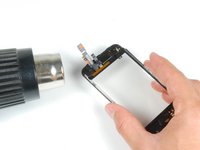
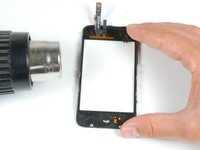
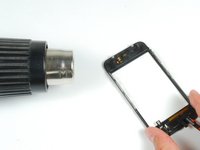
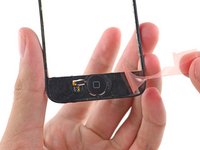
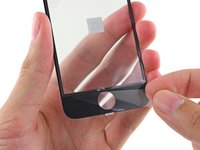
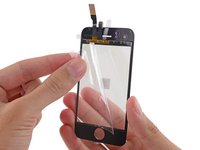
i had to spend quite a bit of time (30 minutes) on the hair dryer/heat up step to gently heat then gently loosen the adhesive holding the front glass to the rather fragile frame.
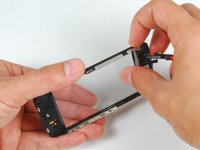
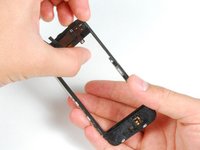
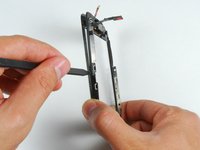
after successfully removing the glass (and shards of glass from my broken screen) i also had some clean up to do to remove the excess glue and adhesive from both the top and bottom sections and also the rails. i used the "leaf" end of the metal spudger (not the oar shaped end) for awhile scraping up stray bits but also used a Q-tip dipped in some isopropyl ("rubbing") alcohol which helped dissolve some of the goo left in the corners and the crevices of the rails.
perhaps your screen sits a bit akimbo because you still have some goo in those rails?
I did every step but the screen doesn't work. Phone calls come in and its charging cause I hear the sounds. What might be the problme?
I've done it. The most difficult part was to separate the broken glass from the plastic structure. I've damage the thinner rubber on the top.
Everythig works fine except the GPS. After the repair my gps is not working like it was before. Now rarely gets a constant signal, and the most part the signal is week. Maybe i have damage the antena ?
Any ideas ? It is possible that the adhesives strips can block the signal ?
Thank you very much.
My screen was to busted-up for the suction cup to adhere, so I stuck a piece of (wide) clear packing tape to the front of the glass, which provided sufficient surface area for the cup to create a solid seal.
Time to complete the repair: ~60 minutes
Try connecting the phone to iTunes and doing a restore. I had the same problem and that fixed it
Hey guys in step two they used a suction cup to remove the screen. Yet my iphone screen is shattered all through out and the cup who stay due to air coming through the glass. Any ideas or work arounds?
Duct tape or 3m double sided tape should do the juob. I had the same problem and solved it with taking a piece of duct tape folding it onto itself and leaving about and inch still undone. I pushed the ens own onto the glass and used the center as a handle. Imagine two capital L's back to back to get an idea of what I am talking about.
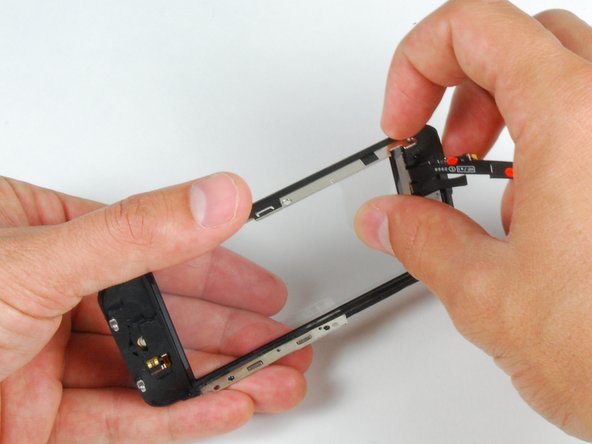
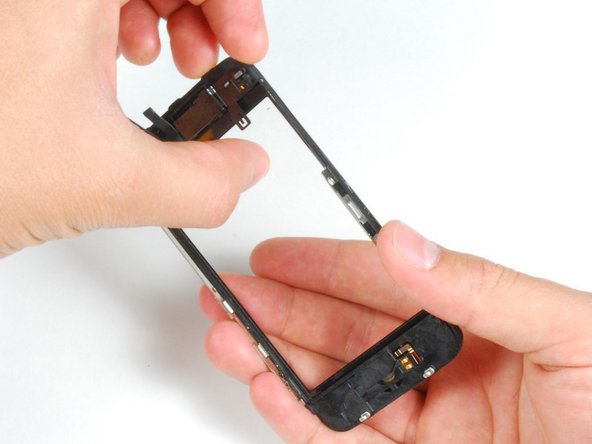
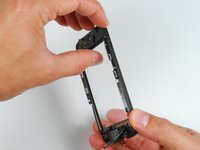
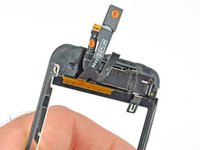
The number one reason for removing the digitizer and LCD assembly is if the digitizer is smashed. Removing the broken glass from the mid frame is a delicate procedure and can be very tedious and time consuming. The rubber gasket and home button can be easily damaged if you are overzealous with a heat gun. The mid-frame section is now readily available as an orderable spare part and in my opinion you’ll get a much neater, cleaner repair if you replace this part too.
Hi all,
I have completed the step by step guide as above. I have assembled back together but the phone wont turn on? i can hear the beep when i connect a charger but im not getting anything on the display?
Any help appreciated
i have tried everything but the screen will not budge, i have tried using the tool and also my suction cup and even tape nothing will work to seperate the screen! what should i do??
All went well, but I should mention that the force required to pull the screen off is much higher than I expected. I kept one hand wrapped around the top of the phone to make sure it didn't fly apart and damage the connectors to the logic board. The other trick is to get the suction cup as close as possible to the button to increase the leverage. In the end I taped over the home button so I could use the suction cup at the very bottom. Keep an eye on it and after a while of constant heavy pressure it should start to separate.
It is easier to separate the glass from the frame at the non cracked/broken end first. I kept my fingers near the end I was heating up - this is a good way to ensure that you are not overheating the plastic. I also used the low setting on the hair drier. This step wasn't too bad, it just takes time and care.
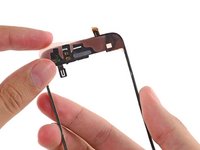
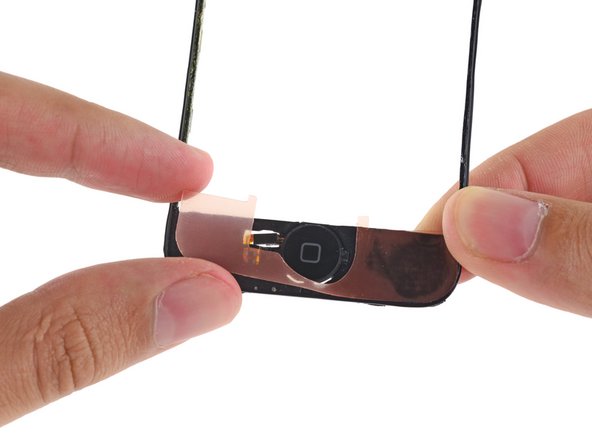
A final tip is there are some small spring contacts behind the home button that look easy to damage. Be careful not to catch these and bend them, especially when working to separate the glass from the frame. If these get broken the home button won't work.
try either cycling power or reinstall the cables to the display where they connect to the main board. cables weren't seated correctly for me and i experienced the same issue.
Make sure the 2 screws are out of the bottom of the phone on either side of the dock connector. If they are, keep trying. Make sure you are lifting from the bottom end of the screen toward the home button. Does take a little bit of force but you'll get it. Keep in mind the connectors for the screen are toward the top end of the phone so don't let it get away from you or you could damage them. Just lift up like you're reading a book, using the top end as a pivot point.
I tried removing the assembly and only got the glass to come up along with cable #3 coming disconnected.. Therefore i cannot get anything connected! Please help!!!!!
I had exactly the same problem. I persisted and found that, after the connectors were properly seated, I had to 1) completely install the screen, including the screws and 2) perform an iPhone reset. To perform the reset, hold the wake/sleep button (on the top) while at the same time holding the home button (on the screen). Hold them until the apple logo is displayed on the screen (approximately 10 seconds). After the apple logo came on the screen, everything was look'n good! I hope this works for you; i was bummed, not becuase i would have had to spend another $99 but because ATT automatically extends one's contract every time one buys a new iPhone, even if it's a replacement. Good luck!
CAUTION! My 16GB 3G has a cable glued to the bottom left side of the LCD. This cable is marked with a 4 in step 3. There is no way you can open the the screen 45 degrees if your cable is the same!
Those of you who end up with no screen probably ripped the ribbon cable just as I did. This is a huge omission!
I have pictures of the ripped cable if anyone needs clarification.
Clarification to the note above.
On further inspection, cable 4 wasn't glued to the back of the LCD. It just bonded itself there after a year of use.
If this happens, you'll need to replace the dock connector as well.
Good luck!