Introduction
Use this guide to replace a broken optical drive.
What you need
-
-
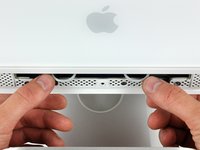
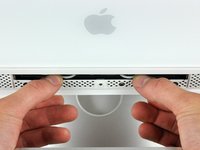
Orient the iMac face-side down on a table with the bottom edge facing yourself.
-
Remove the two Phillips screws securing the access door to the bottom grille of your iMac.
-
-
-
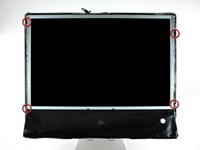
Remove the three T8 Torx screws securing the front bezel to the rear case along the lower edge of the iMac.
-
-
Tool used on this step:Plastic Cards$2.99
-
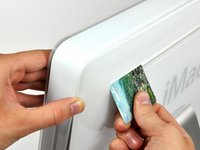
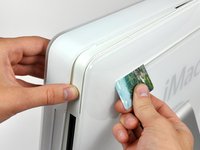
Insert a plastic card up into the corner of the air vent slot near the top of the rear case.
-
Push the card toward the top of the iMac to release the front bezel latch.
-
Pull the front bezel away from the rear case.
-
Repeat this process for the other side of the front bezel.
-
If the bezel refuses to release, try pressing the lower edge back onto the rear case and repeat this opening process.
-
-
-
Peel the lower EMI shield off the lower edge of the iMac and off the two vertical 4" sections on either side of the iMac.
-
-
-
Remove the two T6 Torx screws securing the display data cable connector to the logic board.
-
-
-
-
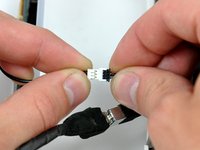
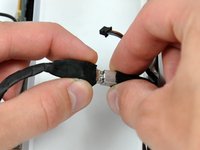
Disconnect the optical drive thermal sensor by pulling its cable toward the left edge of your iMac.
-
-
-
Use the flat end of a spudger to press the bottom edge of the lower optical drive bracket release tab toward the lower edge of the iMac.
-
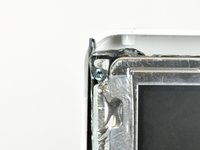
Maneuver the optical drive out of the rear case, minding the two plastic pins molded into the rear case near the open end of the optical drive that can break off.
-
-
-
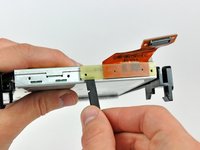
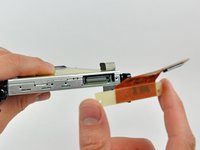
Remove the two T6 Torx screws securing the optical drive cable to the optical drive.
-












To reassemble your device, follow these instructions in reverse order.
Cancel: I did not complete this guide.
9 other people completed this guide.


