Introduction
Two RAM slots allow up to 1 GB of PC100 or PC133 RAM.
What you need
-
-
Turn the keyboard locking screw so that it is parallel to the space bar.
-
Pull the keyboard release tabs toward you and lift up on the keyboard until it pops free.
-
Lift the keyboard out by pulling it up and away from you. Rest the keyboard, face down, on top of the track pad.
-
-
-
Remove the two silver Phillips #1 screws that attach the heat shield to the internal metal framework.
-
Lift the heat shield up and pull it toward you.
-
-
-
-
Firmly grasp the plastic tab attached to the Airport card and pull up and then to the right.
-
-
-
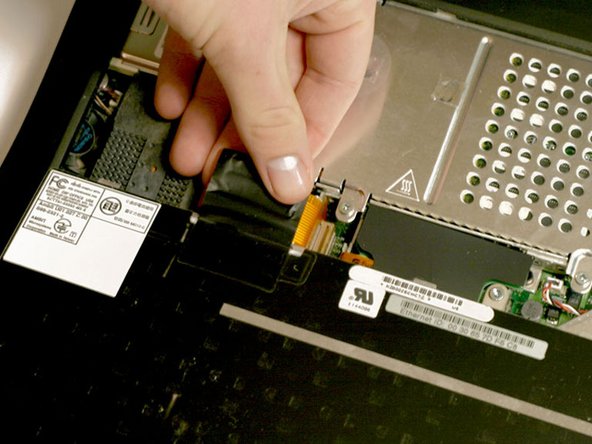
Pull the battery cable directly up from the logic board.
-
Remove the battery from its holder by pulling up and to the left.
-
-
-
Remove the long silver Phillips #1 screw from the heat sink.
-
Remove the two T8 Torx screws that attach the heat sink to the processor.
-
-
-
Release the tabs on each side of the RAM chip at the same time. These tabs lock the chip in place and releasing them will cause the chip to "pop" up.
-
Pull the RAM chip out.
-



To reassemble your device, follow these instructions in reverse order.
Cancel: I did not complete this guide.
16 other people completed this guide.
Attached Documents


1 Guide Comment
Way too many steps in my opinion. First, the battery should be removed. I saw no reason to remove keyboard, folding it over was enough. Also, saw no reason to remove PRAM battery, I did disconnect it, however. The AirPort card didn’t have to be removed, either. Once the shield was removed along with the heatsink, the processor board just popped right out. When replacing board, make sure the little tabs are in their slots since the board won’t push back in all of the way. Thanks iRobot!
