Introduction
Use this guide to replace a broken DVD drive. Depending on your new part, you may have to swap out the four rubber grommets on the DVD drive housing.
What you need
-
-
Use a metal spudger to remove the white plastic screw covers stuck to the lower case near the front of the Wii.
-
-
-
Open the controller port cover until it is perpendicular to the black controller port bezel.
-
Pull the controller port cover straight up to release it from the outer case.
-
-
-
-
Remove the small Phillips screw securing the battery door to the bottom panel.
-
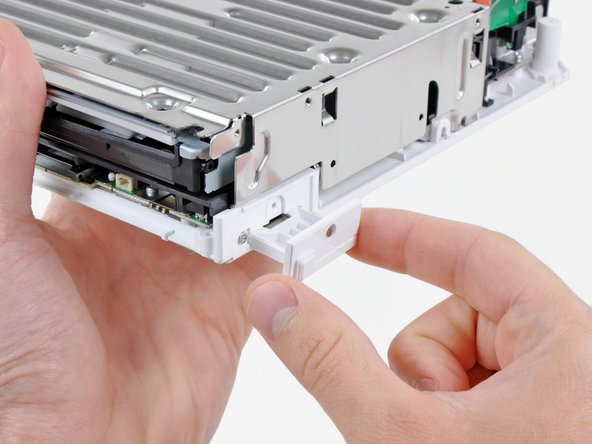
Pull the battery door out of the Wii.
-
-
-
Insert the tip of a long, skinny screwdriver into the hole in the center of the first grommet on the rear of the DVD drive housing.
-
Pull the grommet straight away from the DVD drive housing until it is free.
-




To reassemble your device, follow these instructions in reverse order.
To reassemble your device, follow these instructions in reverse order.
Cancel: I did not complete this guide.
417 other people completed this guide.



91 Comments
Brilliant guide. I had the drive swapped in 10 mins and my son is over the moon.
My Wii stopped reading disks and there was a bad clicking noise when trying to read disks. I swapped it out with a new one by following this guide and it works perfectly now! I could not be more pleased. Great guide!
This was exact and awesome. I ordered a drive online and installed it using these very exact and useful instructions. worked perfectly, and two little people are quite happy. Thanks again.
I need the video here is one: http://www.youtube.com/watch?v=u0qXRq8hB...
Excellent Guide!! Very descriptive.
