Introduction
This motherboard includes all ports on the left side.
What you need
-
-
With the case closed, place the Unibody top-side down on a flat surface.
-
Depress the grooved side of the access door release latch enough to grab the free end. Lift the release latch until it is vertical.
-
-
-
Remove the following eight screws securing the lower case to the chassis:
-
One 3 mm Phillips screw.
-
Three 13.5 mm Phillips screws.
-
Four 3.5 mm Phillips screws.
-
-
-
Remove the four 10.3 mm Phillips screws securing the mid wall to the upper case.
-
-
-
Each connector is different, so the following steps will show you how disconnect each in detail.
-
-
-
-
Using the tip of a spudger, flip up the keyboard ribbon cable retaining flap.
-
Pull the keyboard ribbon cable straight out of its socket.
-
If the smaller connector at the right side of the keyboard ribbon cable is populated by another small black ribbon cable, remove it in a similar way to the above.
-
-
-
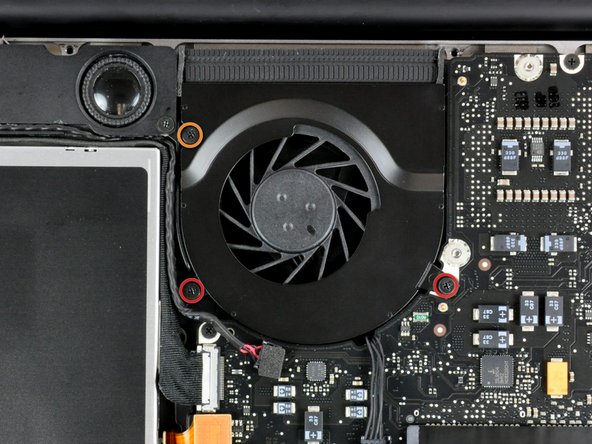
Remove the four 8.5 mm Phillips screws securing the heat sink to the logic board.
-
-
-
Disconnect the DC-In Board from the logic board by pulling its connector straight away from the socket on the logic board.
-




To reassemble your device, follow these instructions in reverse order.
To reassemble your device, follow these instructions in reverse order.
Cancel: I did not complete this guide.
76 other people completed this guide.


11 Comments
I have a A128 late 2008 13" MacBook with 2ghz processor. Can I upgrade the logic board to a 2.4ghz logic board that I buy I eBay for the same model I have a1278? Can I simply swap it out? The options for my model were 2ghz or 2.4ghz so I would like to extend the life of my Macbook by adding the 2.4ghz. So is it a simple swap out if I can get my hands on a 2.4ghz logic board from a A1278? THANKS!
I would love to have the answer too, please help us.
Just to reiterate with some more info: I have a late 2008 Macbook 13" A1278 MB466LL/A that is 2Ghz. If I bought a 2.4ghz logic board would I be able to simply swap out my current 2ghz board and replace it with this 2.4ghz board? Would it be an exact fit with no issues at all and would I just be able to boot it right back up with no software or operating system issues (ie. booting up with a completely different logic board, of course same model but just the 2.4ghz version)?? I really apprciate any advice for comfort before I invest money into my older Macbook.
Best Regards,
-Ruperto XIII Jr. M.S. M.H B.A. C.P. & M.B.A
Did anyone ever get an answer to this question?
