Introduction
Use this guide to replace your iPhone 4's logic board.
What you need
Video Overview
-
-
Power off your iPhone before beginning disassembly.
-
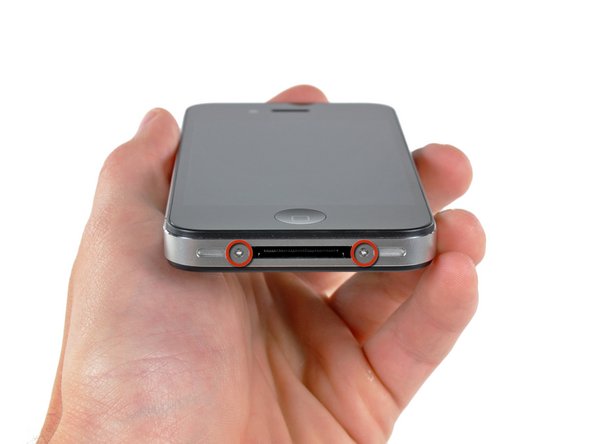
Your iPhone 4 rear cover may have either two #000 Phillips screws or Apple's 5-Point "Pentalobe" screws (second image). Check which screws you have, and ensure you also have the correct screwdriver in order to remove them.
-
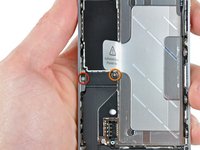
Remove the two 3.6 mm Pentalobe or Phillips #000 screws next to the dock connector.
-
-
-
Remove the single 2.5 mm Phillips screw securing the battery connector to the logic board.
-
-
-
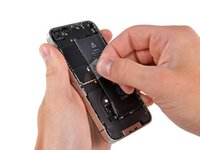
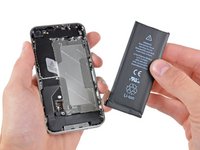
Use the clear plastic pull tab to gently lift the battery out of the iPhone.
-
If there's any alcohol solution remaining in the phone, carefully wipe it off or allow it to air dry before installing your new battery.
-
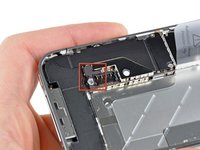
Before reconnecting the battery connector, be sure the contact clip (shown in red) is properly positioned next to the battery connector.
-
-
-
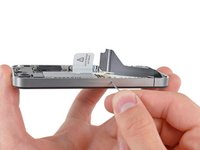
Use a SIM card eject tool or a paperclip to eject the SIM card and its holder.
-
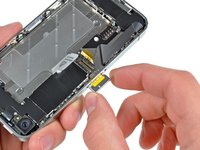
Remove the SIM card and its holder.
-
-
-
-
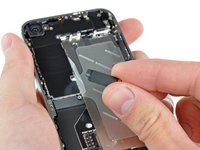
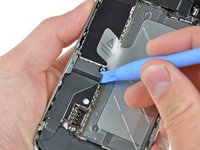
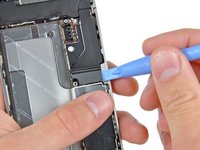
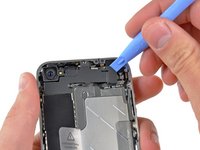
Use an iPod opening tool to slightly lift the top edge of the Wi-Fi antenna away from the logic board.
-
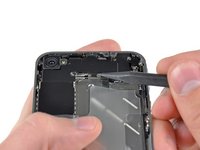
Use the tip of a spudger to pull the Wi-Fi retaining clips away from the inner frame.
-
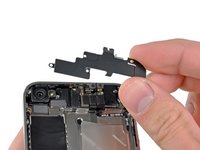
Remove the Wi-Fi antenna from the iPhone. Make sure you don't lose the metal clips on the top of the cover where the 4.8mm screw attaches or the 4.8mm screw. That's the primary reason for abnormal Wi-Fi performance after the reassembly.
-
-
-
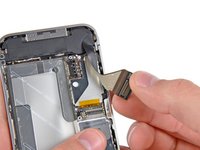
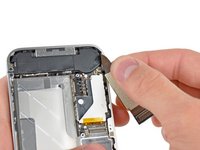
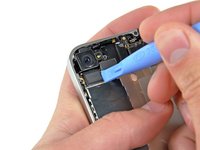
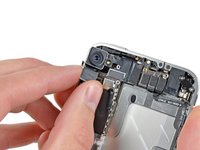
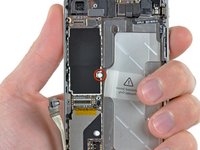
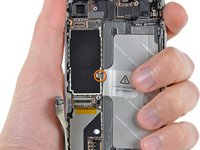
Use the edge of a plastic opening tool to gently pry the following connectors up and out of their sockets on the logic board:
-
Digitizer cable (pry from bottom)
-
LCD cable (pry from bottom)
-
Headphone jack/volume button cable (pry from top)
-
Top Microphone/sleep button cable (pry from top)
-
Front camera cable (pry from top)
-


















To reassemble your device, follow these instructions in reverse order.
Cancel: I did not complete this guide.
297 other people completed this guide.


15 Guide Comments
I did a thorough surgery of mine today. Ppl couldn't hear me at all, so I had to get to the logic board.it was not challenging at all. One has to be careful with the antenna area so as not to apply to much force thereby damaging it. However,if u couldn't clip it back,just use a paper tape to hold it down b4 placing the battery plate on it. I recoupled the phone and everything work excellently. Ppl can hear me clearly now
