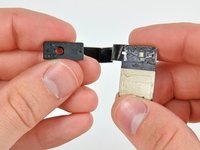
Installing iPad 3G Ambient Light Sensor

Replacing the ambient light sensor on your iPad 3G.

  • Add Note x
  • x 6

Use this guide to replace a broken ambient light sensor.

Image #1 Image #2

Add Note Edit Step 1 — Display Assembly  ¶ 

  • The iPad shown in the photos may look slightly different from your iPad, but the procedure is the same.

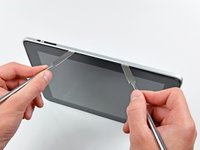
  • Insert a metal spudger between the right edge of the display assembly and the rear panel assembly.

  • Rotate the spudger away from you to release the tabs along the top edge of the display.

Image #1 Image #2

Add Note Edit Step 2  ¶ 

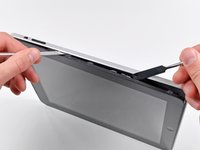
  • Insert a second metal spudger between the top edge of the display assembly and the rear panel assembly to keep the tabs from snapping back into place.

  • Pry the display assembly away from the rear panel.

Image #1 Image #2

Add Note Edit Step 3  ¶ 

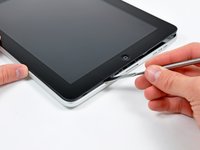
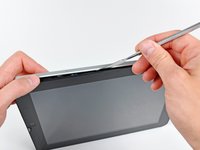
  • Continue prying the display assembly away from the rear panel along the bottom and left edges of the iPad.

  • Use extreme caution as you approach the top edge of the iPad. The digitizer ribbon cable is located near the edge of the rear panel and can easily be damaged.

Image #1

Add Note Edit Step 4  ¶ 

  • Lift the display assembly away from the rear panel assembly by its bottom edge.

  • Do not excessively lift the display assembly off the rest of the iPad, as a fragile antenna cable with very little slack still connects the two components.

Image #1

Add Note Edit Step 5  ¶ 

  • Use the flat end of a spudger to pry the antenna connector closest to the bottom of the iPad up off its socket on the communications board.

Image #1

Add Note Edit Step 6  ¶ 

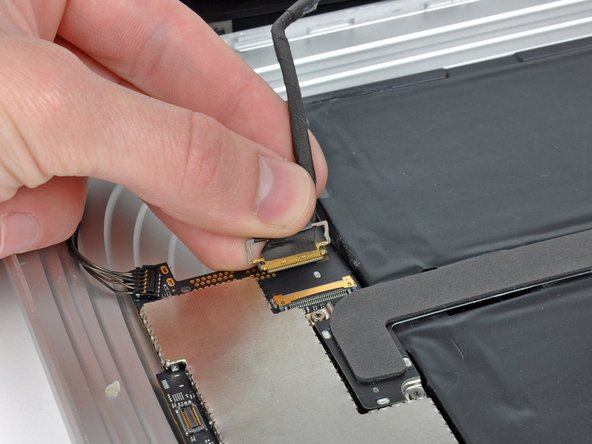
  • In the following steps, you will disconnect the three cables attaching the display assembly to the logic board. The cables are for the following components:

    • Digitizer

    • Ambient Light Sensor

    • Display Data Cable

Image #1 Image #2 Image #3

Add Note Edit Step 7  ¶ 

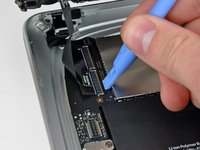
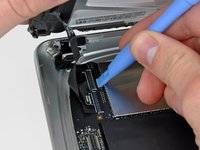
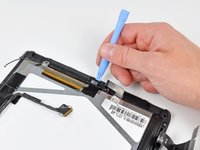
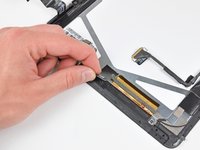
  • Use the edge of an iPod opening tool to flip up the retaining flaps holding the digitizer ribbon cables in their sockets on the logic board.

  • Be sure you are flipping up the retaining flap, not the socket itself.

  • Pull the digitizer ribbon cables straight out of their sockets.

Image #1

Add Note Edit Step 8  ¶ 

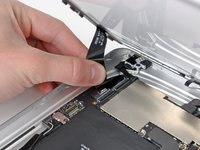
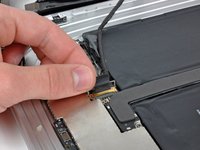
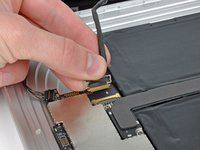
  • Use an iPod opening tool to remove the ambient light sensor connector from its socket by gently prying upward.

Next » « Previous

Required Tools

Metal Spudger

$2.95 · 50+ In stock

Plastic Opening Tools

$2.95 · 50+ In stock

Related Products

iPad Display Clip Set

$19.95 · 10 In stock

Comments Add Note Comments are offturn on