Introduction
The heat sink helps keep the processor cool and happy.
What you need
-
-
With the case closed, place the Unibody top-side down on a flat surface.
-
Depress the grooved side of the access door release latch enough to grab the free end. Lift the release latch until it is vertical.
-
-
-
Remove the following eight screws securing the lower case to the chassis:
-
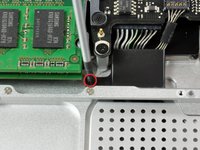
One 3 mm Phillips screw.
-
Three 13.5 mm Phillips screws.
-
Four 3.5 mm Phillips screws.
-
-
-
Remove the four 10.3 mm Phillips screws securing the mid wall to the upper case.
-
-
-
-
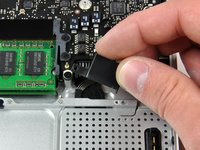
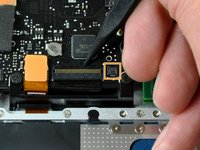
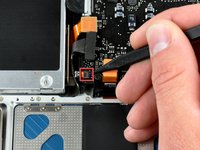
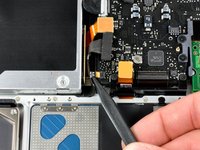
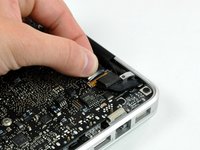
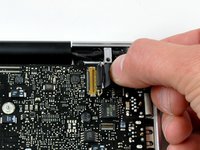
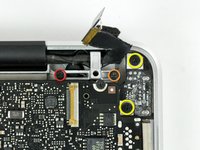
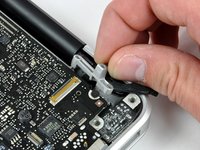
Each connector is different, so the following steps will show you how disconnect each in detail.
-
-
-
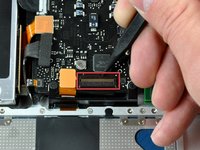
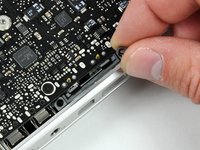
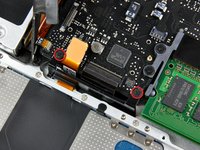
Using the tip of a spudger, flip up the keyboard ribbon cable retaining flap.
-
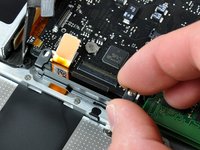
Pull the keyboard ribbon cable straight out of its socket.
-
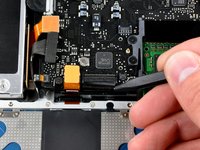
If the smaller connector at the right side of the keyboard ribbon cable is populated by another small black ribbon cable, remove it in a similar way to the above.
-
-
-
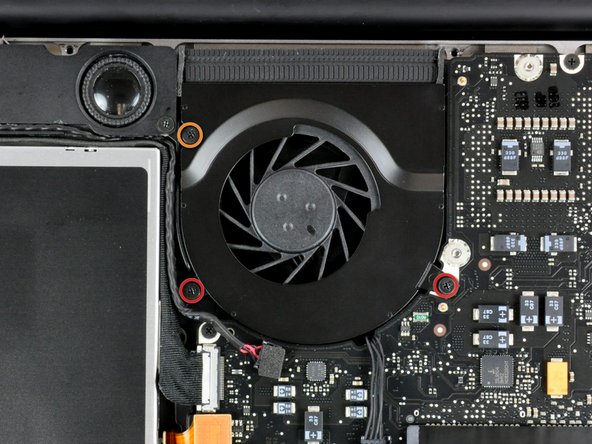
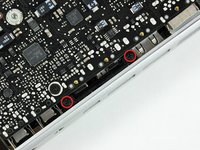
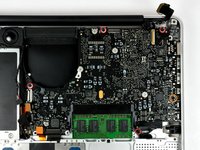
Remove the four 8.5 mm Phillips screws securing the heat sink to the logic board.
-


















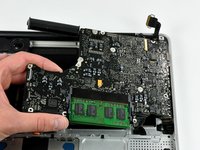


To reassemble your device, follow these instructions in reverse order.
Cancel: I did not complete this guide.
48 other people completed this guide.


6 Guide Comments
Great guide! Helped me deep-clean the MacBook and reapply thermal paste to the CPU/GPU. I found it better to do step 15, the keyboard ribbon cable before screwing the keyboard flex bracket back on. The cable is fragile, and it's hard to get back in, so I recommend a fair amount of caution. The same goes for the IR sensor ribbon cable - put it on before you place the logic board down, by turning the logic board to best insert the cable. Also, remember to use the exact correct screwdrivers! If not, you risk stripping the screw heads, which will cause you an extreme amount of frustration later down the line. I completely stripped one of the screws holding down the fan previously, and it took me an hour just to get it off. Other than this, the guide is perfect for all your needs.
Great guide. Laptop was struggling encoding a movie for my iPad. Temps sitting close to 100°c and fan maxed out. After replacing thermal compound and giving the insides a good dust it’s now encoding again but 20-30°c lower and fan isn’t going crazy yet.
Watch out when doing this I did this last night and my mac book stopped charging. When I get home later I will diagnose the issue but if I am correct I just need to re seat the cable.
The guide is missing a vital step: before lifting the logic board, you need to disconnect the cable on the top right underneath.
you mean step 26?
